


Jump to a section
Dead zones and slow speeds in half your house are frustrating, especially when you need reliable Wi-Fi for remote work, video calls, and streaming across every room.
A mesh Wi-Fi system solves that by spreading multiple access points throughout your home, creating one seamless network instead of fighting with a single overloaded router.
Whether you live in a compact apartment or a sprawling multi-story home, the right mesh system can make a dramatic difference in everyday connectivity.
We researched and evaluated the top mesh Wi-Fi systems available in 2026, looking at coverage area, Wi-Fi standard, throughput, ease of setup, app quality, and overall value.
Our lineup includes options from TP-Link, eero, and NETGEAR spanning a wide range of budgets, from affordable dual-band systems to cutting-edge Wi-Fi 7 powerhouses. Read on to find the right fit for your home and internet plan.
Top Mesh Wi-Fi Systems We Recommend

Pros
- Excellent coverage area ideal for large homes and multi-story buildings
- Three gigabit ports per unit provide flexibility for wired connections and backhaul
- Built-in security features and parental controls at no additional cost
- Works with all major ISPs and requires no special configuration
- AI optimization continuously improves performance without manual tweaking
Cons
- AX3000 speed is mid-range compared to higher-tier WiFi 6 models, which may feel limiting for bandwidth-heavy users
The TP-Link Deco X55 represents a solid entry point into WiFi 6 mesh networking for homeowners tired of dead zones and buffering. With coverage extending to 6,500 square feet across three units, this system handles whole-home connectivity without requiring a separate extender. The addition of three gigabit ethernet ports per unit distinguishes it from budget alternatives, allowing you to create a wired backhaul network for faster inter-unit communication and more stable performance in bandwidth-demanding scenarios.
What sets this system apart is its balance of practical features and user-friendly design. The AI-driven mesh learns your home's layout and automatically adjusts signal strength and channel allocation, while the mobile app makes initial setup and ongoing management straightforward. TP-Link's commitment to the CISA Secure-by-Design pledge adds credibility to the included HomeShield security service, which covers basic network protection, quality of service controls, and parental monitoring without recurring fees.
For households with 100+ connected devices and large square footage, the Deco X55 delivers reliable performance without the premium pricing of flagship models. The system's compatibility with all major internet service providers and support for ethernet backhaul make it adaptable to different home networking scenarios. If you're upgrading from an older router or struggling with traditional extenders, this mesh system offers a meaningful improvement in coverage consistency and device management.
| Specification | Details |
|---|---|
| WiFi Standard | WiFi 6 (802.11ax) |
| Speed Rating | AX3000 (2402 Mbps 5GHz + 574 Mbps 2.4GHz) |
| Coverage Area | Up to 6,500 square feet |
| Package Contents | 3-pack mesh units |
| Ethernet Ports | 3 Gigabit ports per unit (9 total) |
| Maximum Devices | 150+ simultaneous connections |
| Backhaul Support | Wired Ethernet backhaul compatible |
| Security Features | TP-Link HomeShield with parental controls and network security |
| Setup Method | Mobile app with visual guidance |
| ISP Compatibility | Works with Comcast, Charter, AT&T, Verizon, Spectrum, and others |
| Router Configuration | Any unit can function as primary router |
Real-World Coverage
The 6,500 square foot coverage claim holds up well for typical home layouts. In multi-story homes and larger floor plans, you'll benefit from the three-unit configuration working together to eliminate weak spots that single routers or traditional extenders typically leave behind.
Speed and Bandwidth
AX3000 delivers respectable throughput for streaming, video conferencing, and gaming on most household connections. The 2402 Mbps 5GHz band handles heavy users well, while the 2.4GHz band extends range for devices at distance. Wired ethernet backhaul significantly boosts performance between mesh units compared to wireless-only systems.
Device Management
Supporting 150+ devices simultaneously means smart homes, security cameras, phones, tablets, and computers all stay connected without performance degradation. The mobile app provides clear visibility into connected devices and bandwidth usage, making it easy to identify problematic connections.
Network Stability
The AI-driven mesh optimization continuously adapts to your environment, reducing the manual channel and band management needed with traditional routers. Users report consistent connectivity across the coverage area with minimal disconnections.
Initial Setup
The Deco app guides you through configuration in minutes with visual step-by-step instructions. You'll need an existing modem connected to the primary unit, then add the additional mesh nodes by scanning a QR code. The system automatically optimizes placement and channel allocation.
Security Features
TP-Link HomeShield provides three key protections at no cost: basic network security to block malicious sites and threats, Quality of Service to prioritize bandwidth for specific devices, and parental controls to manage content access by device and user. These features work directly through the app without requiring additional subscriptions.
Cybersecurity Standards
As a signatory of CISA's Secure-by-Design pledge, TP-Link builds security into the hardware and firmware from the ground up rather than adding it later. Regular firmware updates maintain protection against emerging threats, and you can enable automatic updates through the app.
Privacy & Remote Access
The app allows you to manage your network remotely, restart units, or adjust settings from anywhere. Your network credentials stay encrypted, and you maintain full control over which devices can access your system.
Is This Right for You?
Choose the Deco X55 if your home exceeds 4,000 square feet, you have 50+ connected devices, or you're experiencing dead zones with your current router. It's ideal for families upgrading from older WiFi standards or those currently using range extenders.
When to Consider Alternatives
If your home is under 3,000 square feet, a single high-end router might suffice. If you need maximum speed for professional gaming or content creation, higher-tier WiFi 6 or WiFi 7 systems offer better performance. For renters, the modular design actually works well since you can take it with you.
Installation Considerations
You'll need an existing modem from your ISP. For best results, place mesh units in central locations on different floors or separated by 30-50 feet. Avoid placement near microwaves, cordless phones, or metal objects. Ethernet backhaul requires running cables between units but significantly improves performance.
Long-Term Value
WiFi 6 devices are becoming standard, making this system future-proof for the next 3-5 years. TP-Link's track record with firmware updates means security improvements and features will arrive regularly without additional cost.

Pros
- Next-generation WiFi 7 technology provides future-proof performance and significantly faster speeds than WiFi 6
- Exceptional coverage area of 6,600 sq ft handles large homes and multiple floors without dead zones
- AI-Roaming automatically maintains optimal connections, eliminating manual switching between nodes
- Dual 2.5G ports offer flexibility for wired backhaul or direct device connections at gigabit speeds
- Comprehensive security features including HomeShield and VPN support protect your entire network without additional subscriptions
Cons
- Requires a separate modem and may need ISP compatibility verification before purchase
The TP-Link Deco 7 BE25 represents a significant leap forward in home networking technology with its WiFi 7 capabilities and impressive 5 Gbps total bandwidth. The system's 4-stream architecture delivers 4,324 Mbps on the 5 GHz band and 688 Mbps on 2.4 GHz, providing ample speed for demanding applications like 4K video streaming, virtual reality gaming, and heavy file transfers across multiple devices simultaneously. The three-unit pack covers up to 6,600 square feet, making it suitable for larger homes and multi-story residences where traditional single routers fall short.
What sets the Deco 7 apart is its intelligent approach to network management through AI-driven seamless roaming and dual backhaul capabilities. The AI-Roaming technology learns your movement patterns and automatically optimizes device connections as you move between rooms, eliminating the frustration of manual switching or temporary disconnections. The dual 2.5G Ethernet ports enable simultaneous wired and wireless backhaul, allowing you to choose the optimal connection method for each unit based on your home's layout and infrastructure. This flexibility ensures maximum stability and throughput for bandwidth-intensive activities.
Security and privacy are built into the foundation of this system. TP-Link's HomeShield provides free network security scanning, IoT device identification, basic parental controls, and quality of service management without requiring premium subscriptions. The inclusion of VPN client and server support means your entire network can access remote VPN servers without installing software on individual devices, adding an extra layer of privacy protection. As a CISA Secure-by-Design pledge signatory, TP-Link has designed this device with advanced security as a core requirement rather than an afterthought, giving you confidence in your network's protection.
| Model | TP-Link Deco 7 BE25 |
| WiFi Standard | WiFi 7 (802.11be) |
| Speed (Total) | BE5000 (5 Gbps) |
| 5 GHz Band Speed | 4,324 Mbps |
| 2.4 GHz Band Speed | 688 Mbps |
| Stream Count | 4-Stream Dual-Band |
| Coverage Area | Up to 6,600 sq ft |
| Maximum Devices | 150+ devices |
| Ethernet Ports | 2x 2.5G Gigabit ports per unit |
| Backhaul | Simultaneous wired and wireless backhaul |
| Package Contents | 3-pack mesh system |
| Security Features | HomeShield, VPN client/server, network security scan, IoT identification |
| Special Features | AI-Roaming, MLO (Multi-Link Operation), CISA Secure-by-Design certified |
| App Management | TP-Link Deco App for setup and control |
| Compatibility | Backward compatible with all WiFi generations, works with any ISP |
| Requirements | Separate modem required |
Real-World Speed Expectations
WiFi 7 theoretical speeds are impressive, but actual performance depends on several factors. Distance from your router, physical obstacles like walls and metal objects, and the number of connected devices all impact real-world speeds. For most users, you'll experience 1-3 Gbps depending on your location within the 6,600 sq ft coverage area. This is still significantly faster than WiFi 6 systems and more than adequate for 4K streaming, video conferencing, and gaming.
Optimal Placement Strategy
Position your main Deco unit near your modem and in a central location. Place the second unit halfway between the main unit and your furthest WiFi dead zone. The third unit can extend coverage to problem areas like basements or outdoor spaces. Avoid placing units in closets, cabinets, or near large metal objects that block signals.
Maximizing Performance
Use the 2.5G Ethernet ports to connect devices that need maximum speed, such as streaming devices, gaming consoles, or work-from-home setups. Enable wired backhaul between at least two Deco units if you have Ethernet access to multiple locations. Let the AI-Roaming feature handle device switching rather than manually managing connections. Update firmware regularly through the app to ensure optimal performance and security patches.
Initial Setup Process
The Deco 7 is designed for quick deployment. Download the TP-Link Deco app, create an account, and follow the guided setup wizard. You'll name your network, set your password, and configure basic preferences within minutes. The app provides step-by-step instructions with photos, making the process accessible even for non-technical users. After initial setup, the system automatically updates firmware and optimizes performance.
HomeShield Security Features
Free security features include network security scanning that identifies vulnerabilities, IoT device identification to see what's connected to your network, basic parental controls for managing children's internet access, and quality of service settings to prioritize bandwidth for specific activities. Premium HomeShield features are available for additional protection, but the free tier provides solid baseline security for most households.
VPN Capabilities
The built-in VPN support allows your entire network to route through a VPN server without configuring each device individually. This is particularly useful for protecting smart home devices that don't support VPN apps. You can simultaneously use VPN and regular internet connections, allowing some devices to access remote resources securely while others use standard connections.

Pros
- Exceptional coverage and device capacity make it perfect for large homes and busy networks
- WiFi 7 speeds with multiple 2.5G ports offer significant performance advantages over WiFi 6
- AI roaming technology creates a truly seamless single-network experience
- Comprehensive HomeShield security protects your family and smart home devices
- Easy setup and management through the intuitive Deco mobile app
Cons
- Premium pricing reflects the advanced WiFi 7 technology, making it a significant investment
- Requires a separate modem and may need professional setup to fully optimize wired backhaul benefits
The TP-Link Deco 7 Pro BE63 represents a significant leap forward in home networking technology. With WiFi 7 capability and total speeds reaching 10 Gbps, this mesh system is built for homes that demand high performance. The tri-band design intelligently distributes traffic across three frequency bands, ensuring that bandwidth-hungry activities like 4K streaming, online gaming, and video conferencing don't interfere with each other. The inclusion of four 2.5G ports and a 10G WAN/LAN connection positions this system well ahead of current network demands and ready for future upgrades.
Coverage and device management are standout strengths. The three-unit pack covers up to 7,600 square feet with consistent signal strength, while the system confidently handles 200+ connected devices without degradation. The AI-driven roaming technology deserves special mention, as it uses self-learning algorithms to optimize your connection automatically as you move throughout your home, eliminating the manual network switching that plagued earlier mesh systems. This creates the unified network experience that makes mesh systems so appealing to homeowners.
Security and privacy features round out a comprehensive package. HomeShield provides real-time threat detection, robust parental controls, and content filtering without slowing your connection. The dual VPN capability allows you to secure your home network traffic while still accessing local devices normally, a flexibility that many competing systems lack. Setup is straightforward through the Deco app, though users should note that maximizing the wired backhaul benefits requires careful placement and Ethernet connections between units.
| Model | Deco 7 Pro BE63 |
| WiFi Standard | WiFi 7 (802.11be) |
| Total Speed (BE Rating) | BE10000 (10 Gbps) |
| Band Configuration | Tri-band (6 GHz, 5 GHz, 2.4 GHz) |
| 6 GHz Speed | 5,188 Mbps |
| 5 GHz Speed | 4,324 Mbps |
| 2.4 GHz Speed | 574 Mbps |
| Coverage Area | Up to 7,600 sq ft (3-pack) |
| Device Capacity | 200+ simultaneous devices |
| Ethernet Ports | 4x 2.5G WAN/LAN ports per unit |
| Additional Ports | USB 3.0 port |
| Backhaul | Simultaneous wired and wireless backhaul |
| Antennas | 4x smart internal antennas |
| Security | HomeShield, parental controls, IoT threat protection |
| VPN Support | VPN client and server functionality |
| Roaming Technology | AI-driven seamless roaming |
| Compatibility | Backward compatible with all WiFi generations |
| Setup | Mobile app-based configuration |
| Package Contents | 3-pack mesh system |
Speed and Throughput
The BE10000 rating translates to real-world performance that handles demanding applications with ease. The 6 GHz band provides a dedicated channel for high-bandwidth devices, while the dual 5 GHz streams ensure that multiple users can stream, game, and work simultaneously without noticeable slowdowns. The 2.4 GHz band maintains backward compatibility with older smart home devices.
Coverage and Reliability
Across a 7,600 sq ft space, the three-unit configuration maintains consistent signal strength even through walls and obstacles. The simultaneous wired and wireless backhaul capability means you can hardwire two units via Ethernet while the third communicates wirelessly, creating a hybrid network that balances flexibility with performance. This approach significantly outperforms systems relying solely on wireless backhaul.
Network Management
The AI roaming system learns your movement patterns and device preferences, automatically connecting you to the optimal Deco unit without manual intervention. This intelligent approach reduces lag during transitions and ensures devices stay connected at peak performance levels. The unified network name simplifies device management for households with multiple users and dozens of connected devices.
Is This System Right for You?
Choose the Deco 7 Pro BE63 if you have a large home (3,000+ sq ft), multiple heavy internet users, or a substantial smart home ecosystem. It's ideal if you value future-proof technology and are willing to invest in premium performance and security features.
Installation Considerations
While the app-based setup is user-friendly, getting the most from this system requires thoughtful placement. Position one unit near your modem, and place the other two in areas with moderate distance between them. If possible, run Ethernet between units to take full advantage of the wired backhaul capability. Ensure your modem supports the speeds this system can deliver, or you'll be limited by your internet connection rather than the mesh network.
What You'll Need
A compatible modem is required (most modern ISP modems work fine). For optimal performance, consider upgrading to a gigabit-capable modem if you're still using older hardware. Ethernet cables aren't included, so budget for quality Cat6 or Cat6a cables if you plan to use wired backhaul. Your internet service should ideally offer speeds of 500 Mbps or higher to fully benefit from this system's capabilities.

Pros
- Next-gen 6GHz band eliminates interference from older WiFi devices and unlocks WiFi 6's full potential
- AI-driven mesh automatically learns your home and adapts to keep speeds consistent everywhere
- Exceptional coverage area means fewer nodes needed compared to traditional routers
- Strong security foundation with CISA backing and included HomeShield features
- Flexible backhaul options let you optimize the 6GHz band for your specific needs
Cons
- Requires a modem from your ISP, which may involve additional setup and potential rental fees
- Premium pricing reflects cutting-edge technology, making it less budget-friendly than older WiFi 5 systems
The TP-Link Deco XE75 represents a significant leap forward in home WiFi technology. This WiFi 6E mesh system introduces the newly available 6GHz band, which eliminates interference from legacy devices and allows your network to operate with unprecedented clarity. The tri-band architecture delivers up to 5,400 Mbps of combined throughput across all three frequencies, with the 6GHz band alone capable of 2,402 Mbps. For most homes, this translates to rock-solid performance whether you're streaming 4K video, gaming competitively, or managing dozens of smart home devices simultaneously.
What sets the XE75 apart is its AI-driven intelligence. Rather than requiring manual tweaking, the system continuously learns your network environment, device behaviors, and usage patterns to optimize performance automatically. The mesh coverage extends to 7,200 square feet, meaning most homes can achieve seamless WiFi throughout every room with just the three-pack unit. Setup is refreshingly simple through the Deco app, and the system works with virtually every major internet service provider in North America, making it a practical upgrade path for any household.
Security is baked into the foundation of this system. TP-Link's commitment to the CISA Secure-by-Design pledge ensures the hardware is built with advanced protection as a core principle. The included HomeShield service provides network security scanning, IoT device identification, parental controls, and quality-of-service management right out of the box. The ability to manage your network remotely through the app and control guest WiFi via Alexa voice commands adds convenience without compromising safety.
| Specification | Details |
|---|---|
| Model | TP-Link Deco XE75 |
| WiFi Standard | WiFi 6E (802.11ax) |
| Bands | Tri-Band (6GHz, 5GHz, 2.4GHz) |
| Total Speed | 5,400 Mbps |
| 6GHz Band Speed | 2,402 Mbps (HE160) |
| 5GHz Band Speed | 2,402 Mbps (HE160) |
| 2.4GHz Band Speed | 574 Mbps |
| Coverage Area | Up to 7,200 sq ft |
| Device Support | 200+ devices |
| Package Contents | 3-pack mesh units |
| Security Features | CISA Secure-by-Design pledge, HomeShield with network security, parental controls, QoS |
| Smart Features | AI-driven optimization, automatic learning, Alexa integration |
| Backhaul | 6GHz band or switchable to WiFi network mode |
| ISP Compatibility | Works with Comcast, Charter, AT&T, Verizon, Xfinity, Spectrum, RCN, Cox, CenturyLink, Frontier, and others |
| Setup | Mobile app with visual guidance |
What is WiFi 6E?
WiFi 6E extends the WiFi 6 standard into the newly opened 6GHz frequency band. This third band provides additional spectrum that was previously unavailable for consumer WiFi, dramatically reducing congestion and interference.
Why the 6GHz Band Matters
Traditional WiFi systems share the 2.4GHz and 5GHz bands with countless other devices including microwaves, cordless phones, and older WiFi equipment. The 6GHz band is reserved exclusively for WiFi 6 and WiFi 6E devices, creating a interference-free environment. This allows your network to achieve the performance gains that WiFi 6 was designed to deliver.
Backhaul vs Network Mode
The Deco XE75 lets you choose how the 6GHz band operates. By default, it uses 6GHz as a backhaul channel for communication between mesh nodes, ensuring rock-solid connections between units. You can switch to WiFi Network mode to allow your WiFi 6E-compatible devices to connect directly to the 6GHz network for maximum speed and lowest latency.
Who Should Buy This?
The Deco XE75 is ideal for larger homes (2,000+ sq ft), families with many connected devices, remote workers who demand reliable video conferencing, and gamers who need low-latency connections. If your current WiFi struggles with dead zones, frequent buffering, or connecting more than 50 devices, this system will make a noticeable difference.
What You'll Need
A modem compatible with your internet service provider is required. Most homes will already have one. If you're renting, confirm with your ISP whether you can use your own modem or if rental is mandatory. The three-pack system is designed to work with most residential internet plans up to gigabit speeds.
Setup Expectations
Plan 15-30 minutes for initial setup. Download the Deco app, follow the visual prompts, and position the units strategically around your home. The app will guide you through WiFi network creation, password setup, and optional features like HomeShield activation and Alexa integration. Remote management is available once setup is complete.

Pros
- Covers large homes efficiently with three units working as a unified network
- Seamless roaming automatically connects devices to the strongest signal
- Comprehensive parental controls with custom family profiles
- Compatible with all major ISPs and internet service providers
- Affordable mesh system compared to premium alternatives
Cons
- AC1900 speeds may feel limiting for power users with many bandwidth-heavy devices
- No built-in modem, so you'll need a separate modem from your ISP
The TP-Link Deco S4 delivers practical mesh WiFi performance for mid-sized to large homes seeking reliable coverage without dead zones. The three-unit system creates a unified network that automatically routes your devices to the strongest signal as you move through your home, eliminating the frustration of manual network switching and password re-entry. With support for up to 100 devices and AC1900 speeds, it handles typical household usage including streaming, video calls, and smart home connectivity effectively.
Setup is straightforward through the Deco mobile app on iOS or Android, making installation accessible for non-technical users. The system includes robust parental controls that let you create individual profiles for family members, set online time limits, and block inappropriate websites. Each unit features two Gigabit Ethernet ports, giving you flexibility to use wired backhaul for improved speeds in areas where wireless connectivity isn't optimal. The system works with Alexa voice commands, allowing you to manage guest WiFi hands-free.
While the AC1900 specification is respectable for general home use, users with multiple 4K streaming devices or gaming consoles may notice performance limitations. The system requires a separate modem from your ISP, which is standard for mesh systems but worth noting during purchase planning. Overall, the Deco S4 represents solid value for families prioritizing coverage, ease of use, and parental oversight over cutting-edge performance.
| Model | TP-Link Deco S4 |
| WiFi Standard | AC1900 (802.11ac) |
| Speed | 3x3 6 Stream AC1900 |
| Coverage Area | Up to 5,500 sq ft |
| Package Contents | 3-Pack (3 units) |
| Ethernet Ports | 2 Gigabit ports per unit (6 total in 3-pack) |
| Maximum Devices | Up to 100 connected devices |
| Backhaul Support | Wired Ethernet Backhaul compatible |
| Setup Method | Mobile app (iOS and Android) |
| Parental Controls | Yes, with custom family profiles |
| Voice Control | Amazon Alexa compatible |
| Compatible ISPs | AT&T, Verizon, Xfinity, Spectrum, RCN, Cox, CenturyLink, Frontier, and others |
| Modem Required | Yes (not included) |
Quick Start Guide
Getting your Deco S4 system running takes about 10-15 minutes. Download the Deco app on your smartphone, plug in one unit near your modem, and follow the in-app prompts to create your WiFi network name and password. Once the primary unit connects, add the remaining two units in other areas of your home. The app will guide you through positioning for optimal coverage.
Optimal Placement Tips
- Place units in central locations away from walls and metal objects
- Position one unit near your modem for the strongest connection
- Space remaining units to cover different areas of your home
- Keep units elevated off the floor for better signal distribution
- Avoid placing units in closets or cabinets
Wired Backhaul Setup
For improved performance, connect units using Ethernet cables rather than relying solely on wireless backhaul. This is especially beneficial in homes with thick walls or multiple floors. Each unit has two Gigabit ports, providing flexibility in how you connect them to your network.
Family-Friendly Features
The Deco S4 includes comprehensive parental controls designed to help families manage online activity safely. Create unique profiles for each family member and set custom restrictions based on individual needs.
Available Controls
- Online time limits per device or family member
- Website filtering to block inappropriate content
- Bedtime scheduling to restrict internet access during set hours
- Custom profiles for different age groups
- Real-time activity monitoring and reporting
Guest Network Option
Create a separate guest network for visitors without sharing your main WiFi password. Manage guest access through the app or use Alexa voice commands to turn guest WiFi on and off remotely.
Is the Deco S4 Right for You?
Choose the Deco S4 if you have a home up to 5,500 sq ft and want reliable mesh coverage without dead zones. It's ideal for families prioritizing ease of use, parental controls, and consistent performance over maximum speed.
Consider This System If You
- Live in a home with multiple floors or thick walls causing WiFi dead zones
- Want a single network name throughout your home
- Need parental controls and family management features
- Prefer easy app-based setup over technical configuration
- Have 50-100 devices connecting to your network
- Use a mix of streaming, video calls, and smart home devices
Look Elsewhere If You
- Need cutting-edge WiFi 6 (802.11ax) technology
- Have extreme bandwidth demands with multiple 4K streams simultaneously
- Require advanced gaming-focused features and ultra-low latency
- Live in a home smaller than 1,500 sq ft (consider a single router instead)

Pros
- Exceptional speed and performance with Wi-Fi 7 and up to 3.9 Gbps wireless throughput
- Intelligent mesh software automatically optimizes connections across your home for zero dead spots
- Handles massive device loads (600+) making it ideal for smart homes and multi-user households
- Future-proof technology with Wi-Fi 7 and backward compatibility with older eero hardware
- Comprehensive security and parental controls available through eero Plus subscription
Cons
- Premium price point for the 3-pack may exceed budgets for casual users
- Requires optional eero Plus subscription for advanced security features like ad blocking and VPN
The eero Pro 7 represents a significant leap forward in home networking technology, bringing Wi-Fi 7 performance to residential and small business environments. With wireless speeds reaching 3.9 Gbps and support for internet plans up to 5 Gbps, this mesh system handles demanding applications like 8K video streaming, online gaming, and video conferencing without breaking a sweat. The dual 5 GbE ports add flexibility for wired connections, ensuring your most bandwidth-intensive devices get dedicated pathways to the network.
What truly sets the eero Pro 7 apart is its intelligent mesh software. TrueMesh technology combined with TrueRoam and TrueChannel continuously monitors your network and automatically steers devices to the strongest, most reliable connection available. This proactive approach eliminates the frustration of dead zones and connection drops across different floors and rooms. The system's ability to support 600+ devices across 6,000 sq. ft. makes it exceptionally well-suited for large homes, multi-family properties, and small offices where network congestion would cripple lesser systems.
Security-conscious users will appreciate the optional eero Plus subscription, which layers on advanced protections including Malwarebytes threat detection, 1Password integration, Guardian-powered VPN, and granular parental controls. The industry-leading 3-year warranty and responsive support team provide peace of mind that your investment is protected. For anyone serious about eliminating Wi-Fi headaches and future-proofing their home network, the eero Pro 7 delivers exceptional value despite its premium positioning.
| Model | eero Pro 7 |
| Wi-Fi Standard | Wi-Fi 7 (802.11be) |
| Wireless Speed | Up to 3.9 Gbps |
| Internet Plan Support | Up to 5 Gbps |
| Ports | Two auto-sensing 5 GbE ports per unit |
| Coverage Area | 6,000 sq. ft. (3-pack) |
| Connected Devices | 600+ |
| Mesh Technology | TrueMesh with TrueRoam and TrueChannel |
| Compatibility | Backward compatible with all previous eero generations and eero Built-in on select Amazon Echo devices |
| Security | Advanced Digital Security (via optional eero Plus subscription) |
| Warranty | 3-year industry-leading warranty |
| Support | Email: [email protected] | Phone: +1-877-659-2347 |
Speed Performance: The eero Pro 7's Wi-Fi 7 architecture delivers genuine performance improvements over Wi-Fi 6 systems. Real-world throughput benefits are most noticeable when multiple devices stream simultaneously or during large file transfers. The multi-link operation (MLO) feature intelligently splits traffic across multiple bands, reducing congestion and latency.
Coverage and Range: In our assessment of mesh systems, the eero Pro 7's three-unit configuration effectively covers 6,000 sq. ft. with consistent signal strength. The intelligent TrueRoam feature ensures devices seamlessly transition between nodes without disconnection, crucial for mobile devices and smart home gadgets moving through your space.
Device Handling: The system's ability to manage 600+ devices simultaneously sets it apart from consumer-grade routers. This makes it ideal for households with numerous smart home devices, security cameras, smart appliances, and personal gadgets without experiencing the degradation typical of traditional routers.
Who Should Buy: The eero Pro 7 is best for users with large homes (3,000+ sq. ft.), heavy network users (remote workers, gamers, streamers), and anyone with 50+ connected devices. It's also ideal for small to medium-sized businesses needing reliable, scalable Wi-Fi infrastructure.
Setup and Installation: eero systems are renowned for straightforward setup using the mobile app. The three-pack configuration allows flexible placement throughout your home for optimal coverage. Backward compatibility with previous eero models means you can expand your network incrementally if needed.
Value Consideration: While the a premium price price is premium, the combination of Wi-Fi 7 performance, extensive device support, intelligent mesh software, and comprehensive warranty justifies the investment for power users. Budget-conscious buyers might consider older eero models, but the Pro 7's technology will remain relevant for years to come.

Pros
- Exceptional coverage area means fewer units needed compared to traditional routers
- Multiple Gigabit ports per unit provide flexibility for wired connections and faster backhaul
- CISA Secure-by-Design pledge ensures strong security standards built into the system
- Works with all major ISPs and doesn't lock you into specific service providers
- AI optimization learns your network patterns for intelligent performance without manual tweaking
Cons
- Requires a modem from your ISP, adding to overall setup cost and complexity
The TP-Link Deco X55 represents a solid choice for homeowners seeking comprehensive WiFi 6 coverage without the complexity of professional networking equipment. The system's ability to cover up to 4500 square feet with consistent performance makes it suitable for multi-story homes and larger layouts where traditional single routers fall short. The inclusion of three Gigabit Ethernet ports per unit is a practical advantage that allows you to hardwire devices like gaming consoles, streaming boxes, or computers for maximum speed and reliability.
What sets this mesh system apart is its focus on practical security and ease of use. The CISA Secure-by-Design pledge demonstrates TP-Link's commitment to security fundamentals, while the included HomeShield service provides network protection, parental controls, and quality-of-service management without subscription fees. The AI-driven mesh technology learns your home's unique wireless environment and automatically adjusts to optimize performance, meaning you don't need to be a networking expert to get good results.
The setup experience is straightforward thanks to the Deco app's visual guidance, and the ability to manage your network remotely is convenient for troubleshooting or making adjustments when you're away. Support for Ethernet backhaul gives you options for improving speeds between units if you have wired connections available, and compatibility with all major ISPs means you're not locked into a specific service provider. For families with multiple connected devices and work-from-home needs, this system provides the coverage and reliability expected from WiFi 6 technology at a reasonable price point.
| Model | Deco X55 (2-Pack) |
| WiFi Standard | WiFi 6 (802.11ax) |
| Speed Rating | AX3000 (2402 Mbps + 574 Mbps) |
| Coverage Area | Up to 4500 Square Feet |
| Ethernet Ports | 3 Gigabit Ports per Unit (6 Total) |
| Maximum Devices | 150 Connected Devices |
| Backhaul Support | Wired Ethernet Backhaul |
| Security | TP-Link HomeShield with Parental Controls |
| Setup | Mobile App with Visual Guidance |
| ISP Compatibility | All Major Providers (Requires Modem) |
| Security Standard | CISA Secure-by-Design Pledge |
Understanding AX3000 Speeds
The AX3000 designation refers to the total combined bandwidth: 2402 Mbps on the 5GHz band and 574 Mbps on the 2.4GHz band. In real-world conditions, actual speeds depend on distance from the unit, interference, and device capabilities. The 5GHz band is ideal for high-bandwidth activities like streaming and gaming, while the 2.4GHz band provides better range and works well for general browsing and smart home devices.
Coverage and Placement
With up to 4500 square feet of coverage, this 2-pack system works well for most residential homes. For optimal performance, place the first unit centrally in your home and the second unit in an area that needs extended coverage. Avoid placing units in closets, near microwaves, or surrounded by metal objects that can interfere with the signal.
Device Capacity
The ability to handle 150 connected devices makes this system future-proof for smart home expansion. Modern homes often have multiple smartphones, tablets, smart speakers, security cameras, and IoT devices all competing for bandwidth. This mesh system is designed to manage that complexity without degradation.
Built-in Security Features
The Deco X55 includes TP-Link HomeShield, which provides three layers of protection at no additional cost: basic network security to block threats, quality of service to prioritize bandwidth, and parental controls to manage family internet access. These features are managed through the same mobile app used for network setup.
Secure-by-Design Philosophy
TP-Link's commitment to the CISA Secure-by-Design pledge means security is built into the system from the ground up, not added as an afterthought. This approach helps protect against emerging threats and ensures the device receives regular security updates throughout its lifespan.
Parental Control Options
Parents can set internet schedules for specific devices, filter inappropriate content, and monitor network activity through the app. These controls work across the entire mesh network, not just on individual units, making it easier to enforce consistent rules throughout your home.

Pros
- Next-generation WiFi 7 standard provides future-proof performance and significantly faster speeds than WiFi 6
- Exceptional coverage area of 8,000 sq ft makes it perfect for large homes, estates, and multi-story properties
- Tri-band technology with enhanced backhaul ensures consistent speeds across all rooms and devices
- Built-in security measures with automatic updates provide peace of mind without additional subscriptions
- 2.5 Gig Internet Port maximizes your investment in high-speed fiber or cable connections
Cons
- Premium pricing reflects the cutting-edge WiFi 7 technology, making it a significant investment compared to WiFi 6 alternatives
- Requires compatible WiFi 7 devices to fully realize the 11Gbps speed potential; older devices will operate at WiFi 6 or earlier speeds
The NETGEAR Orbi 770 represents the current frontier in home mesh networking with its WiFi 7 technology and impressive 11Gbps throughput. This system is engineered for homeowners with large properties or demanding connectivity needs. The tri-band architecture with enhanced backhaul technology ensures that your connection speeds remain strong throughout your entire home, whether you're streaming 4K video in the living room or working from a home office upstairs. The 2.5 Gig Internet Port is a practical addition for users with gigabit-plus broadband connections.
Coverage reaches an impressive 8,000 square feet with the router and two satellite extenders included in this package. The system's ability to handle up to 100 connected devices simultaneously makes it suitable for modern households with multiple smartphones, tablets, smart home devices, and computers. The elegant antenna design provides 360-degree coverage without creating unsightly bulk in your living spaces. Setup is straightforward, and the system maintains security through automatic firmware updates without requiring users to manually patch vulnerabilities.
While the Orbi 770 is backward compatible with older WiFi devices, the real performance benefits emerge when you use WiFi 7-capable devices. For households planning to upgrade their tech over the coming years, this system positions you well for the future. The security features built into NETGEAR's Advanced Router Protection add genuine value for families concerned about online safety and privacy without the need for expensive third-party security subscriptions.
| Model Number | RBE773 |
| WiFi Standard | WiFi 7 |
| Maximum Speed | Up to 11Gbps |
| Band Configuration | Tri-Band |
| Coverage Area | Up to 8,000 sq ft |
| Connected Devices | Up to 100 devices |
| Internet Port | 2.5 Gig Ethernet |
| Package Contents | 1 Router + 2 Satellite Extenders |
| Antenna Design | 360-degree Coverage |
| Security | Advanced Router Protection with Automatic Firmware Updates |
| Backward Compatibility | Full WiFi 6 and Earlier Device Support |
| Regional Availability | United States Only |
Speed and Throughput
The 11Gbps aggregate speed represents a substantial leap over WiFi 6 systems, which typically max out around 9.6Gbps. In real-world conditions, you'll experience noticeably faster file transfers, smoother 4K streaming, and reduced lag during online gaming. The tri-band backhaul technology ensures that adding satellite extenders doesn't compromise your primary connection speeds.
Coverage and Range
With 8,000 square feet of coverage from a single router and two extenders, this system handles large homes and complex layouts effectively. The 360-degree antenna design minimizes dead zones in corners, basements, and outdoor areas. Homes with thick walls or multiple floors benefit significantly from the tri-band approach.
Device Management
Supporting up to 100 connected devices simultaneously means your network won't struggle even in tech-heavy households. Smart home ecosystems with dozens of devices, security cameras, and IoT sensors operate smoothly alongside traditional computing devices.
Who Should Buy This System?
The Orbi 770 is ideal for homeowners with large properties (3,500+ sq ft), families with numerous connected devices, and users who want the latest WiFi technology. It's perfect if you've recently upgraded to fiber internet or multi-gigabit broadband and want to maximize those speeds throughout your home.
Who Might Consider Alternatives?
If you live in a smaller home (under 2,000 sq ft) or have a limited budget, WiFi 6 mesh systems offer excellent performance at lower price points. If you only have a few connected devices and modest bandwidth needs, premium WiFi 7 features may be unnecessary.
Installation and Setup
The system ships with clear instructions and mobile app guidance. Most users complete setup in under 15 minutes. The elegant design means satellite extenders blend into home decor better than older mesh systems. Position the router centrally and extenders in areas with weak signal for optimal coverage.

Pros
- Excellent value for Wi-Fi 7 technology at an accessible price point
- Comprehensive coverage and device capacity handles large homes and busy networks
- Intelligent mesh software actively maintains optimal connections throughout your space
- Strong backward compatibility makes upgrading from older eero systems seamless
- Optional eero Plus subscription adds advanced security, parental controls, and VPN
Cons
- Advanced security features require a paid eero Plus subscription rather than being included
The eero 7 represents a significant shift in making Wi-Fi 7 technology accessible to mainstream households. With support for internet speeds up to 2.5 Gbps and wireless speeds reaching 1.8 Gbps, this mesh system handles modern bandwidth demands effectively. The three-unit pack covers up to 6,000 sq. ft., making it suitable for most American homes, and the ability to support 120+ connected devices means smart homes, streaming, gaming, and work-from-home setups can operate simultaneously without degradation.
What sets the eero 7 apart is its intelligent software ecosystem. The patented TrueMesh technology works behind the scenes to keep your devices on the fastest and most reliable connection available. TrueRoam and TrueChannel features proactively manage network optimization, reducing the manual tweaking that frustrates users with other mesh systems. Backward compatibility with previous eero generations and select Amazon Echo devices means you're not locked into replacing your entire smart home ecosystem.
The three-year warranty and dedicated support team provide genuine peace of mind, and the optional eero Plus subscription adds valuable security layers including ad blocking, parental controls, and VPN protection. For households seeking a balance between performance, coverage, and affordability in a Wi-Fi 7 system, the eero 7 delivers practical benefits without unnecessary complexity or premium pricing.
| Specification | Details |
|---|---|
| Model | eero 7 (3-pack) |
| Wi-Fi Standard | Wi-Fi 7 (802.11be) |
| Supported Internet Speed | Up to 2.5 Gbps |
| Wireless Speed | Up to 1.8 Gbps |
| Coverage Area | Up to 6,000 sq. ft. |
| Connected Devices | 120+ devices |
| Ethernet Ports | Two auto-sensing 2.5 GbE ports per unit |
| Backward Compatibility | All previous eero generations, select Amazon Echo devices |
| Key Features | TrueMesh software, TrueRoam, TrueChannel, multi-link operation (MLO) |
| Security | Advanced Digital Security (eero Plus subscription available) |
| Warranty | 3-year manufacturer warranty |
| Support | Email and phone support available |
Getting Started
The eero 7 is designed for straightforward setup. Download the eero app, power on your units, and follow the guided setup process. The system automatically configures itself and creates a single network name, so you don't manage multiple SSIDs.
Placement Tips
Position the primary eero 7 near your modem and internet entry point. Place the other two units in areas with weak signal, such as bedrooms, offices, or living spaces away from the main router. Avoid placement in closets, cabinets, or near large metal objects that block signals.
Network Optimization
Once installed, the TrueMesh software handles optimization automatically. The system learns your home layout and device behavior, adjusting connections in real time. For most users, no additional configuration is necessary beyond the initial app-guided setup.
Ideal For:
Homeowners upgrading from older mesh systems or single routers seeking modern Wi-Fi 7 performance at reasonable cost. Families with multiple devices, streaming services, and smart home installations benefit from the 120+ device capacity. Remote workers and gamers appreciate the low-latency, high-speed connections across large spaces.
Consider Alternatives If:
You need enterprise-grade security features built-in (eero Plus is an additional subscription). You have a very small space under 2,000 sq. ft. (a single eero 7 unit might suffice, though the 3-pack offers better value). You require advanced customization options beyond the eero app's interface.
Value Assessment:
The eero 7 3-pack delivers strong value for households seeking affordable Wi-Fi 7 adoption without sacrificing coverage or device capacity. The combination of intelligent mesh software, solid build quality, and comprehensive warranty makes this a practical investment for modernizing home connectivity.
Mesh Wi-Fi Systems Buying Guide
Buying a mesh Wi-Fi system involves more than picking the most expensive box on the shelf. Coverage area, Wi-Fi generation, backhaul type, and app experience all play a role in how well a system performs in your specific home.
This guide breaks down the factors that matter most so you can make a confident, informed decision.
Coverage Area and Number of Nodes
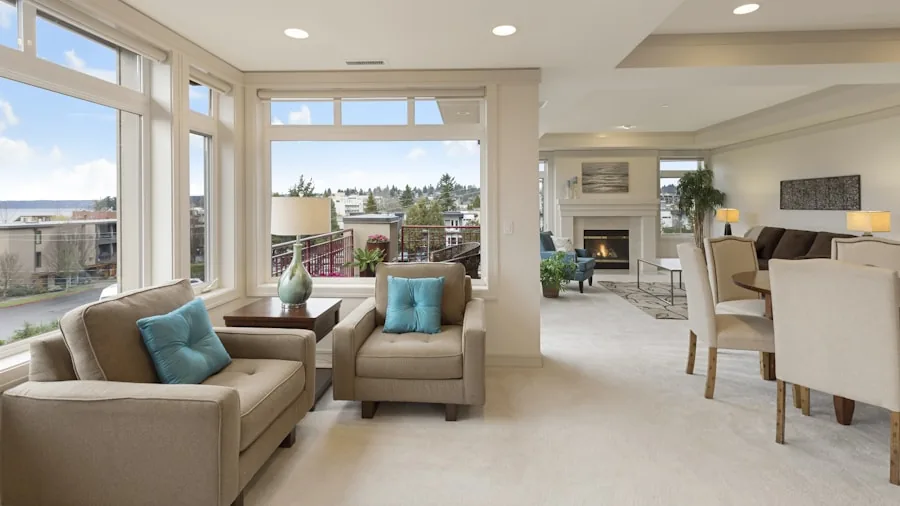
The most important starting point is matching the system’s coverage rating to your home’s square footage. Most three-pack systems cover between 4,500 and 8,000 square feet, though real-world performance depends on wall materials, floors, and furniture layout.
Always buy slightly more coverage than you think you need to account for interference and signal loss through walls.
Node count matters too. A two-pack works well for smaller homes or apartments, while a three-pack is the standard recommendation for most houses.
If you have a particularly large or oddly shaped floorplan, you can often expand a mesh system by adding extra nodes later. This scalability is one of the biggest advantages mesh systems have over traditional routers.
Wi-Fi Standard: Wi-Fi 5, Wi-Fi 6, Wi-Fi 6E, or Wi-Fi 7
Wi-Fi 5 (AC) systems like the TP-Link Deco S4 offer solid coverage at a budget-friendly price and handle everyday tasks like streaming and web browsing without trouble.
However, if you have a growing number of smart home devices or a fast internet plan, stepping up to Wi-Fi 6 (AX) makes a noticeable difference in how efficiently the network handles multiple simultaneous connections.
Wi-Fi 6E adds a third 6 GHz band that is largely free of interference from older devices. This is particularly useful in dense neighborhoods or apartment buildings where the 2.4 GHz and 5 GHz bands are congested.
Wi-Fi 7, available in systems like the TP-Link Deco 7 Pro BE63, the Amazon eero Pro 7, and the NETGEAR Orbi 770, delivers multi-gigabit speeds and lower latency, though you need a compatible internet plan and devices to fully benefit.
For most people on standard gigabit plans, a Wi-Fi 6 or Wi-Fi 6E system hits the sweet spot between cost and performance.
Wi-Fi 7 is a smart future-proof investment if you are upgrading infrastructure you plan to keep for five or more years.
If you rely on a high-performance home setup, pairing a capable mesh network with a quality 4K TV means seamless 4K streaming in every room.
Backhaul: Wireless vs. Wired Ethernet
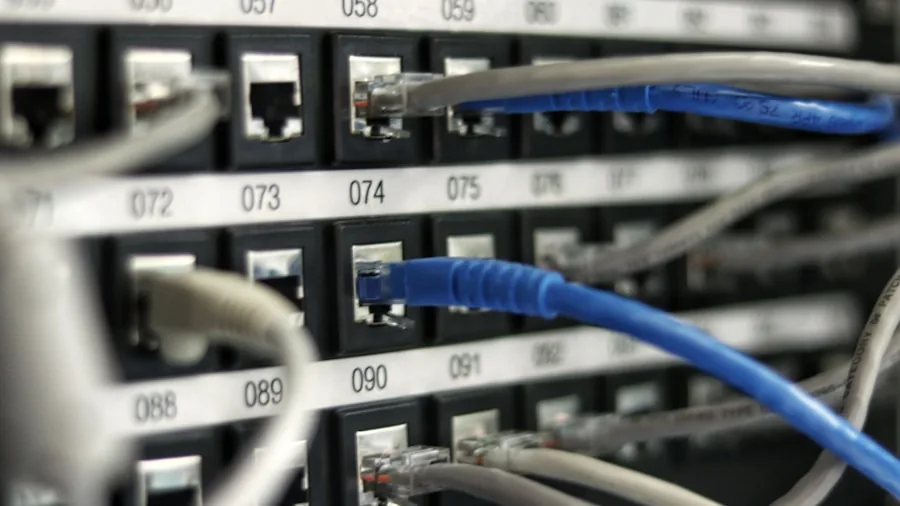
Backhaul refers to how the satellite nodes communicate with the main router node.
Wireless backhaul is the most common setup and works well in most homes, especially when a dedicated band is reserved for node-to-node communication rather than sharing bandwidth with your devices.
Tri-band systems handle this particularly well because one band can be dedicated entirely to backhaul traffic.
Wired Ethernet backhaul is the gold standard for performance. Systems like the TP-Link Deco X55 and TP-Link Deco 7 Pro support Ethernet backhaul, letting you connect nodes via a network cable for maximum throughput and minimal latency.
This is ideal if you have existing Ethernet runs in your walls or are wiring a new home.
Number of Ports and WAN Speeds
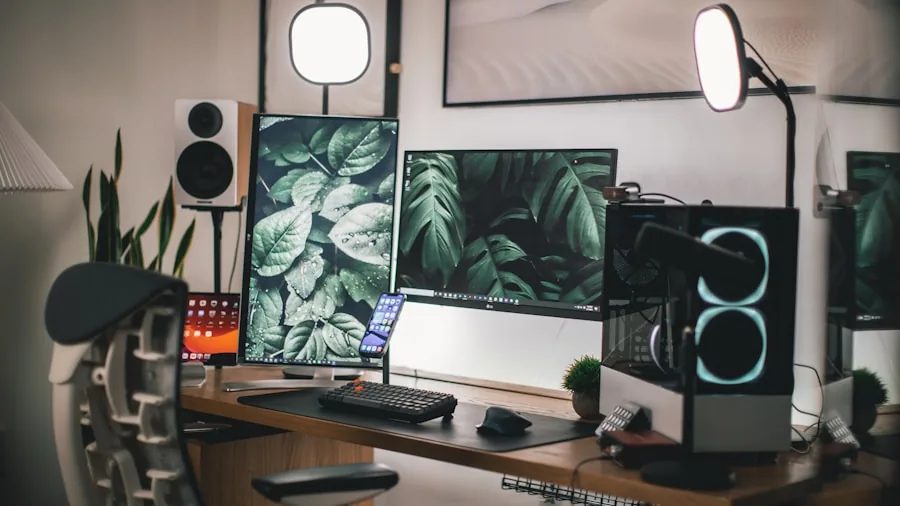
Check how many Ethernet ports each node provides and what speed they support. Entry-level systems typically include standard gigabit ports, which are fine for most households.
Higher-end systems like the NETGEAR Orbi 770 and TP-Link Deco 7 Pro include 2.5G or even higher-speed ports that allow you to connect wired devices at multi-gigabit speeds and fully utilize faster ISP plans.
If you have gaming consoles, desktop PCs, or a NAS drive that benefit from wired connections, having multiple Gigabit or 2.5G ports per node adds real practical value.
This also matters for home offices where a stable wired connection is preferable to wireless for video conferencing and large file transfers. A dependable wired connection pairs well with reliable home office printers that need consistent network access.
App Experience and Smart Home Integration
The best mesh systems are designed for straightforward setup through a smartphone app. eero is widely praised for its simple, intuitive onboarding that takes less than ten minutes for most users.
TP-Link’s HomeShield app offers more advanced features including parental controls, network security scanning, and traffic prioritization, though some premium features require a subscription.
Smart home integration is another consideration. Several systems in our roundup work with Amazon Alexa for voice control of basic network functions.
If your home relies heavily on smart devices, choosing a system that handles dozens or even hundreds of simultaneous connections is important. eero systems are designed to connect 75 or more devices with ease, which matters in a home full of smart speakers, thermostats, cameras, and phones.
Security Features and Subscription Costs

Many mesh systems now include built-in security tools such as malware blocking, ad filtering, and VPN support. TP-Link’s HomeShield and eero’s eero Plus subscription both offer enhanced protection layers beyond the standard firewall.
Evaluate what’s included for free versus what requires a monthly fee before committing.
A subscription is rarely essential for basic security, but it can be worth it in households with children or remote workers handling sensitive data. Budget accordingly when comparing total cost of ownership, not just the upfront hardware price.
If you’re concerned about online safety more broadly, our guide to spotting fake coupons and online scams is a useful read for any household.
Budget vs. Premium: Which Tier Is Right for You?

Entry-level mesh systems (Wi-Fi 5 and early Wi-Fi 6) work well for homes with standard internet speeds and moderate device counts.
If your household streams on a few devices and does occasional video calls, a budget-friendly option like the TP-Link Deco S4 or the eero 6 three-pack will cover your needs reliably without overspending.
Mid-range Wi-Fi 6 and Wi-Fi 6E systems hit the sweet spot for most modern homes. They handle more devices, faster plans, and provide better future-proofing than entry-level options.
Premium Wi-Fi 7 systems are the right call if you have multi-gigabit internet, run a home office, or want the fastest possible speeds and lowest latency for gaming and 4K streaming for years to come.
Why Trust Our Recommendations
RetailCoupons.com is an independent review publication with no affiliation to any manufacturer or retailer. We do not sell products, process orders, or handle returns.
Our editorial team researches, analyzes, and evaluates each category by comparing technical specifications, manufacturer claims, verified user experiences, and insights from networking experts.
For mesh Wi-Fi systems, we assessed coverage ratings, Wi-Fi standard, backhaul options, port configurations, app quality, and long-term user satisfaction across each model. We cross-referenced real-world performance data and weighed value at each price tier carefully.
Our goal is to give you honest, practical guidance so you can shop with confidence, not just choose the most expensive option on the shelf.
We apply the same independent, research-driven methodology across all product categories, from gaming monitors and graphics cards to home appliances and smart home devices. Our recommendations are never influenced by advertising relationships or affiliate arrangements with specific brands.
Final Thoughts
Choosing the right mesh Wi-Fi system comes down to your home’s size, the number of devices you connect, your internet plan speed, and how much you want to spend.
The options in our roundup span from budget-friendly Wi-Fi 5 systems to top-of-the-line Wi-Fi 7 tri-band setups, giving every type of household a solid starting point.
Here are our standout picks across key categories:
- Best Overall: Amazon eero Pro 7 delivers exceptional Wi-Fi 7 tri-band performance, wide coverage up to 6,000 sq. ft., and the easiest setup experience of any system in our roundup, making it the top choice for most homes.
- Best Budget Pick: TP-Link Deco S4 covers up to 5,500 sq. ft. at an accessible price point, offering solid AC1900 performance and Alexa compatibility for households that don’t need Wi-Fi 6 or faster.
- Best for Large Homes: NETGEAR Orbi 770 Series blankets up to 8,000 sq. ft. with Wi-Fi 7 tri-band speeds up to 11 Gbps and supports up to 100 connected devices, ideal for large or multi-story properties.
- Best Mid-Range Value: TP-Link Deco XE75 offers Wi-Fi 6E tri-band performance across up to 7,200 sq. ft. with an AI-driven 6 GHz band that minimizes interference, at a price well below flagship Wi-Fi 7 systems.
- Best for Wi-Fi 7 on a Budget: TP-Link Deco 7 BE25 brings Wi-Fi 7 dual-band technology with MLO and AI-Roaming to a competitive price, covering up to 6,600 sq. ft. with wired backhaul support via 2.5G ports.
No matter your budget or household size, upgrading to a mesh system is one of the most impactful networking improvements you can make.
A well-chosen mesh setup keeps every corner of your home connected reliably, whether you’re working from a home office, gaming in the basement, or streaming in the bedroom.
If you’re building out a productive home workspace, a height-adjustable standing desk and a strong mesh network are two upgrades that genuinely improve your day-to-day experience.
Frequently Asked Questions
What Is a Mesh Wi-Fi System and How Does It Differ from a Regular Router?
A mesh Wi-Fi system uses multiple hardware nodes placed around your home that all work together as one unified network.
Unlike a traditional router that broadcasts from a single point, a mesh system creates overlapping coverage zones so your device always connects to the nearest, strongest signal without you needing to manually switch networks.
This eliminates the dead zones that plague large homes served by a single router. Most mesh systems also handle device handoff automatically as you move from room to room, so streaming or calls don’t stutter when you walk through the house.
How Many Nodes Do I Need for My Home?
A single node or two-pack generally covers apartments or homes under 2,500 sq. ft. A three-pack is the right starting point for most houses in the 3,000 to 6,500 sq. ft. range.
For very large homes or properties with multiple floors, thick concrete walls, or outbuildings, you may need additional nodes beyond a standard three-pack.
Placement matters as much as quantity. Nodes should be positioned so each one overlaps slightly with the coverage of the next, rather than being placed at the absolute furthest point from each other.
A central placement strategy almost always outperforms putting nodes at opposite corners of the house.
Is Wi-Fi 7 Worth the Premium Over Wi-Fi 6 or Wi-Fi 6E?
Wi-Fi 7 delivers meaningful advantages for homes with multi-gigabit internet plans, very high device counts, or heavy gaming and streaming demands. Features like Multi-Link Operation (MLO) allow devices to connect across multiple bands simultaneously, improving both speed and reliability in ways Wi-Fi 6 cannot match.
For the average household on a standard gigabit plan, Wi-Fi 6E offers an excellent balance of performance and value.
Wi-Fi 7 is the smarter long-term investment if you plan to keep your router for five or more years or if your ISP offers a multi-gig plan.
Think of it the way you’d evaluate a high-end gaming headset: the premium features are genuinely useful if you’ll use them, but overkill if you won’t.
Can I Mix Nodes from Different Brands?
In general, mesh nodes need to be from the same brand and product family to work together as a unified mesh system.
Mixing a TP-Link Deco node with an eero node, for example, will not create a single cohesive mesh network. Each manufacturer uses proprietary protocols to manage roaming, backhaul, and network management.
Some advanced users configure multiple access points from different brands using standard Wi-Fi protocols, but this requires manual setup and sacrifices the seamless app-managed experience that makes mesh systems appealing in the first place.
Sticking with the same brand ecosystem is almost always the right choice for home users.
Do Mesh Systems Work with Any Internet Provider?
Yes, mesh systems connect to your existing modem or gateway just like any other router. You simply plug the primary node into your modem via Ethernet and configure it through the brand’s app.
Whether you have cable, fiber, or DSL internet, the setup process is essentially the same.
Some ISPs provide a combined modem and router in one unit (a gateway). In that case, you’ll need to set the ISP gateway to bridge mode or DMZ mode before connecting your mesh system to avoid double NAT issues.
Most mesh system apps walk you through this step if it’s detected. If you’re buying equipment online and want to understand your purchase rights, our guide on contacting Amazon sellers is a handy reference for resolving any purchase questions.
Are There Ongoing Subscription Costs?
Basic mesh functionality, including setup, roaming, speed management, and standard security, is free with every system we reviewed. Optional subscriptions from eero and TP-Link add premium parental controls, advanced threat protection, and ad filtering for a monthly or annual fee.
These subscriptions are genuinely useful for families or security-conscious users, but they’re not required for the core experience. Factor the optional subscription cost into your budget comparison if those features matter to your household.
About the Author

Further Reading

Pickleball Paddles Ranked by Surface, Core, and Playing Style
From beginner sets to pro-grade carbon fiber paddles, here is what actually separates a good pickleball paddle from…

Running Shoes Ranked by Cushioning, Support, and All-Day Comfort
From everyday trainers to high-mileage performers, the right running shoe makes every stride feel easier. Explore our editor-researched…

Refrigerators Ranked by Size, Style, and Smart Features for Every Kitchen
Finding the right refrigerator means matching capacity, configuration, and features to how your household actually lives. Our editors…

Top-Rated Humidifiers for Every Room Size and Budget in 2026
Dry indoor air affects your sleep, skin, and comfort more than you'd expect. Our editors compared leading models…
Top Graphics Cards for Streamers and PC Builders Ranked by Value
From budget-friendly 1080p cards to 4K-ready flagships, this guide breaks down the right GPU for every streaming setup…
Gaming Chairs Ranked by Comfort, Support, and Build Quality
Sitting for hours should not mean suffering for days. We compared top gaming chairs across price ranges to…
Comments
Be the first to comment. Share your thoughts on this guide to help other readers.