


Jump to a section
Shopping for the best gaming laptops in 2026 means navigating a wider range of choices than ever before. From budget-friendly entry points to powerhouse machines built for 4K frame rates, the market spans every performance tier and price bracket.
Whether you play competitive shooters that demand smooth frame rates or expansive open-world games that push GPU limits, there is a laptop built for your needs.
Our editorial team at RetailCoupons.com spent considerable time researching, comparing, and evaluating the latest models from Acer, ASUS, MSI, Lenovo, and HP.
We analyzed key specifications including CPU architecture, GPU tier, display quality, RAM capacity, storage speed, thermal design, and connectivity. The result is a shortlist of standout laptops across every budget.
Pairing your new laptop with the right peripherals matters just as much as the hardware inside. A high-refresh-rate screen deserves a matching gaming monitor for desktop sessions, and long gaming nights become far more comfortable with quality gaming headsets that deliver positional audio without fatigue.
Our Top Picks for Best Gaming Laptops

Pros
- Exceptional gaming performance with RTX 5070 Ti and 240Hz display for competitive advantage
- Premium build quality with advanced cooling system ensures sustained performance under load
- Versatile for both gaming and creative work like video editing and 3D rendering
- Latest generation processors and DLSS 4 technology future-proofs your investment
- Professional appearance with Stealth Mode lighting option for work and gaming flexibility
Cons
- Premium pricing puts it out of reach for budget-conscious gamers
- High-performance components generate significant heat, requiring adequate ventilation during extended gaming sessions
The ASUS ROG Strix G16 (2025) represents a significant leap in gaming laptop technology, combining Intel's latest Core Ultra 9 Processor 275HX with NVIDIA's RTX 5070 Ti graphics. This pairing delivers exceptional performance for demanding games at high settings, while the 240Hz/3ms display ensures smooth, responsive gameplay. The 16-inch ROG Nebula display features a new ACR film that enhances contrast and reduces glare, making it equally suitable for competitive gaming and creative work like video editing and content creation.
Thermal management is where this laptop truly excels. The state-of-the-art ROG Intelligent Cooling system incorporates an end-to-end vapor chamber, tri-fan technology, and Conductonaut extreme liquid metal applied to the chipset. This engineering approach keeps the system cool and quiet even during intense gaming sessions, allowing the powerful components to maintain peak performance without throttling. The 32GB DDR5-5600MHz memory and 1TB PCIe Gen 4 SSD provide ample resources for multitasking and storing large game libraries.
Beyond raw performance, the ROG Strix G16 offers practical features that enhance the overall experience. Wi-Fi 7 connectivity ensures fast online gaming with minimal latency, while the customizable full-surround RGB lightbar syncs with your keyboard and ROG peripherals for a cohesive aesthetic. The Stealth Mode lighting option is particularly useful for professionals who need a refined appearance in work settings. At this price point, you're investing in a machine designed to handle today's most demanding games while remaining capable for years to come.
| Component | Specification |
|---|---|
| Processor | Intel Core Ultra 9 Processor 275HX |
| Graphics | NVIDIA GeForce RTX 5070 Ti (Blackwell Architecture) |
| Display | 16 inch ROG Nebula, 2.5K, 240Hz, 3ms response time, 16:10 aspect ratio |
| Memory | 32GB DDR5-5600MHz |
| Storage | 1TB PCIe Gen 4 SSD |
| Operating System | Windows 11 Home |
| Connectivity | Wi-Fi 7 |
| Cooling System | ROG Intelligent Cooling with vapor chamber, tri-fan technology, and liquid metal thermal interface |
| Lighting | Full-surround RGB lightbar with Stealth Mode |
| Model | G615LR-AS96 |
The RTX 5070 Ti paired with the Core Ultra 9 275HX creates a powerhouse combination for gaming. The 240Hz display eliminates motion blur and screen tearing, while DLSS 4 and Max-Q technologies optimize frame rates across modern titles. You can expect smooth, high-refresh gameplay in competitive shooters and demanding AAA games at maximum or near-maximum settings.
The advanced cooling system ensures this performance remains consistent throughout extended gaming sessions. Vapor chamber technology distributes heat efficiently across the chassis, while the tri-fan setup maintains optimal airflow. Conductonaut liquid metal applied to the chipset further enhances thermal conductivity, preventing performance throttling even during sustained intense gameplay.
Beyond gaming, the ROG Strix G16 excels as a content creation machine. The RTX 5070 Ti accelerates video rendering and 3D modeling tasks, while 32GB of DDR5 memory handles multitasking seamlessly. The 1TB SSD provides ample space for project files and creative applications.
The 2.5K ROG Nebula display offers excellent color accuracy and clarity for photo and video editing work. The 16:10 aspect ratio provides extra vertical space compared to traditional 16:9 displays, making it ideal for creative workflows. Professional users will appreciate the Stealth Mode lighting option, allowing the laptop to maintain a refined appearance in business settings while still delivering enterprise-grade performance.
Who Should Buy: This laptop is ideal for serious gamers seeking high refresh rate gaming, esports competitors needing responsive performance, and content creators who require powerful hardware for video editing, 3D rendering, and other demanding applications.
Considerations: The a premium price price point makes this a premium investment. Ensure your gaming space has adequate ventilation for the high-performance cooling system. The 16-inch display size offers excellent immersion but may be less portable than smaller gaming laptops. Verify your power supply can handle the laptop's requirements during gaming and rendering tasks.
Value Assessment: For users who prioritize performance and are willing to invest in top-tier gaming hardware, the ROG Strix G16 delivers exceptional value through cutting-edge components, advanced cooling technology, and versatile design suitable for both gaming and professional work.

Pros
- Excellent refresh rate at 165Hz makes competitive gaming and fast-paced action feel incredibly smooth
- Capable of handling both gaming and professional creative tasks like video and photo editing
- Upgradeable DDR5 RAM and storage give you flexibility to boost performance later
- Wi-Fi 6 and Killer Ethernet provide reliable, low-latency connectivity for online gaming
- Solid build quality and thermal design keep the system running cool during extended gaming sessions
Cons
- 8GB DDR5 base memory is on the lean side for heavy multitasking and may require an upgrade for optimal performance
The Acer Nitro V 15 strikes an impressive balance between gaming performance and everyday usability. The 165Hz FHD display paired with the RTX 4050 GPU creates a responsive gaming experience where you'll notice the difference in competitive titles and fast-paced games. The Intel Core i5-13420H processor delivers enough horsepower to handle modern games at respectable frame rates while maintaining the ability to switch to demanding tasks like video editing or content creation without stuttering.
Beyond gaming, this laptop shines as a versatile machine for creative professionals and power users. The DDR5 memory architecture and PCIe Gen 4 SSD provide snappy performance for file transfers and application loading. Wi-Fi 6 connectivity ensures you stay competitive online, while the Thunderbolt 4 port adds flexibility for external displays, fast storage devices, and power delivery. The keyboard backlighting is a thoughtful addition for late-night gaming sessions and work.
The main consideration is that the 8GB base RAM, while sufficient for gaming, may feel limiting if you regularly run multiple heavy applications simultaneously. However, the upgrade path to 32GB DDR5 means you can expand as your needs grow. At this price point, the Nitro V 15 delivers solid value for gamers and creators seeking a capable machine without premium pricing.
| Processor | Intel Core i5-13420H |
| GPU | NVIDIA GeForce RTX 4050 (194 AI TOPS) |
| Display | 15.6 inch FHD IPS, 165Hz, 82.64% screen-to-body ratio |
| Memory | 8GB DDR5 (2 slots, upgradeable to 32GB max) |
| Storage | 512GB PCIe Gen 4 SSD |
| Connectivity | Wi-Fi 6, Killer Ethernet E2600 Gigabit, Thunderbolt 4 |
| Keyboard | Backlit |
| Model | ANV15-52-586Z |
The RTX 4050 GPU with DLSS 3.5 technology delivers impressive gaming performance for a mid-range laptop. DLSS 3.5 uses AI to enhance ray tracing quality, allowing you to enable realistic lighting effects while maintaining smooth frame rates. Combined with the 165Hz display, games feel responsive and visually stunning.
The i5-13420H processor handles modern AAA titles and competitive esports games effectively. You can expect high frame rates in popular games like Valorant, CS2, and Fortnite, while more demanding titles like Cyberpunk 2077 and Starfield will run at medium to high settings with solid performance. The laptop's thermal design keeps temperatures in check during extended gaming sessions.
Who Should Buy This Laptop? The Acer Nitro V 15 is perfect for casual to intermediate gamers, esports enthusiasts, and creative professionals who need a capable machine at an accessible price. It's ideal if you want smooth gaming without paying flagship prices, or if you need a laptop that can handle both gaming and professional work like video editing, graphic design, or content creation.
Who Might Want to Look Elsewhere? If you play ultra-demanding games at maximum settings and need sustained high frame rates, or if you regularly run memory-intensive applications like 3D rendering or scientific computing, you may want a more powerful system. The 8GB base RAM may require an upgrade for optimal multitasking performance.
Value Consideration: At this price point, the Nitro V 15 offers exceptional value. You're getting a modern gaming GPU, a capable CPU, fast DDR5 memory, and a high-refresh display in a package that costs significantly less than gaming laptops with similar specs from premium brands. The upgrade potential means your investment can grow with your needs.

Pros
- Excellent value for a dedicated gaming laptop with RTX graphics
- High refresh rate display makes competitive gaming and fast-paced titles feel incredibly responsive
- Military-grade build quality means this laptop is built to last through years of use
- Quiet, efficient cooling system keeps the laptop comfortable for extended gaming sessions
- Modern specs (DDR5, PCIe Gen4, Wi-Fi 6E) future-proof your investment
Cons
- RTX 5050 is entry-level for GPU power, so demanding AAA titles may require settings adjustments for 100+ fps
The ASUS TUF Gaming F16 represents an excellent entry point into dedicated gaming laptops, balancing performance, durability, and affordability in a way that appeals to budget-conscious gamers. The combination of an Intel Core i5-13450HX and RTX 5050 GPU handles modern games smoothly at 1080p, while the 165Hz display ensures you're seeing every frame your hardware produces without screen tearing or stuttering. This is a machine that rewards you with responsive, fluid gameplay across a wide range of titles.
Build quality is a standout feature here. ASUS's TUF lineup has earned its reputation through rigorous military-grade durability testing, and this F16 model continues that tradition with MIL-STD-810H certification. The chassis feels solid, the keyboard is responsive, and the overall construction suggests this laptop will handle daily commutes, backpack travel, and gaming marathons without falling apart. The 2nd Gen Arc Flow cooling system is particularly impressive, managing thermal loads effectively while staying quiet enough not to distract during gameplay or video calls.
The 16-inch FHD+ display with 100% sRGB color accuracy is another strong point, delivering vibrant visuals and wide viewing angles. Adaptive-Sync technology eliminates the visual artifacts that plague gaming on standard displays, making everything from competitive shooters to story-driven adventures feel polished and professional. With Wi-Fi 6E, DDR5 RAM, and a PCIe Gen4 SSD, this laptop is equipped with modern connectivity and storage standards that will keep it relevant for years to come.
| Processor | Intel Core i5-13450HX |
| Graphics | NVIDIA GeForce RTX 5050 (115W Max TGP) |
| Display | 16" FHD+ (1920x1200) 165Hz IPS, 100% sRGB |
| RAM | 16GB DDR5 |
| Storage | 512GB PCIe Gen4 SSD |
| Connectivity | Wi-Fi 6E |
| Operating System | Windows 11 Home |
| Durability | MIL-STD-810H Military Grade Certified |
| Cooling | 2nd Gen Arc Flow Fans with Full-Width Heatsink |
| Design | Embossed TUF Logo, Classic Styling |
1080p Gaming: The RTX 5050 excels at 1080p gaming, delivering 60+ fps on high settings in most modern titles. Competitive games like Valorant, CS2, and Apex Legends run at 100+ fps with ease, while story-driven games like Baldur's Gate 3 and Starfield run smoothly on high settings.
Display Advantage: The 165Hz refresh rate paired with Adaptive-Sync makes gameplay feel incredibly responsive. You'll notice the difference immediately when switching from a standard 60Hz display, especially in fast-paced games where reaction time matters.
Thermal Management: The Arc Flow cooling system keeps the GPU and CPU at reasonable temperatures during extended gaming sessions, preventing thermal throttling and maintaining consistent performance frame after frame.
Who Should Buy This? Casual to intermediate gamers, esports enthusiasts, and content creators who need a portable machine with solid GPU acceleration. If you play competitive games or want smooth 1080p performance without compromise, this is an excellent choice.
Who Might Want to Look Elsewhere? If you demand 1440p or 4K gaming performance, or if you need maximum GPU power for professional 3D rendering, consider stepping up to an RTX 4070 or higher. If you prioritize portability above all else, the F16's 16-inch display is on the larger side.
Best Use Cases: Competitive gaming, indie and AA titles at high settings, video editing, 3D modeling, streaming gameplay, and everyday productivity tasks. The military-grade durability makes it ideal for users who move their laptop frequently.

Pros
- Exceptional AI performance with dual high-TOPS processors ideal for next-generation applications
- Outstanding gaming capabilities with RTX 5070 Ti and 180Hz refresh rate for ultra-smooth gameplay
- Generous 32GB RAM and 2TB storage eliminate upgrade concerns for years
- Advanced display technology with accurate color reproduction benefits both gamers and creative professionals
- Wi-Fi 6E future-proofs your connectivity for modern streaming and online experiences
Cons
- Premium pricing positions this as a high-end purchase, not an entry-level gaming laptop
The Acer Nitro 16S represents a significant leap forward in AI-integrated gaming laptops. The combination of the AMD Ryzen AI 9 365 processor with 73 AI TOPS and the NVIDIA RTX 5070 Ti GPU with 992 AI TOPS creates a machine capable of handling both cutting-edge AI applications and demanding AAA games simultaneously. This dual-processor approach means you're not just buying a gaming laptop, you're investing in a platform designed for the next wave of AI-powered software and productivity tools that leverage Copilot+ capabilities.
The display deserves special attention as a standout feature. The 16-inch WQXGA panel at 2560x1600 resolution with 180Hz refresh rate and 100% sRGB color accuracy strikes an excellent balance between gaming smoothness and professional color work. Whether you're chasing high frame rates in competitive shooters or editing content in color-critical applications, this screen delivers. The 32GB DDR5 RAM and 2TB Gen 4 SSD ensure that performance remains snappy across demanding workloads without bottlenecks.
The integration of Wi-Fi 6E and the Blackwell architecture GPU with DLSS 4 technology positions this laptop at the forefront of gaming and productivity technology. DLSS 4's multi-frame generation and neural rendering capabilities mean you'll experience noticeably better frame rates and visual quality compared to previous-generation systems. For buyers who want a single laptop that excels at both cutting-edge gaming and emerging AI-powered workflows, the Nitro 16S delivers on both fronts without compromise.
| Processor | AMD Ryzen AI 9 365 (10-core, 73 AI TOPS) |
| Graphics Card | NVIDIA GeForce RTX 5070 Ti Laptop GPU (992 AI TOPS) |
| Display | 16-inch WQXGA IPS, 2560x1600, 180Hz, 100% sRGB |
| RAM | 32GB DDR5 |
| Storage | 2TB Gen 4 SSD |
| Connectivity | Wi-Fi 6E |
| Special Features | Copilot+ PC, DLSS 4, Fourth-gen RT Cores, Fifth-gen Tensor Cores |
| Brand | Acer Nitro |
| Model | AN16S-61-R5K4 |
Copilot+ PC Features
This laptop qualifies as a Copilot+ PC, unlocking exclusive AI features including advanced digital assistants and generative AI tools that run locally on your device. The AMD Ryzen AI 9 365 processor is specifically architected to handle AI workloads efficiently, providing 73 AI TOPS of processing power dedicated to machine learning tasks. This means faster responses, better privacy (processing happens on your device, not in the cloud), and more responsive AI-powered applications.
DLSS 4 and Neural Rendering
The RTX 5070 Ti GPU with fifth-generation Tensor Cores enables DLSS 4, a revolutionary technology that uses AI to enhance gaming performance. Multi-Frame Generation creates additional frames using AI, boosting your frame rates without sacrificing quality. Ray Reconstruction and Super Resolution technologies further improve visual fidelity while maintaining performance, making this laptop capable of playing the latest AAA titles at high settings with exceptional frame rates.
High-Refresh Gaming
The 180Hz display paired with the RTX 5070 Ti GPU creates an exceptional gaming experience. The Blackwell architecture GPU with fourth-generation RT Cores delivers full ray-traced graphics at smooth frame rates, transforming how games look and feel. Whether you're playing competitive esports titles or story-driven AAA games, this laptop handles both with cinematic quality visuals and ultra-smooth motion.
4K HDR Streaming
Beyond gaming, the Nitro 16S excels at 4K HDR content consumption. The combination of the powerful GPU and high-quality display means streaming services, video editing, and 4K content playback all look stunning. The 10-core processor ensures smooth playback without stuttering or performance drops, even when multitasking.
Who Should Buy This Laptop?
The Acer Nitro 16S is ideal for serious gamers who want cutting-edge performance, content creators who need both gaming capabilities and AI-powered creative tools, and professionals exploring emerging AI applications. The Copilot+ PC features make this particularly valuable for early adopters of AI-enhanced productivity software. If you need a single laptop that excels at gaming, creative work, and emerging AI workflows, this is a strong choice.
Budget Considerations
this is a premium investment. However, the combination of top-tier components, AI capabilities, and future-proofing justifies the price for those who need maximum performance. The 32GB RAM and 2TB storage mean you won't need upgrades for years, making the cost-per-year of ownership reasonable for power users.
Alternatives to Consider
If you're budget-conscious, look for previous-generation gaming laptops with RTX 40-series GPUs, which are still capable for gaming but lack the latest AI features. If you need a laptop primarily for productivity rather than gaming, consider standard Copilot+ PCs with integrated graphics at lower price points.

Pros
- Exceptional display quality with OLED technology delivers perfect blacks and vivid colors for immersive gaming
- Powerful processor and GPU combination handles AAA games and professional creative work without compromise
- Lightweight and portable design makes it ideal for students and travelers who game on the go
- Advanced AI optimization automatically enhances performance in real-time without manual tweaking
- Comprehensive cooling solution maintains quiet operation even under heavy gaming loads
Cons
- Premium pricing places it in the high-end segment, which may exceed some budgets
The Lenovo Legion 5i represents a significant leap forward in gaming laptop design, combining cutting-edge hardware with thoughtful engineering. The Intel Core i7-14700HX processor features a hybrid architecture that allocates performance and efficiency cores dynamically, allowing the system to deliver maximum power when gaming while preserving battery life during everyday tasks. Paired with the NVIDIA RTX 5070 GPU powered by Blackwell architecture, this machine handles modern AAA titles at high settings while maintaining excellent frame rates, and the AI acceleration capabilities open new possibilities for creative professionals working with rendering and content creation.
The standout feature is undoubtedly the 15-inch 2.5K OLED PureSight display with its 165Hz refresh rate. OLED technology provides perfect contrast ratios and pixel-level brightness control, resulting in visuals that feel genuinely immersive whether you're gaming or working on color-critical projects. The display's fast response times eliminate ghosting during quick camera movements, while Lenovo's AI-driven adjustments optimize refresh rates based on content, reducing power consumption without sacrificing smoothness. This is a display that makes a tangible difference in how games and creative applications feel to use.
Practical considerations matter just as much as raw performance. The Legion Coldfront Hyper cooling system uses turbo-charged stealth fans and copper heat pipes to manage thermal loads while remaining remarkably quiet, a critical advantage for anyone using the laptop in shared spaces like libraries or dorm rooms. The rapid charging technology reaches 70% battery in under 30 minutes via USB Type-C, addressing the real-world need for quick power boosts between classes or during travel. The included 3-month Game Pass subscription with EA Play adds immediate value, giving you hundreds of games to explore right out of the box.
| Component | Specification |
|---|---|
| Processor | Intel Core i7-14700HX (Hybrid Architecture) |
| Graphics Card | NVIDIA GeForce RTX 5070 (Blackwell) |
| Display | 15-inch 2.5K WQXGA OLED PureSight |
| Refresh Rate | 165Hz |
| Memory | 16GB RAM |
| Storage | 1TB SSD |
| Cooling System | Legion Coldfront Hyper with Copper Heat Pipes |
| Battery Charging | Fast-charge to 70% in under 30 minutes (USB Type-C) |
| Included Software | 3 Months PC Game Pass with EA Play |
| AI Features | Lenovo AI Engine+ for FPS optimization and render time reduction |
| Design | Thin and lightweight for portability |
The RTX 5070 GPU combined with the i7-14700HX processor creates a powerhouse configuration for gaming. Modern AAA titles run at high to ultra settings with frame rates well above 100fps at 1440p, ensuring smooth gameplay on the 165Hz display. The Blackwell architecture introduces AI-powered upscaling and frame generation technologies that boost performance while maintaining visual quality, allowing you to push graphics settings even higher or achieve better battery life during less demanding games.
The 2.5K OLED display is perfectly matched to this hardware tier. At 1440p resolution, you get the visual fidelity and color accuracy that showcase what modern graphics engines can deliver, without the extreme performance demands of 4K gaming. The 165Hz refresh rate eliminates screen tearing and provides the responsiveness competitive gamers demand, while OLED's instant pixel response times mean you'll see every detail with perfect clarity during fast-paced action sequences.
Lenovo's AI Engine+ takes performance optimization further by learning your gaming habits and automatically adjusting GPU settings, power delivery, and thermal management in real-time. This means you don't need to manually tweak settings in Legion Space unless you want to; the system handles optimization intelligently, delivering consistent frame rates and smooth gameplay across your entire game library.
Who Should Buy This Laptop? The Legion 5i is ideal for serious gamers, esports enthusiasts, and creative professionals who need a portable workstation. University students pursuing gaming, streaming, or content creation will find the balance of performance and portability particularly valuable. The included Game Pass subscription adds immediate entertainment value for anyone building their gaming library.
What Makes It Stand Out? The combination of OLED display technology, AI-driven performance optimization, and rapid charging addresses real-world needs that budget gaming laptops ignore. The whisper-quiet cooling system means you can game in shared environments without disturbing others. The Blackwell GPU architecture represents the latest generation of graphics technology, ensuring this laptop will handle upcoming game releases effectively.
Is It Right for You? If you prioritize display quality, thermal management, and cutting-edge performance over budget constraints, this is an excellent choice. The premium price reflects premium components and engineering. If you primarily play older games or less demanding titles, you might find excellent value in more affordable options. However, if you want a laptop that will remain relevant for 4-5 years of serious gaming and creative work, the Legion 5i's specifications justify the investment.
Pros
- Excellent value for a gaming laptop at this price with strong mid-range components
- Fast refresh rate display with G-Sync provides smooth, responsive gameplay experience
- Effective thermal management keeps the system cool during extended gaming sessions
- AI-powered performance optimization removes the guesswork from gaming settings
- Portable design with solid battery technology makes it practical for travel and campus use
Cons
- RTX 5050 may struggle with ultra-high settings on demanding AAA titles at 1440p or higher resolutions
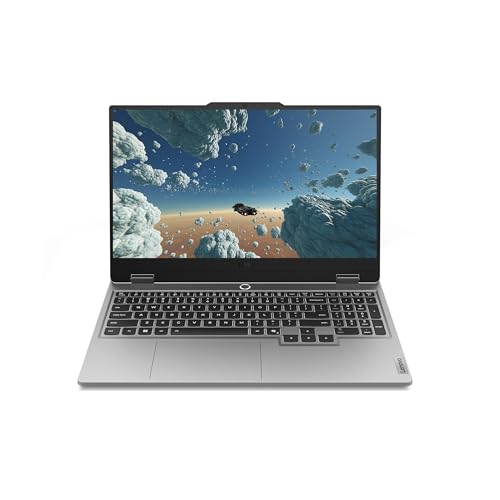
The Lenovo Legion LOQ represents an excellent entry point into serious gaming laptops. This machine combines a capable Intel Core i7-13650HX processor with an NVIDIA RTX 5050 GPU, delivering the horsepower needed for smooth gameplay at 1080p resolution. The 144Hz FHD IPS display with G-Sync technology ensures buttery-smooth visuals without screen tearing, making competitive gaming and fast-paced action feel responsive and polished.
Performance optimization is handled intelligently through Lenovo's AI Engine+, which automatically adjusts CPU, GPU, and system settings based on what you're doing. Whether you're gaming, streaming, or working, the laptop adapts without requiring manual tweaking. The Hyperchamber cooling system with dual turbo fans and copper heat pipes keeps thermals in check, preventing thermal throttling during extended gaming marathons. The full-size backlit keyboard with soft-landing switches provides comfortable typing for both gaming and productivity tasks.
Portability and battery life round out the package nicely. The aerospace-grade aluminum chassis keeps weight down while maintaining durability, and Rapid Charge Pro technology gets you to 70% battery in under 30 minutes. Smart Battery Technology prevents unnecessary drain during idle periods. For gamers seeking a capable, well-rounded laptop that won't weigh down a backpack, the Legion LOQ delivers solid performance and practical features at an accessible price point.
| Processor | Intel Core i7-13650HX |
| Graphics | NVIDIA GeForce RTX 5050 |
| Display | 15.6 inch FHD (1920x1080) IPS, 144Hz |
| Memory | 16GB RAM |
| Storage | 1TB SSD |
| Cooling System | Hyperchamber with turbo fans and copper heat pipes |
| Display Technology | NVIDIA G-Sync |
| Keyboard | Full-size backlit with soft-landing switches |
| Build | Aerospace-grade aluminum |
| Color | Luna Grey |
| AI Features | AI Engine+ performance optimization |
| Battery Technology | Smart Battery Technology with Rapid Charge Pro |
What Games Will It Play?
The RTX 5050 paired with the i7-13650HX handles modern gaming well at 1080p resolution. You can expect smooth performance (60+ FPS) on popular titles like Valorant, Fortnite, and League of Legends at high settings. Demanding AAA games like Cyberpunk 2077 or Starfield will run smoothly at medium to high settings, though you may need to dial back ray tracing for maximum frame rates.
The 144Hz Display Advantage
The 144Hz refresh rate is a game-changer for competitive gaming and fast-paced action. Paired with G-Sync, it eliminates screen tearing and input lag, making your aim sharper and reactions quicker. This is where the Legion LOQ really shines for esports titles and competitive multiplayer games.
Thermal Performance
The Hyperchamber cooling system is designed to keep your system running cool under load. This matters because consistent thermals mean consistent performance without thermal throttling, allowing you to maintain high frame rates throughout long gaming sessions.
Who Should Buy This?
The Legion LOQ is ideal for gamers who want a capable machine without premium pricing. If you're upgrading from a basic laptop or console, this delivers a meaningful leap in performance. It's also perfect for students and professionals who game on the side and need portability.
Who Might Want to Look Elsewhere?
If you exclusively play ultra-demanding AAA titles at maximum settings, or if you need a workstation for heavy video editing or 3D rendering, you may want to consider higher-end models with RTX 4070 or better. Similarly, if battery life is your primary concern, gaming laptops inherently trade endurance for performance.
Value Consideration
At this price point, the Legion LOQ offers excellent value. The combination of a current-generation i7 processor, dedicated RTX graphics, a 144Hz display, and intelligent cooling makes it one of the better-equipped mid-range gaming laptops available. The AI optimization features add practical value by simplifying performance tuning.

Pros
- Exceptional processing power handles demanding AAA titles and creative workloads with ease
- High-refresh 165Hz display with QHD+ resolution delivers competitive advantage in fast-paced games
- Advanced cooling system keeps temperatures stable during marathon gaming sessions
- Robust port selection and Wi-Fi 6E connectivity future-proof your setup
- Customizable RGB keyboard adds personal flair to your gaming station
Cons
- Premium pricing reflects high-end specs, making it a significant investment for casual gamers
The MSI Katana 15 HX represents a flagship gaming laptop designed for players who refuse to compromise on performance. The Intel Core i9-14900HX processor with its 24-core hybrid architecture paired with the NVIDIA RTX 5070 GPU creates a formidable combination capable of handling the most demanding modern games at high settings. Whether you're chasing high frame rates in competitive shooters or exploring cinematic single-player experiences, this machine delivers the horsepower needed to maximize your gaming potential.
The 15.6-inch QHD+ display running at 165Hz is a standout feature that significantly enhances gameplay. The higher resolution compared to standard 1080p displays reveals more environmental detail, while the 165Hz refresh rate dramatically reduces motion blur and input lag. The 100% DCI-P3 color gamut ensures that colors appear vibrant and accurate, whether you're gaming or working on creative projects. Combined with the fast-responding panel, competitive gamers will appreciate the visibility advantage this display provides in fast-paced scenarios.
Thermal management is handled by the Cooler Boost 5 system featuring dual fans and a sophisticated heat-pipe design that keeps both the CPU and GPU running cool under sustained loads. This engineering focus on cooling allows the laptop to maintain peak performance during extended gaming marathons without throttling. The comprehensive port selection including USB-C Gen 2, 8K HDMI, multiple USB-A ports, and Wi-Fi 6E connectivity ensures you can connect all your peripherals and maintain future compatibility with emerging gaming accessories.
| Processor | Intel Core i9-14900HX (24-core hybrid) |
| Graphics Card | NVIDIA GeForce RTX 5070 with DLSS 4 |
| Display | 15.6-inch QHD+ (2560x1600) 165Hz, 100% DCI-P3 |
| RAM | 32GB DDR5 |
| Storage | 1TB NVMe SSD |
| Cooling | Cooler Boost 5 dual-fan system with 5-heat-pipe design |
| Keyboard | 4-zone RGB with highlighted WASD keys |
| Connectivity | USB-C Gen 2, HDMI 2.1 (8K), Multiple USB-A, RJ45, Wi-Fi 6E |
| Audio | Hi-Res Audio support |
| Operating System | Windows 11 Home |
| Model | B14WGK-016US |
| Color | Black |
Competitive Gaming: The RTX 5070 and i9-14900HX combination easily handles competitive titles like Call of Duty, Valorant, and CS2 at maximum settings with 100+ FPS. The 165Hz display ensures smooth, responsive gameplay where every frame matters.
AAA Titles: Modern AAA games like Dragon's Dogma 2, Cyberpunk 2077, and Star Wars Outlaws run beautifully with ray tracing enabled and DLSS 4 upscaling at high frame rates on the QHD+ display.
Content Creation: The 32GB DDR5 RAM and powerful processor make this laptop capable of handling video editing, 3D rendering, and streaming while gaming. The high color accuracy display supports creative work.
Thermal Performance: During extended sessions, the Cooler Boost 5 system maintains optimal temperatures, preventing thermal throttling and ensuring consistent frame rates throughout long gaming marathons.
Who Should Buy: Serious gamers, esports enthusiasts, and content creators who need top-tier performance and are willing to invest in a premium gaming machine. This laptop is ideal for players who want maximum frame rates and visual fidelity without compromise.
Who Might Want to Consider Alternatives: Budget-conscious gamers or those who play only older, less demanding titles may find this laptop overkill. Casual users who prioritize portability over raw power should explore lighter options.
Key Considerations: This is a premium gaming laptop at a premium price point. Ensure your gaming library and future plans justify the investment. The 15.6-inch size strikes a balance between portability and screen real estate, though it's still a desktop-replacement class machine. The RGB keyboard and gaming-focused design make it a statement piece for your setup.
Warranty and Support: Verify the warranty coverage and MSI's customer support options in your region before purchasing. Gaming laptops benefit from extended warranty protection given their intensive use patterns.

Pros
- Excellent price-to-performance ratio for gaming and productivity tasks
- 144Hz display makes gaming feel noticeably smoother than standard 60Hz screens
- Ryzen 7 processor handles demanding applications and multitasking with ease
- RTX 4050 provides good gaming performance at 1080p resolution
- Durable TUF design built to withstand regular use and travel
Cons
- 512GB storage fills up quickly with modern games and software; users may need external storage
- RTX 4050 struggles with demanding titles at high settings above 1080p resolution
The ASUS TUF Gaming A16 strikes an appealing balance between performance and affordability for mid-range gamers and creators. The AMD Ryzen 7 7445HS processor provides strong multi-threaded performance that handles both gaming and productivity applications smoothly. Whether you're streaming, editing video, or working with multiple browser tabs, this CPU keeps up without throttling.
The 16-inch Full HD+ 144Hz display is where this laptop truly shines for gaming. The 144Hz refresh rate makes movement feel fluid and responsive, giving you a genuine competitive edge in fast-paced games. The RTX 4050 GPU pairs well with this display, delivering playable frame rates in modern titles at 1080p with medium to high settings. For esports titles and less demanding games, you'll easily hit 144fps.
Build quality reflects the TUF brand's reputation for durability. The chassis feels solid, and the backlit keyboard is responsive for both gaming and work. The 16GB DDR5 RAM and 512GB SSD provide a snappy experience out of the box, though the storage may feel tight if you're an avid gamer with a large library. Overall, this is a reliable laptop that delivers genuine gaming performance without premium pricing.
| Processor | AMD Ryzen 7 7445HS (3.2GHz) |
| Graphics | NVIDIA GeForce RTX 4050 |
| Display | 16 inches, Full HD+ (1920x1200), 144Hz |
| RAM | 16GB DDR5 |
| Storage | 512GB SSD |
| Keyboard | Backlit |
| Operating System | Windows 11 |
| Brand | ASUS |
| Category | Gaming Laptop |
The RTX 4050 is positioned as an entry-level discrete GPU that handles modern gaming well at 1080p. In popular titles like Fortnite, Valorant, and League of Legends, you'll achieve 100+ fps on high settings. More demanding games like Cyberpunk 2077 or Starfield run at 60+ fps on medium settings, providing a smooth gaming experience without requiring top-tier hardware.
The Ryzen 7 7445HS ensures the GPU isn't bottlenecked during gameplay. This processor maintains consistent frame rates and handles background tasks without impacting performance. The 144Hz display pairs perfectly with the GPU's capabilities, letting you experience the smoothness this hardware can deliver.
Who Should Buy This? The ASUS TUF Gaming A16 is ideal for casual to mid-core gamers, content creators, and students who need reliable performance without paying flagship prices. If you primarily play esports titles or work with creative software, this laptop delivers excellent value.
Who Should Look Elsewhere? If you need to play AAA games at maximum settings or work with heavy 4K video editing, consider a higher-tier RTX 4060 or 4070 model. The 512GB storage also may be limiting for users with large game libraries.
Storage Consideration: Plan to add external storage or an internal upgrade if you'll install 10+ modern games. Most AAA titles require 100-150GB each.

Pros
- Excellent GPU performance for modern AAA gaming and creative rendering tasks
- Fast processor with strong single and multi-core performance for both gaming and productivity
- Abundant RAM and storage eliminates bottlenecks when juggling multiple applications
- 144Hz high-refresh display enhances gaming responsiveness and visual smoothness
- Includes complementary cooling pad to extend component lifespan during extended use
Cons
- Premium pricing puts it above budget-conscious buyer options, though specs justify the cost
The HP OMEN 16 Slim represents a strong choice for gamers seeking a balance between performance and portability. The Intel Core Ultra 9 285H processor delivers impressive multithreaded performance with its 16 cores, while the RTX 5070 GPU with 8GB of GDDR7 memory handles modern games at high settings. The 16-inch FHD+ 144Hz display provides the visual responsiveness competitive gamers expect, and the anti-glare coating reduces eye strain during extended sessions.
Configuration-wise, 32GB of DDR5 RAM and a 1TB NVMe SSD establish this as a machine built for heavy workloads. Whether you are running resource-intensive games, editing 4K video, or managing complex 3D projects, the hardware specification supports professional-level creative work without stuttering or lag. The inclusion of Windows 11 Pro adds professional features like BitLocker encryption and remote desktop capabilities for those who need them.
The bundled laptop cooler is a thoughtful addition that helps maintain thermal stability during demanding sessions, potentially extending the lifespan of internal components. With comprehensive connectivity including USB-C, HDMI, and Ethernet, this laptop integrates easily into existing setups. The 4-zone RGB backlit keyboard adds customization appeal, while HyperX audio tuning ensures gaming immersion through quality sound.
| Component | Details |
|---|---|
| Processor | Intel Core Ultra 9 285H (16 Cores, 16 Threads, 24MB L3 Cache, 2.7GHz Base, 5.4GHz Turbo) |
| GPU | NVIDIA GeForce RTX 5070 (8GB GDDR7) |
| RAM | 32GB DDR5 High-Bandwidth |
| Storage | 1TB PCIe NVMe M.2 SSD |
| Display | 16-inch FHD+ (1920 x 1200), 144Hz, IPS, Anti-Glare |
| Operating System | Windows 11 Pro |
| Keyboard | 4-Zone RGB Backlit with Numeric Keypad |
| Connectivity | 3x USB Type-A, 1x USB Type-C, 1x HDMI, 1x RJ-45, 1x Headphone/Microphone Combo |
| Wireless | Wi-Fi 6, Bluetooth |
| Audio | HyperX Audio |
| Included Accessory | PCO Notebook Fold Radiator Cooler |
Gaming Performance: The RTX 5070 is positioned as a solid mid-to-high tier gaming GPU capable of handling demanding AAA titles at high settings. At 1080p resolution, expect smooth framerates in most modern games. At 1440p, you should achieve 60+ fps in many titles with high-to-ultra settings, making this laptop versatile for various gaming preferences.
Processor Performance: The Intel Core Ultra 9 285H excels in both gaming and productivity tasks. Its 16 cores handle multithreaded workloads efficiently, making it suitable for content creation, video editing, 3D rendering, and streaming simultaneously while gaming. The 5.4GHz boost frequency ensures strong single-core performance for competitive gaming titles.
Thermal Management: The bundled cooler addresses one of gaming laptop concerns: heat dissipation. Proper cooling extends component lifespan and maintains consistent performance during marathon gaming sessions. The 144Hz display pairs perfectly with the GPU's capabilities, eliminating display bottlenecks and delivering smooth, responsive gameplay.
Who Should Buy This? This laptop suits serious gamers who want high-end performance in a reasonably portable form factor, content creators working with demanding applications like video editing and 3D modeling, and professionals who need gaming-grade specs for resource-intensive work.
Consider This Laptop If You: Play modern AAA games at high settings, edit 4K or 8K video, work with 3D rendering software, stream while gaming, run virtual machines or Docker containers, or need a single machine for both professional work and gaming.
Look Elsewhere If You: Have a tight budget prioritize battery life over performance, only need casual gaming or web browsing, or require maximum portability (this is still a 16-inch machine weighing several pounds).
Best Gaming Laptops Buying Guide
Choosing among the best gaming laptops requires more than comparing spec sheets. The right machine for you depends on where you play, what games you run, and how much portability matters. This guide breaks down every factor worth considering before you buy.
GPU: The Single Most Important Spec

The graphics processing unit determines how well your laptop handles demanding game titles. NVIDIA GeForce RTX 5000-series laptop GPUs (RTX 5050, RTX 5060, RTX 5070, and RTX 5070 Ti) are the current generation, bringing improved ray tracing performance and DLSS 4 frame generation.
RTX 4050 remains a capable option if you are shopping at the lower end of the budget spectrum.
For 1080p and 1440p gaming at high settings, the RTX 5060 and RTX 5070 are compelling sweet spots. If you want to drive a high-resolution display at consistently high frame rates, the RTX 5070 Ti is worth the premium.
Understanding GPU tiers helps in the same way researching dedicated desktop graphics cards does when building a tower PC.
Keep in mind that laptop GPUs share a chassis with the CPU, thermal system, and battery. A higher-tier GPU does not guarantee maximum performance if the manufacturer restricts its power envelope. Always check the configured TGP (Total Graphics Power) when comparing models.
CPU: Matching the Processor to Your Workload
Gaming laptops in 2026 ship with processors from Intel and AMD. Intel Core Ultra 9 and Core i9 chips deliver the highest single-core clock speeds, which benefits titles that are CPU-sensitive.
AMD Ryzen AI 9 and Ryzen 7 processors offer strong multi-threaded efficiency and excellent battery management in lighter workloads.
For purely gaming purposes, even a mid-tier CPU like the Intel Core i5 or AMD Ryzen 7 will not bottleneck a mid-range GPU. Where higher-end CPUs shine is in workloads that combine gaming with streaming, video editing, or running AI-powered tools in the background.
Display: Refresh Rate, Resolution, and Panel Type

Display quality is arguably the most overlooked specification when buying gaming laptops. Refresh rate matters enormously for competitive gaming.
A 144Hz or 165Hz panel provides a noticeably smoother experience compared to a standard 60Hz screen, while 240Hz panels push even further for esports titles where every millisecond counts.
Resolution is a balancing act. A 1080p Full HD display is easier for the GPU to drive at high frame rates. A 1440p WQXGA or 2.5K panel looks sharper and suits larger 16-inch screens well, but demands more GPU headroom.
OLED panels, like the one in the Lenovo Legion 5i, offer perfect contrast and vibrant colours, though IPS panels remain more common due to their lower cost and reduced risk of burn-in.
Screen size also shapes portability. Most of the best gaming laptops sit at 15.6 inches or 16 inches, balancing visual real estate with manageable weight.
If you primarily game at a desk and want an even bigger canvas, consider pairing your laptop with an external display for a more immersive setup.
RAM: How Much Do You Actually Need?
Most gaming laptops in our list ship with 16GB or 32GB of DDR5 RAM. For gaming alone, 16GB is sufficient for the majority of modern titles. However, if you multitask heavily, stream, or use creative applications alongside gaming, 32GB provides noticeable headroom.
DDR5 is now the standard across mid-range and premium gaming laptops, offering faster bandwidth than its DDR4 predecessor. Check whether the RAM is soldered to the motherboard or uses upgradeable SO-DIMM slots if future expansion matters to you.
Storage: SSD Speed and Capacity
A PCIe Gen 4 NVMe SSD is now standard on virtually every gaming laptop worth considering. These drives dramatically reduce game load times and system boot speeds compared to older SATA SSDs. The models in our shortlist range from 512GB to 2TB of SSD storage.
For most gamers, 1TB is the practical minimum. Modern AAA titles routinely exceed 100GB each, so 512GB fills up faster than expected. If a laptop you like ships with 512GB, check whether it has a secondary M.2 slot for easy expansion later.
Thermals and Build Quality
Thermal management separates a great gaming laptop from a frustrating one. Powerful CPUs and GPUs generate significant heat in a slim chassis. Look for laptops with multiple heat pipes, large vapour chambers, and well-designed fan configurations.
Brands like MSI, ASUS ROG, and Lenovo Legion have established strong reputations for thermal engineering.
Build quality also affects longevity. Metal lid and base panels feel more durable and reduce flex under pressure. Gaming laptops with plastic chassis are not necessarily bad, but inspect hinge quality and keyboard deck rigidity carefully.
If you game at a desk regularly, placing your laptop on a dedicated height-adjustable desk can improve ergonomics and airflow significantly.
Battery Life: Managing Expectations
Gaming laptops consume significant power, and battery life while gaming is typically short, often under two hours under full load.
Where battery life matters more is in everyday tasks like browsing, light work, and video playback, where modern laptops can stretch to five or eight hours.
If you need your machine away from outlets often, prioritise models with larger battery cells and efficient processors. AMD Ryzen-based laptops and Intel Core Ultra chips tend to manage power more efficiently during lighter workloads than older CPU architectures.
Connectivity and Ports
A gaming laptop without the right ports is a constant source of frustration. Look for USB-A ports (at least two or three), USB-C with DisplayPort support, HDMI 2.1 for connecting to an external monitor, and a headphone jack.
Wi-Fi 6E and Wi-Fi 7 are the latest wireless standards and dramatically reduce latency for online play.
An SD card reader is a bonus for content creators. Thunderbolt 4 or USB4 support enables fast external GPU docks if you ever want desktop-class graphics in the future.
Verify that the laptop includes enough I/O for your peripherals before buying, since some slim designs sacrifice ports for a thinner profile.
Budget Tiers: What to Expect at Each Price Point

Entry-level gaming laptops in the budget range typically pair an RTX 4050 or RTX 5050 with a mid-tier CPU, 16GB of RAM, and a 512GB SSD. These machines handle most games at medium to high settings in 1080p without issue.
The Acer Nitro V and ASUS TUF Gaming F16 sit firmly in this category and represent excellent value for new gamers.
Mid-range laptops step up to RTX 5060 or RTX 5070 GPUs, more RAM, faster storage, and higher-quality displays. The Lenovo Legion LOQ and ASUS V16 are strong representatives here.
High-end options like the ASUS ROG Strix G16 and Acer Nitro 16S deliver RTX 5070 Ti performance, 32GB of DDR5, and premium display panels for users who demand the absolute best frame rates.
Why Trust RetailCoupons.com
RetailCoupons.com is an independent editorial platform. We do not sell products, process orders, or handle returns. Our recommendations are built through independent research, specification analysis, and comparative evaluation of real-world user feedback aggregated from verified purchasers.
For this roundup, our team analyzed GPU and CPU performance data, cross-referenced display specifications, evaluated thermal design choices, and compared connectivity options across all ten laptops.
We researched across multiple sources to understand how each model performs across a broad range of game types and workloads.
We have no financial relationship with any manufacturer on this list. Our only goal is to give you the clearest, most useful buying guidance possible.
If you want to verify a seller before buying, our guide on how to contact sellers on Amazon walks you through the process. We also maintain a scam alert guide to help you avoid counterfeit coupons and fraudulent listings.
Final Thoughts
The best gaming laptops in 2026 cover an impressive range of performance and price.
Whether you are stepping into PC gaming for the first time or upgrading to a current-generation powerhouse, there is a strong option in this list for you. Here are our standout picks by category:
- Best Overall: ASUS ROG Strix G16 (2025), Intel Core Ultra 9, RTX 5070 Ti, a 2.5K 240Hz display, and Wi-Fi 7 make this the most complete gaming laptop in our lineup for buyers who want zero compromises.
- Best Budget Pick: Acer Nitro V 15.6″, An RTX 4050 and 165Hz FHD display at an accessible price point make this the smartest entry-level choice for first-time gaming laptop buyers.
- Best Mid-Range Value: ASUS V16 Gaming Laptop, RTX 5060 paired with a 144Hz WUXGA display at a mid-range price, earning the highest user rating in our entire shortlist.
- Best for Content Creators and Gamers: Acer Nitro 16S AI Copilot+ PC, AMD Ryzen AI 9 365, RTX 5070 Ti, and 2TB of Gen 4 SSD storage make this the top pick for users who need both gaming muscle and serious storage.
- Best Slim Design: HP OMEN 16 Slim RTX 5070, A sleek chassis, RTX 5070, HyperX audio, and a bundled laptop cooler make this the strongest choice for gamers who want power without bulk.
Whichever model you choose, pairing it with the right accessories will elevate your experience. A portable projector can turn any room into a big-screen gaming space, and if you work from the same desk, an ergonomic height-adjustable desk improves comfort during long sessions.
Frequently Asked Questions
What Is the Best Gaming Laptop for Most People?
For most buyers, a mid-range laptop with an RTX 5060 or RTX 5070, 16GB or 32GB of DDR5 RAM, and a 1440p or 1080p 144Hz-plus display hits the ideal balance of performance and value.
The ASUS V16 and Lenovo Legion LOQ are both excellent choices in this tier, offering current-generation GPUs at accessible prices.
How Long Do Gaming Laptops Last?
A well-built gaming laptop typically remains capable for three to five years before GPU performance begins to feel limiting relative to new game releases.
Choosing a model with at least 16GB of upgradeable RAM and a replaceable SSD extends the useful life. Models from established brands like ASUS, Lenovo, and MSI tend to have better long-term driver and firmware support.
Is 16GB RAM Enough for Gaming in 2026?
Yes, 16GB of RAM handles the vast majority of current game titles without issue. Many modern games recommend 16GB as their suggested specification. If you also stream, run multiple applications simultaneously, or use creative software, upgrading to 32GB provides meaningful headroom and future-proofs your machine.
What Is the Difference Between RTX 5050 and RTX 5070?
The RTX 5050 is an entry-level GPU suited to 1080p gaming at medium to high settings. The RTX 5070 is a mid-to-high-tier GPU capable of smooth 1440p gameplay at high or ultra settings and handles ray tracing far better.
The RTX 5070 Ti takes performance further still, offering near-desktop GPU levels of output in a laptop chassis.
Should I Buy a Gaming Laptop or a Gaming Desktop?
A gaming desktop generally delivers more performance per dollar and is easier to upgrade over time. However, a gaming laptop offers portability, a built-in display, and the ability to game from anywhere.
If you move frequently, work in multiple locations, or simply lack space for a full desktop setup, the best gaming laptops are the clear practical choice.
For desktop setups, a capable dedicated GPU remains the most impactful upgrade. And if you want the full immersive gaming room experience, high-quality audio headsets, a high-refresh-rate monitor, and a solid work surface round out the setup perfectly.
Are Gaming Laptops Good for Everyday Use?
Absolutely. Modern gaming laptops run all standard productivity, creative, and communication applications without any issue. Many professionals choose gaming laptops specifically because the powerful CPU and GPU handle demanding creative workflows just as well as they handle games.
The main trade-off is weight and battery life compared to ultrabooks.
About the Author

Further Reading

Power Through Any Cleaning Job: Top Pressure Washers Ranked
From light patio rinses to heavy driveway grime, the right pressure washer makes a real difference. Our editors…

Top Wireless Earbuds Ranked for Sound, Battery Life, and Value
From budget-friendly picks to premium flagships, these wireless earbuds cover every use case. Our editors compared ANC performance,…

Walking Shoes That Actually Keep You Comfortable All Day Long
Your footwear choice shapes how you feel from morning to night. Our editors researched and compared top options…

Portable Chargers Ranked by Capacity, Speed, and Everyday Value
Staying powered on the go comes down to picking the right capacity, charging speed, and form factor. Our…

Baby Monitors Worth Buying for Every Home and Every Budget
From no-Wi-Fi audio monitors to smart cameras with sleep tracking, we compared twelve models to help you find…

Laptops Under $500 Worth Buying: HP, Dell, Lenovo, ASUS, and Acer Ranked
Not all affordable laptops cut corners where it matters. Our editors compared dozens of models to surface the…
Comments
Be the first to comment. Share your thoughts on this guide to help other readers.