




Detailed Review
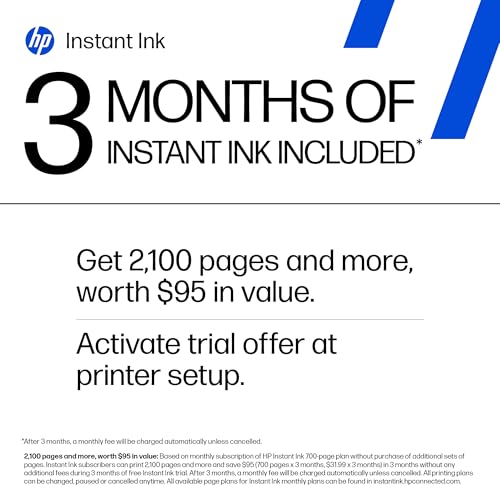
The HP DeskJet 2855e delivers exceptional value for home users seeking an affordable all-in-one printer without sacrificing essential functionality. At this price point, you're getting a wireless printer, scanner, and copier in a compact footprint that won't dominate your workspace. The inclusion of a 3-month Instant Ink trial is a genuine advantage, allowing you to experience the convenience of automatic ink delivery before committing to the subscription.
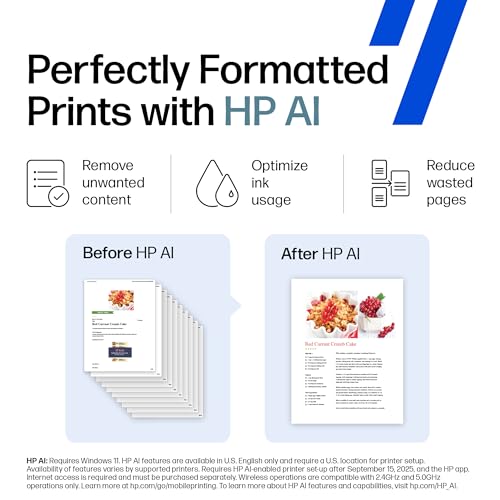
What sets this printer apart is HP's AI-powered formatting technology, which intelligently processes web pages and emails to eliminate wasted pages and awkward layouts. This feature alone can save money on ink and paper over time, making it particularly valuable for households that print frequently. The wireless connectivity includes automatic issue detection, so you spend less time troubleshooting connection problems and more time printing what you need.
The mobile printing capability through the HP app rounds out the feature set nicely, letting you print, scan, and copy from your smartphone or tablet. While the 5.5-7.5 ppm print speeds are modest, they're appropriate for home use where volume is typically low. The 60-sheet input tray strikes a good balance between capacity and the printer's compact design, reducing how often you'll need to refill paper.
Specifications
| Model | HP DeskJet 2855e |
| Type | Wireless All-in-One (Print, Scan, Copy) |
| Print Speed | 7.5 ppm (black), 5.5 ppm (color) |
| Print Technology | Color Inkjet |
| Input Tray Capacity | 60 sheets |
| Wireless Connectivity | 2.4 GHz Wi-Fi with automatic troubleshooting |
| Mobile Printing | HP App for smartphone, PC, and tablet |
| Special Features | HP AI formatting, Instant Ink trial (3 months) |
| Best For | Home users, light to moderate printing needs |
AI Printing Features
The HP DeskJet 2855e includes intelligent AI formatting that automatically optimizes how your documents print. When you print web pages or emails, the technology removes unwanted ads, sidebars, and other distracting elements, delivering clean, focused prints. This smart formatting means fewer wasted pages and less ink consumption, which translates to real savings over time.
The AI also handles layout issues intelligently, ensuring that web content and emails fit properly on your pages without awkward breaks or formatting problems. For home users who frequently print recipes, articles, financial documents, and correspondence, this feature significantly improves print quality and reduces frustration with poorly formatted output.
Buyer's Guide
Is this printer right for you? The DeskJet 2855e is ideal if you're a home user with light to moderate printing needs who values affordability and simplicity. It works well for printing household documents, financial records, recipes, letters, and creative projects.
Who should consider alternatives? If you need high-volume printing (more than 100 pages daily), require fast print speeds, or want 5 GHz Wi-Fi support, you may want to explore higher-tier models. Businesses with heavy printing demands should also look at dedicated office printers.
Getting started: The 3-month Instant Ink trial gets you printing right away without buying ink separately. After the trial ends, you can choose to continue the subscription service or purchase ink cartridges as needed. The HP app makes setup straightforward, and automatic Wi-Fi troubleshooting means fewer connectivity headaches.