


Jump to a section
A great display can be the difference between winning and losing, and the best gaming monitors deliver the refresh rates, response times, and color accuracy that competitive and casual players alike demand.
Whether you play fast-paced shooters that reward high frame rates or richly detailed open-world titles where image quality matters most, the right monitor transforms every session.
Our editors researched and analyzed dozens of options across every price tier, from budget-friendly panels to flagship QD-OLED displays, to surface the picks most worth your money in 2026.
This roundup covers monitors from ASUS, Samsung, Alienware, LG, Sceptre, and SANSUI, spanning panel types, resolutions, and refresh rates to match different play styles and budgets.
Pair any of these displays with a capable graphics card and you will get every frame your GPU can push. Read on for our full breakdown, buying advice, and top picks.
Top Gaming Monitors of 2026

Pros
- Exceptional value for a high-refresh 1440P gaming monitor at this price point
- ELMB Sync and dual adaptive sync technologies provide tear-free gaming across GPU brands
- IPS panel delivers superior color accuracy and wider viewing angles for creative work
- 180Hz refresh rate is fast enough for competitive esports and demanding AAA titles
- HDR support and 130% sRGB coverage enhance visual quality for both gaming and content creation
Cons
- 27-inch 1440P resolution results in lower pixel density than 24-inch 1440P alternatives, which may concern detail-focused users
The ASUS TUF Gaming VG27AQ3A represents a compelling choice for gamers seeking high refresh rates without premium pricing. The 180Hz refresh rate combined with a 1ms response time creates exceptionally smooth motion that gives competitive players an edge, while the QHD 1440P resolution maintains sharp image quality and detailed visuals during intense gameplay sessions.
What sets this monitor apart is its technology stack designed to eliminate visual artifacts. ELMB Sync technology allows extreme low motion blur and variable refresh rate features to operate simultaneously, effectively eliminating both ghosting and screen tearing in one solution. The monitor's compatibility with both FreeSync Premium and G-Sync means it adapts seamlessly to NVIDIA and AMD graphics cards alike, ensuring consistent performance across different gaming setups.
Beyond gaming, the 130% sRGB coverage and IPS panel technology make this monitor suitable for content creators and designers who need accurate color reproduction. The inclusion of HDR-10 support enhances contrast and dynamic range, bringing games and media to life with greater visual depth. Built-in speakers and comprehensive connectivity options add practical value, though serious gamers and creators will likely prefer dedicated audio and professional calibration tools.
| Display Size | 27 inches |
| Resolution | QHD 2560 x 1440 |
| Panel Type | Fast IPS |
| Refresh Rate | 180Hz |
| Response Time | 1ms |
| Color Gamut | 130% sRGB |
| HDR Support | HDR-10 |
| Sync Technologies | FreeSync Premium, G-Sync Compatible, AdaptiveSync |
| Motion Blur Tech | ELMB Sync |
| Audio | Built-in speakers |
| Connectivity | DisplayPort, HDMI |
| Included Accessories | DisplayPort cable, power cord, power adapter, L-shaped screwdriver, quick start guide, warranty card |
Refresh Rate and Response Time
The 180Hz refresh rate paired with 1ms response time creates exceptionally fluid motion during fast-paced gameplay. This combination is particularly advantageous for competitive titles like FPS games, fighting games, and fast-moving action games where every frame matters.
Adaptive Sync Technology
ELMB Sync simultaneously enables motion blur reduction and variable refresh rate synchronization, eliminating both ghosting and screen tearing without sacrificing smoothness. The dual compatibility with FreeSync Premium and G-Sync means you're not locked into a specific GPU manufacturer, providing flexibility for future upgrades.
Resolution and Visual Clarity
The 1440P resolution strikes an ideal balance between visual detail and performance demands. You get significantly sharper imagery than 1080P while maintaining the frame rates needed for competitive gaming on mid-to-high end graphics cards.
Who Should Buy This Monitor?
This monitor is ideal for competitive gamers, esports enthusiasts, and content creators who value high refresh rates and color accuracy. It's particularly suitable for players with NVIDIA or AMD graphics cards who want adaptive sync technology without brand restrictions.
What to Expect
Expect smooth, responsive gaming with minimal visual artifacts. The IPS panel will provide excellent color consistency and viewing angles compared to TN panels. However, note that the 27-inch size at 1440P results in lower pixel density than smaller 1440P monitors, which may be relevant if you sit very close to the screen.
Setup Considerations
Ensure your graphics card can reliably deliver 180Hz at 1440P in your desired games. Most modern mid-range and higher GPUs can achieve this. The monitor includes all necessary cables and a screwdriver for stand assembly, making setup straightforward for most users.

Pros
- OLED technology delivers infinite contrast and perfect blacks that LCD monitors simply cannot match
- 0.03ms response time is among the fastest available, giving competitive gamers a real edge
- Pantone Validated ensures colors are accurate for both gaming and professional content creation
- OLED Safeguard thermal modulation system provides peace of mind against burn-in issues
- 3-year warranty demonstrates Samsung's confidence in product durability and reliability
Cons
- Premium pricing reflects the advanced OLED technology, making it a significant investment compared to traditional LCD gaming monitors
- QHD resolution (1440p) may not satisfy users seeking 4K clarity, though it strikes a good balance between visual fidelity and gaming performance
The Samsung Odyssey OLED G6 represents a significant leap forward in gaming monitor technology by bringing OLED's superior contrast and color reproduction to the competitive gaming space. The QD-OLED panel delivers exceptional brightness levels while maintaining the infinite contrast that makes OLED displays so visually striking. Whether you're playing fast-paced shooters or exploring richly detailed game worlds, the 240Hz refresh rate combined with the 0.03ms response time ensures your monitor keeps pace with your gameplay without any perceptible lag or motion blur.
One of the biggest concerns with OLED technology has always been burn-in risk, but Samsung addresses this directly with OLED Safeguard, a thermal modulation system that actively protects against static image retention. This makes the monitor practical for everyday gaming without constant worry about permanent damage. The Pantone Validated color accuracy and HDR10 support elevate this monitor beyond gaming into professional creative work, making it versatile enough for designers, video editors, and streamers who demand precise color reproduction alongside gaming performance.
The ergonomic stand offers comprehensive adjustability including height, tilt, pivot, and swivel functions, allowing you to position the monitor exactly how you prefer for maximum comfort during marathon gaming sessions. The Glare-Free technology minimizes reflections from ambient light, reducing eye fatigue and keeping your focus on the game. Combined with a robust 3-year warranty, this monitor demonstrates Samsung's commitment to quality and customer satisfaction in a premium product category.
| Display Size | 27 inches |
| Panel Type | QD-OLED (Quantum Dot OLED) |
| Resolution | QHD (2560 x 1440) |
| Refresh Rate | 240Hz |
| Response Time | 0.03ms (MPRT) |
| Color Gamut | 2100+ colors, 110+ skin tone shades |
| Color Certification | Pantone Validated |
| HDR Support | HDR10 |
| Brightness | High brightness QD-OLED technology |
| Glare Technology | Glare-Free coating |
| AMD FreeSync | Premium |
| Stand Adjustment | Height, tilt, pivot, swivel |
| Burn-in Protection | OLED Safeguard with thermal modulation |
| Warranty | 3 years |
| Model Number | LS27HG612SNXZA |
Gaming Performance
The 240Hz refresh rate paired with 0.03ms response time delivers exceptional performance for competitive gaming. You'll notice the difference immediately in fast-paced titles where every millisecond counts. The OLED technology ensures colors remain vibrant and accurate even during rapid on-screen motion.
Visual Quality
OLED's infinite contrast ratio creates stunning visual depth that traditional LCD monitors cannot replicate. Black levels are truly black, not gray, which enhances immersion in darker game environments. The Pantone Validated color accuracy means you're seeing games exactly as developers intended.
Comfort and Usability
Extended gaming sessions are more comfortable thanks to the Glare-Free technology and fully adjustable stand. The monitor reduces eye strain significantly compared to standard gaming displays, making it suitable for long-term use without fatigue.
Who Should Buy This Monitor?
This monitor is ideal for serious gamers, esports competitors, and creative professionals who prioritize both speed and color accuracy. If you play competitive shooters, fighting games, or other titles where response time matters, this is an excellent choice. Content creators including video editors, photographers, and graphic designers will appreciate the Pantone Validated colors.
Is It Worth the Investment?
The premium price reflects cutting-edge OLED technology and features rarely found together in gaming monitors. If you spend significant time gaming or doing creative work, the investment pays dividends in performance and visual quality. The 3-year warranty provides additional protection for your investment.
Setup Considerations
Ensure your graphics card can handle 1440p at 240Hz for optimal performance. Most modern high-end GPUs (RTX 4070 and above, or RX 7800 XT and above) will deliver excellent results. The adjustable stand means you can customize the monitor to your setup, whether you're mounting it on a desk or using an arm mount.

Pros
- Excellent QHD resolution at 27 inches strikes the perfect balance between visual clarity and performance
- 180Hz refresh rate with 1ms response time provides buttery-smooth gameplay ideal for fast-paced titles
- AMD FreeSync support eliminates tearing and stuttering without requiring premium graphics hardware
- Adjustable stand offers multiple ergonomic positions for personalized comfort and reduced neck/back strain
- HDR10 and Black Equalizer enhance visual quality and competitive awareness in darker game environments
Cons
- Limited to 180Hz refresh rate, which may feel less cutting-edge compared to newer 240Hz+ monitors on the market
The Samsung Odyssey G5 27-inch gaming monitor represents a thoughtful balance between performance and affordability for serious gamers. The QHD 1440p resolution provides noticeably sharper detail than standard Full HD displays, making games feel more immersive and environments more visually convincing. Combined with the 180Hz refresh rate and 1ms response time, this monitor delivers the smooth, responsive experience that competitive gamers crave when milliseconds matter.
AMD FreeSync technology is a game-changer for gamers with compatible graphics cards, effectively eliminating the stuttering and screen tearing that can ruin fast-paced gameplay. The HDR10 support adds another layer of visual depth, bringing brighter highlights and more nuanced shadows that make every scene feel more vivid and lifelike. The Black Equalizer feature is particularly useful for gaining a competitive advantage, allowing you to brighten dark areas in games so you can spot enemies hiding in shadows without compromising overall image quality.
The ergonomic stand with height, tilt, and pivot adjustments ensures you can customize the monitor's position to your exact preferences, reducing eye strain and neck fatigue during extended gaming marathons. At this price point, the Odyssey G5 offers impressive specifications and features that would typically cost significantly more, making it an exceptional choice for gamers who want professional-grade performance without the premium price tag.
| Screen Size | 27 inches |
| Resolution | QHD (2560 x 1440) |
| Refresh Rate | 180Hz |
| Response Time | 1ms |
| Panel Type | VA (Vertical Alignment) |
| Color Support | HDR10 |
| Adaptive Sync | AMD FreeSync |
| Brightness | Optimized for gaming |
| Stand Adjustments | Height, Tilt, Pivot |
| Special Features | Black Equalizer, Virtual Aim Point, Auto Source Switch+ |
| Color | Black |
| Model | LS27FG512ENXZA |
Competitive Gaming: The 180Hz refresh rate and 1ms response time make this monitor excellent for competitive shooters, MOBAs, and fast-paced action games where every frame and reaction time counts.
Visual Quality: QHD resolution at 27 inches delivers stunning detail without requiring extreme GPU power, making it ideal for both high-refresh and high-fidelity gaming experiences.
AMD FreeSync Optimization: If you're using an AMD Radeon graphics card, enable FreeSync in your driver settings for the smoothest, tear-free gameplay. NVIDIA users can still benefit from the monitor's excellent responsiveness and refresh rate.
HDR Gaming: Activate HDR10 in compatible games for enhanced visual depth and more realistic lighting. The Black Equalizer helps you maintain visibility in dark scenes without losing overall image quality.
Ergonomic Positioning: Use the height adjustment to position the monitor at eye level when seated. The top of the screen should be at or slightly below eye level to reduce neck strain during long gaming sessions.
Stand Adjustments: The tilt and pivot features allow you to customize the viewing angle. Experiment with different positions to find what feels most comfortable for your setup and reduces glare from ambient lighting.
Connectivity: Connect your graphics card using HDMI or DisplayPort for optimal performance. DisplayPort is recommended for achieving the full 180Hz refresh rate with newer graphics cards.
Gaming Optimization: Enable G-Sync Compatible mode in NVIDIA Control Panel if using an NVIDIA card, or enable FreeSync in AMD Radeon Settings for the smoothest adaptive sync experience.

Pros
- Exceptional 240Hz refresh rate delivers incredibly smooth motion in fast-paced games
- Immersive 1500R curved screen reduces eye strain and enhances peripheral vision
- Outstanding value for a high-refresh gaming monitor at this price
- Excellent color accuracy with 130% sRGB makes it viable for creative work too
- Comprehensive connectivity with HDMI and DisplayPort 1.4 options
Cons
- 1080p resolution may feel less sharp than 1440p alternatives on a 27-inch screen
- No built-in speakers means you'll need external audio solution for complete setup
The SANSUI 27-inch curved gaming monitor stands out as a compelling option for gamers seeking high refresh rate performance without premium pricing. The 240Hz refresh rate paired with 1ms response time creates exceptionally smooth gameplay, particularly in competitive titles where every frame matters. The 1500R curved design wraps around your field of vision, reducing the need to move your eyes and head as much, which translates to less fatigue during extended gaming sessions.
Beyond gaming, this monitor delivers respectable color accuracy with its 130% sRGB gamut and DCI-P3 95% coverage, making it surprisingly versatile for photo editing or content creation work. The 4000:1 contrast ratio and 300nits brightness provide punchy visuals with good shadow detail, while the HDR support adds another layer of visual depth. The anti-flicker and anti-glare technologies help reduce eye strain, an important consideration for anyone spending hours in front of a screen.
The practical design touches matter too. The metal stand feels sturdy and offers tilt adjustment from -5 to 15 degrees, while VESA 100x100mm compatibility gives you mounting flexibility. Dual connectivity via HDMI and DisplayPort 1.4 ensures compatibility with most modern graphics cards and systems. SANSUI backs the monitor with a 30-day money-back guarantee and one-year warranty, providing reasonable peace of mind for your investment.
| Specification | Details |
|---|---|
| Screen Size | 27 inches |
| Resolution | 1920 x 1080 (FHD) |
| Panel Curvature | 1500R |
| Refresh Rate | 240Hz |
| Response Time | 1ms MPRT |
| Color Gamut | 130% sRGB, 95% DCI-P3 |
| Contrast Ratio | 4000:1 |
| Brightness | 300 nits |
| Adaptive Sync | FreeSync |
| Connectivity | HDMI, DisplayPort 1.4, 3.5mm Audio Jack |
| Stand Adjustment | Tilt -5 to +15 degrees |
| VESA Mount | 100 x 100mm compatible |
| Features | HDR, Anti-flicker, Anti-glare, Game Modes, Crosshair, Black Level Adjustment |
| Warranty | 30-day money-back, 1-year quality warranty, lifetime technical support |
This monitor excels in competitive gaming scenarios where refresh rate and response time directly impact your competitive edge. The 240Hz refresh rate combined with 1ms response time creates a responsive, fluid experience that gives you a tangible advantage in fast-paced shooters, fighting games, and racing titles. FreeSync technology eliminates screen tearing by synchronizing the display refresh rate with your graphics card's output, resulting in smoother gameplay without the stuttering that can throw off your aim or timing.
The curved design enhances immersion by expanding your peripheral vision, making it easier to track movement across the screen without moving your eyes as much. Game mode presets and crosshair overlays add convenience for quick setup optimization. For casual gamers, the high refresh rate also improves overall smoothness in everyday tasks like web browsing and window dragging, making the monitor feel more responsive across all applications.
Who Should Buy This? Competitive gamers on a budget, esports enthusiasts, and anyone upgrading from a standard 60Hz monitor will notice the dramatic improvement. The 240Hz refresh rate is particularly valuable if you're playing competitive shooters, MOBAs, or fighting games where reaction time matters. Content creators who need color accuracy alongside gaming performance will also appreciate the extended color gamut.
Who Might Want to Look Elsewhere? If you primarily play single-player, story-driven games, you may not fully appreciate the 240Hz refresh rate. Gamers with high-end graphics cards looking to max out visual fidelity might prefer a 1440p monitor, as the 1080p resolution can appear less sharp on a 27-inch screen. Those needing built-in speakers should note this monitor has no audio output.
Setup Tips: Pair this monitor with a graphics card capable of delivering 240+ frames per second to fully utilize the high refresh rate. Use DisplayPort 1.4 for the most stable connection with newer graphics cards. Enable FreeSync in your graphics control panel to eliminate tearing. Adjust the tilt to your preferred viewing angle and use the brightness controls to reduce eye strain in your lighting environment.

Pros
- Exceptional value for 144Hz gaming performance at this price
- Eye-comfort features like blue-light reduction support longer play sessions
- Built-in speakers reduce desk clutter and simplify setup
- Minimal bezel design enables effective multi-monitor gaming configurations
- Fast 144Hz refresh rate provides competitive advantage in fast-paced games
Cons
- 22-inch screen size may feel cramped for content creation or productivity work
- 1080p resolution at 22 inches results in slightly lower pixel density than larger 1440p alternatives
The Sceptre E225W-FW144 represents excellent value for gamers on a budget. At 22 inches with a 144Hz refresh rate, this monitor strikes a practical balance between performance and affordability. The Full HD 1080p resolution pairs well with the screen size, delivering sharp visuals without demanding excessive GPU power from your gaming rig. Whether you're playing competitive shooters, MOBAs, or casual titles, the 144Hz refresh rate provides noticeably smoother motion compared to standard 60Hz displays.
Comfort and convenience features distinguish this monitor from other budget options. The Blue-Light Shift technology meaningfully reduces eye fatigue during marathon gaming sessions, while integrated stereo speakers eliminate the need to purchase separate audio equipment. The minimal bezel design is particularly valuable if you're considering a dual or triple-monitor setup, as it minimizes the visual gap between screens and creates a more immersive gaming environment.
The monitor's compact 22-inch footprint makes it ideal for smaller desks, dorm rooms, or gaming setups where space is limited. With both DisplayPort and HDMI inputs, connectivity is straightforward for most gaming PCs, consoles, and laptops. For casual gamers and esports enthusiasts seeking their first high-refresh display, this Sceptre monitor delivers solid performance and practical features at an accessible price.
| Screen Size | 22 inches (diagonal) |
| Resolution | 1920 x 1080 (Full HD) |
| Refresh Rate | Up to 144Hz |
| Panel Type | Not specified |
| Brightness | Not specified |
| Contrast Ratio | Not specified |
| Response Time | Not specified |
| Connectivity | HDMI, DisplayPort |
| Audio | Built-in Speakers |
| Special Features | Blue-Light Shift technology, Minimal bezel design |
| Color | Machine Black |
| Model | E225W-FW144 Series |
| Brand | Sceptre |
The 144Hz refresh rate is the star feature for gaming performance. This refresh rate is particularly noticeable in fast-paced competitive games where smooth motion and quick response times matter. Players will appreciate the reduced motion blur and improved tracking during intense gameplay compared to standard 60Hz monitors.
The Full HD resolution at 22 inches strikes a practical balance. You'll achieve higher frame rates on most gaming hardware without sacrificing visual clarity. This makes the monitor accessible to gamers with mid-range graphics cards who want smooth, responsive performance without investing in expensive high-end displays.
The blue-light reduction technology is a practical addition that helps maintain focus and comfort during extended gaming marathons, reducing the eye strain that can develop during competitive play or long streaming sessions.
Setting up this Sceptre monitor is straightforward thanks to dual connectivity options. Both DisplayPort and HDMI inputs provide flexibility whether you're connecting a gaming PC, console, or laptop. DisplayPort is generally preferred for gaming at 144Hz, while HDMI offers broader compatibility across devices.
The minimal bezel design makes this monitor particularly appealing for multi-monitor configurations. If you plan to stack two or more monitors, the thin bezels create a nearly seamless viewing experience with minimal gaps between screens. This is ideal for gaming, content creation, or productivity workflows that benefit from extended screen real estate.
The compact 22-inch size means this monitor won't dominate your desk space, making it suitable for smaller setups, gaming rooms, or shared spaces where monitor footprint matters. The integrated speakers reduce cable clutter and eliminate the need for separate audio equipment, simplifying your overall setup.

Pros
- Expansive ultrawide 34-inch panel provides unmatched field of view for competitive and immersive gaming
- Exceptional refresh rate and response time combination ensures responsive, fluid gameplay without motion blur
- Outstanding color accuracy with 95% DCI-P3 coverage makes this monitor versatile for gaming and creative work
- Aggressive 1500R curve enhances immersion and reduces eye strain during extended gaming sessions
- Dual sync technologies (FreeSync Premium and VESA Adaptive Sync) ensure compatibility with virtually all gaming systems
Cons
- Premium pricing reflects the ultrawide specialty monitor market; significantly more expensive than standard 27-inch alternatives
- WQHD resolution on a 34-inch panel results in lower pixel density compared to 4K displays, which may be noticeable to detail-focused users
The Alienware AW3425DWM stands out as a purpose-built ultrawide gaming monitor that prioritizes immersion and responsiveness. The 34-inch curved panel with its aggressive 1500R curve creates a wraparound effect that genuinely enhances peripheral awareness during gameplay, making it particularly valuable for competitive titles and open-world exploration. The 180Hz refresh rate combined with 1ms response time delivers the fluid, responsive performance that serious gamers demand, while AMD FreeSync Premium and VESA Adaptive Sync ensure compatibility across virtually all gaming platforms.
Visual quality on this display is exceptional for gaming and creative work alike. The WQHD resolution provides sharp, detailed visuals across the expansive ultrawide format without requiring the GPU horsepower that 4K would demand. The DCI-P3 95% color coverage and DisplayHDR 400 certification mean colors are vibrant and accurate, making this monitor equally capable for content creation and professional work. The dedicated console mode and hardware-based blue light reduction are thoughtful additions that acknowledge the reality of extended gaming sessions.
This monitor represents a significant investment, but it delivers genuine benefits for gamers who value immersion and professionals who benefit from ultrawide workspace. The combination of ultrawide real estate, high refresh rate, rapid response time, and excellent color accuracy creates a versatile tool that excels in competitive gaming, single-player immersion, and creative applications. It's best suited for those ready to commit to the ultrawide format and who appreciate the performance advantages it provides.
| Panel Size | 34 inches |
| Resolution | 3440 x 1440 (WQHD) |
| Panel Type | Curved VA |
| Curve Radius | 1500R |
| Refresh Rate | 180Hz |
| Response Time | 1ms (gray to gray) |
| Color Gamut | DCI-P3 95% |
| HDR Standard | VESA DisplayHDR 400 |
| Sync Technology | AMD FreeSync Premium, VESA Adaptive Sync |
| Special Features | Console mode, hardware-based blue light reduction |
| VESA Mount Compatible | Yes |
Competitive Gaming: The 180Hz refresh rate and 1ms response time make this monitor excellent for competitive shooters and fast-paced titles. The ultrawide format provides a genuine competitive advantage by expanding your field of view, allowing you to detect enemy movement earlier than opponents on standard monitors.
Immersive Gaming: For single-player and story-driven games, the 34-inch curved display creates an enveloping experience that standard monitors simply cannot match. The WQHD resolution maintains excellent detail while the high refresh rate ensures smooth panning and camera movement across vast virtual landscapes.
Console Gaming: The dedicated console mode optimizes the display for PlayStation and Xbox gaming, while the dual sync technologies ensure compatibility. The ultrawide format works beautifully with console games that support it, though some older titles may display with black bars.
Is This Monitor Right for You? The AW3425DWM is ideal for gamers who prioritize immersion and competitive advantage, creative professionals who benefit from expanded screen real estate, and anyone willing to invest in a premium ultrawide experience. It's less suitable for budget-conscious buyers or those whose primary use case is standard productivity work.
Setup Considerations: Ensure your GPU can handle high refresh rates at WQHD resolution. Modern mid-range to high-end graphics cards (RTX 4060 Ti and above, or RX 6700 XT and above) will maximize this monitor's potential. The ultrawide format requires adequate desk space, typically 40+ inches wide. Consider your seating distance and desk setup before committing to the ultrawide format.
Comparison Context: This monitor occupies a unique space between standard 27-inch gaming monitors and professional ultrawide displays. It offers more immersion than a 27-inch while maintaining better gaming performance than many 4K alternatives. If you've never used an ultrawide, consider evaluating one in person before purchasing, as the format represents a significant departure from traditional gaming displays.

Pros
- Excellent price-to-performance value for a 32-inch QHD gaming monitor with high refresh rate
- Fast IPS panel provides both gaming responsiveness and superior color accuracy compared to TN panels
- Dual adaptive sync support works with NVIDIA and AMD graphics cards for maximum compatibility
- Large 32-inch screen real estate ideal for both competitive gaming and creative work
- Extensive ergonomic adjustments ensure proper positioning to reduce neck and eye strain
Cons
- No native 240Hz or higher refresh rate limits appeal to ultra-competitive esports players seeking maximum smoothness
- IPS panel response time of 1ms is good but slightly slower than TN alternatives, which may matter in fast-paced titles
The Samsung Odyssey G5 G50F strikes an impressive balance between gaming performance and visual quality at a competitive price point. The 32-inch QHD display delivers 2560x1440 resolution with a fast IPS panel that maintains color accuracy across wide viewing angles while supporting 180Hz refresh rates and 1ms response times. This combination makes it suitable for both competitive gaming sessions and professional work that demands color fidelity.
Performance features like G-Sync compatibility and AMD FreeSync support eliminate screen tearing across both major GPU ecosystems, while HDR10 support and Black Equalizer technology enhance contrast and shadow visibility for a more immersive visual experience. The Virtual Aim Point feature provides a helpful crosshair overlay for precision aiming, and the Auto Source Switch+ function streamlines switching between multiple connected devices without manual input.
The ergonomic stand offers substantial adjustability with height, tilt, and swivel functions, allowing users to position the monitor for optimal viewing comfort during extended gaming or work sessions. At this price point, the Odyssey G5 G50F represents solid value for gamers seeking a large, high-refresh QHD monitor that doesn't compromise on color accuracy or build quality.
| Specification | Details |
|---|---|
| Screen Size | 32 inches (diagonal) |
| Resolution | 2560 x 1440 (QHD) |
| Panel Type | IPS (In-Plane Switching) |
| Refresh Rate | 180Hz |
| Response Time | 1ms (Gray-to-Gray) |
| Viewing Angles | 178 degrees (horizontal and vertical) |
| HDR Support | HDR10 |
| Sync Technology | NVIDIA G-Sync Compatible, AMD FreeSync |
| Stand Features | Height adjustable, tilt, pivot, swivel |
| Additional Features | Black Equalizer, Virtual Aim Point, Auto Source Switch+ |
| Model Number | LS32FG502ENXZA |
| Brand | Samsung |
Refresh Rate and Responsiveness
The 180Hz refresh rate paired with 1ms response time delivers smooth motion and minimal input lag. This configuration suits most gaming genres, from fast-paced shooters to strategy games. While esports professionals may prefer 240Hz+ monitors, the 180Hz performance is more than adequate for competitive play at this screen size and resolution.
Adaptive Sync Technology
Dual support for G-Sync and FreeSync ensures compatibility regardless of your GPU choice. These technologies synchronize the monitor's refresh rate with your graphics card's output, virtually eliminating tearing and stuttering for a seamless visual experience during intense gaming sessions.
Visual Clarity and Immersion
The QHD resolution on a 32-inch screen provides excellent pixel density for sharp, detailed visuals. Combined with HDR10 and Black Equalizer features, the monitor delivers enhanced contrast and shadow detail that gives competitive players better visibility in dark areas while maintaining stunning visual quality.
Who Should Buy This Monitor?
The Odyssey G5 G50F is ideal for gamers who want a large, high-refresh display without sacrificing color accuracy. It's perfect for those with both NVIDIA and AMD graphics cards, and it suits players who value immersion and visual quality alongside responsiveness. Content creators and professionals will also appreciate the accurate IPS panel for color-critical work.
Setup Considerations
Ensure your graphics card can comfortably drive 2560x1440 at 180Hz in your preferred games. NVIDIA RTX 3070 or better, or AMD RX 6800 XT or better are recommended for consistent high-frame-rate performance. The monitor's extensive stand adjustability means you can position it ergonomically, reducing fatigue during long sessions.
Alternative Scenarios
If you prioritize ultra-high refresh rates for competitive esports, look for 240Hz+ options. If you need a smaller, more portable display, consider 27-inch alternatives. However, for the price-to-performance ratio on a 32-inch QHD gaming monitor, the Odyssey G5 G50F remains an excellent choice.

Pros
- Exceptional motion clarity with 240Hz refresh and 0.03ms response time eliminates ghosting and blur
- QD-OLED technology delivers perfect blacks, vibrant colors, and infinite contrast unavailable on LCD monitors
- Ultrawide 34-inch curved design expands your field of view for competitive advantage and immersive gameplay
- Professional color accuracy makes this monitor valuable for content creators and designers alongside gamers
- Universal adaptive sync support works seamlessly with NVIDIA and AMD graphics cards
Cons
- Premium pricing reflects cutting-edge technology, making it a significant investment for casual gamers
- OLED displays require careful management of static images to prevent potential burn-in over extended periods
The Alienware AW3425DW represents a pinnacle achievement in gaming monitor design by combining QD-OLED panel technology with an ultrawide 34-inch curved format. The 240Hz refresh rate paired with an impressive 0.03ms response time delivers motion clarity that competitive gamers demand, while the 1800R curve and expansive 3440 x 1440 resolution create an immersive field of view that pulls you deeper into every game world.
What truly sets this monitor apart is its exceptional color performance and contrast capabilities. The DCI-P3 99.3% color coverage with Delta E<2 accuracy ensures colors appear exactly as intended, while the infinite contrast ratio and 1000 nits peak HDR brightness create stunning visual depth. DisplayHDR TrueBlack 400 certification means blacks are genuinely black, not gray, giving you superior detail visibility in dark scenes and cinematic visuals that elevate your gaming experience.
The monitor's compatibility with NVIDIA G-SYNC, AMD FreeSync Premium Pro, and VESA AdaptiveSync means it works flawlessly with virtually any modern graphics card. Whether you're chasing competitive frame rates or exploring visually rich single-player adventures, this ultrawide curved display adapts to your hardware and gaming preferences, making it a versatile choice for serious gamers and creative professionals alike.
| Specification | Details |
|---|---|
| Panel Size | 34.2 inches |
| Resolution | 3440 x 1440 (WQHD Ultrawide) |
| Panel Type | QD-OLED (Quantum Dot OLED) |
| Refresh Rate | 240Hz |
| Response Time | 0.03ms |
| Curve Radius | 1800R |
| Color Gamut | DCI-P3 99.3% |
| Color Accuracy | Delta E<2 |
| Contrast Ratio | Infinite (OLED) |
| HDR Standard | DisplayHDR TrueBlack 400 |
| Peak HDR Brightness | 1000 nits |
| Adaptive Sync | NVIDIA G-SYNC Compatible, AMD FreeSync Premium Pro, VESA AdaptiveSync |
| Brand | Alienware |
| Model | AW3425DW |
Gaming Performance - The 240Hz refresh rate combined with 0.03ms response time creates exceptionally smooth motion that gives competitive gamers a tangible advantage. The ultrawide format provides expanded peripheral vision without requiring wider head movements, reducing fatigue during extended gaming sessions. Fast-paced shooters, racing games, and action titles all benefit from the rapid refresh and minimal input lag.
Visual Quality - QD-OLED technology eliminates the backlight blooming and color shift issues common in traditional LCD monitors. The infinite contrast ratio means every scene contains true blacks alongside vibrant highlights, creating superior visual separation and detail visibility. Whether gaming or watching content, the visual experience feels more cinematic and engaging than standard monitors.
Productivity and Content Creation - The 99.3% DCI-P3 color coverage and Delta E<2 accuracy make this monitor suitable for professional color-critical work. Video editors, graphic designers, and photographers will appreciate the faithful color reproduction. The ultrawide format also provides exceptional workspace for multitasking, allowing side-by-side application windows without crowding.
Is This Monitor Right for You? This Alienware model suits serious gamers who prioritize visual quality and motion clarity, competitive esports players seeking every performance advantage, and creative professionals needing accurate color reproduction. If you use a high-end graphics card capable of sustained high frame rates at ultrawide resolution, this monitor maximizes your hardware investment.
GPU Requirements - To fully utilize the 240Hz refresh rate at 3440 x 1440, you'll need a powerful graphics card. NVIDIA RTX 4070 or better, or AMD RX 7700 XT or higher are recommended for demanding modern games at high settings. Older or less powerful GPUs will still work but may not reach 240Hz in newer titles.
Space Considerations - The 34-inch ultrawide format requires adequate desk space. Measure your setup before purchasing to ensure the monitor fits comfortably. The curved design means you'll sit slightly further back than with flat monitors, so desk depth is important. Wall mounting is an option if desk space is limited.
Budget Perspective - This is a premium product reflecting cutting-edge technology. Compare your budget against your gaming and productivity needs. If casual gaming is your priority, more affordable options exist. If you're a serious enthusiast or professional, the performance and visual quality justify the investment for years of use.

Pros
- Exceptional 300Hz refresh rate paired with 0.3ms response time gives you a genuine competitive edge in fast-paced games
- Fast IPS technology balances speed with excellent color accuracy and wide viewing angles
- ELMB Sync works with variable refresh rate to eliminate both ghosting and screen tearing in one solution
- Shadow Boost intelligently enhances visibility in dark areas without overexposing highlights
- User-friendly DisplayWidget Center makes monitor customization quick and intuitive
Cons
- 27-inch 1440p resolution may feel less sharp than 1440p on smaller monitors or 4K on larger displays for some users
- Premium performance comes at a higher price point compared to standard 144Hz 1440p alternatives
The ASUS TUF VG27AQM5A represents a significant step up for gamers serious about performance. The combination of 300Hz refresh rate and 0.3ms response time creates an exceptionally responsive experience that makes a tangible difference in competitive shooters and fast-action titles. The Fast IPS panel technology is particularly noteworthy because it delivers the speed typically associated with TN panels while maintaining the superior color accuracy and viewing angles of IPS technology, making this monitor versatile enough for both gaming and creative work.
Motion clarity is where this monitor truly excels. The ELMB Sync technology allows extreme motion blur reduction and variable refresh rate to work together, eliminating the visual artifacts that plague many high-refresh displays. Combined with the Shadow Boost feature, which intelligently brightens dark game areas without crushing blacks or overexposing highlights, the VG27AQM5A provides exceptional visibility and immersion. The DisplayWidget Center interface makes fine-tuning these features straightforward, so you can optimize settings without diving into complicated menus.
This monitor is purpose-built for players and professionals who value responsiveness and visual clarity above all else. The 95% DCI-P3 color gamut ensures accurate colors for content creation, while the 3-year warranty demonstrates ASUS's confidence in build quality. If you're upgrading from a 60Hz or 144Hz display, the jump to 300Hz is genuinely noticeable, particularly in competitive gaming scenarios where every millisecond counts.
| Panel Size | 27 inches |
| Resolution | 2560 x 1440 (QHD) |
| Refresh Rate | 300Hz |
| Response Time | 0.3ms (GTG, minimum) |
| Panel Type | Fast IPS |
| Color Gamut | 95% DCI-P3 |
| Brightness | Not specified |
| Contrast Ratio | Not specified |
| Features | ELMB Sync, Shadow Boost, DisplayWidget Center |
| Audio | Built-in speaker |
| Warranty | 3 years |
Competitive Edge
The 300Hz refresh rate combined with 0.3ms response time creates a responsive environment where your inputs translate to on-screen action with minimal delay. This is particularly advantageous in esports titles like Counter-Strike, Valorant, and Overwatch where reaction time directly impacts performance.
Motion Clarity
ELMB Sync technology simultaneously enables extreme motion blur reduction and variable refresh rate support, eliminating ghosting and tearing that would otherwise compromise visibility during fast camera pans and rapid movement sequences.
Visual Fidelity
The Fast IPS panel maintains excellent color accuracy (95% DCI-P3) while delivering the speed needed for competitive play. Shadow Boost enhances visibility in dark environments without artificially brightening the entire image, giving you a tactical advantage in stealth and dark-themed games.
Who Should Buy This Monitor?
This monitor is ideal for competitive gamers, esports enthusiasts, and content creators who need both speed and color accuracy. If you play fast-paced games and currently use a 144Hz or 165Hz monitor, upgrading to 300Hz will provide a noticeable improvement in responsiveness and smoothness.
Is It Worth the Investment?
The premium pricing reflects the advanced features and performance capabilities. If competitive gaming is a serious hobby or profession, the investment is justified. Casual gamers may find excellent value in more affordable 144Hz or 165Hz alternatives.
System Requirements
To fully utilize the 300Hz refresh rate, you'll need a graphics card capable of delivering high frame rates at 1440p resolution. NVIDIA RTX 4070 Ti or better, or AMD RX 7900 XT or better recommended for maximum performance in modern AAA titles.
Best Gaming Monitors Buying Guide
Shopping for a new gaming monitor means navigating a wall of specs, panel technologies, and marketing terms. This guide breaks down every factor that actually affects your experience so you can shop with confidence.
Panel Type: IPS, VA, or OLED?
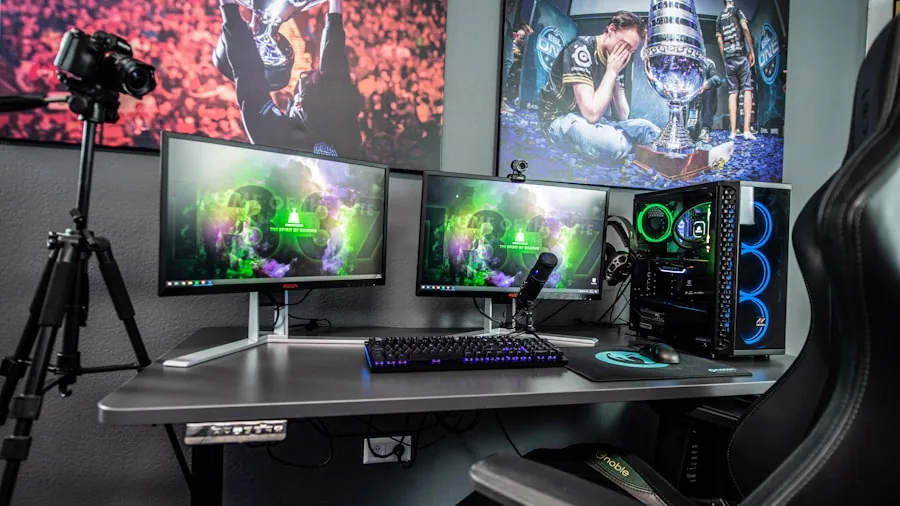
IPS panels offer wide viewing angles and accurate colors, making them the most popular choice for gaming.
Fast IPS variants push response times down to 1ms or lower while preserving color fidelity, which is why you will find them on models like the ASUS TUF VG27AQ3A and the Samsung Odyssey G5 G51F.
VA panels deliver deeper blacks and stronger contrast ratios than IPS, which can look striking in dark environments. The tradeoff is that response times are usually slower, so fast-moving scenes can show ghosting on lower-end VA displays.
OLED and QD-OLED panels sit at the top of the market.
The Samsung Odyssey OLED G6 and the Alienware AW3425DW use quantum dot OLED technology that produces near-perfect blacks, vivid colors covering 95% DCI-P3 or better, and response times as low as 0.03ms.
The investment is significantly higher, but the visual payoff is dramatic.
Resolution and Screen Size
Full HD (1920×1080) is the entry point and works well for budget builds where high frame rates matter more than pixel density. The SANSUI 27-inch curved monitor and the Sceptre 22-inch are strong examples in this tier.
QHD (2560×1440) is the current sweet spot for most PC gamers.
It balances sharp image quality with reasonable GPU demands, and monitors like the Samsung Odyssey G5 G50F and the ASUS TUF VG27AQM5A deliver it with high refresh rates.
If you want more visual real estate, ultrawide WQHD (3440×1440) from the LG 34G630A-B and both Alienware 34-inch options stretches immersion considerably.
Screen size should match your desk depth and seating distance. Most 27-inch QHD monitors feel right at arm’s length, while 34-inch ultrawides benefit from a slightly deeper setup. A sturdy height-adjustable desk can help you dial in the perfect viewing angle for long sessions.
Refresh Rate and Response Time
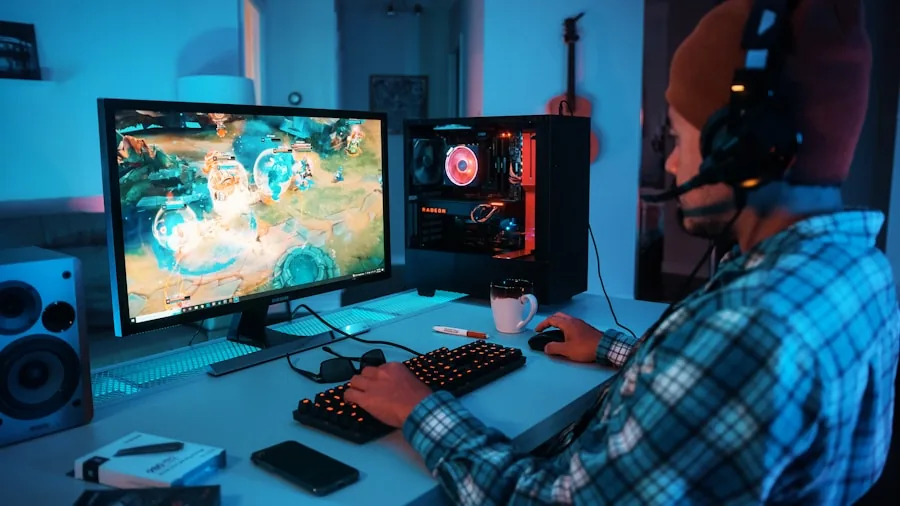
Refresh rate is measured in hertz and tells you how many frames the monitor can display per second. For casual gamers, 144Hz or 180Hz is a massive upgrade over a standard 60Hz display.
Competitive players who need every edge should look at 240Hz or even 300Hz panels.
The ASUS TUF VG27AQM5A pushes 300Hz at 1440P, making it one of the fastest QHD monitors available. For ultrawide gaming at 240Hz, the LG 34G630A-B and the Alienware AW3425DW cover that ground.
If budget is the priority, the SANSUI curved monitor hits 240Hz at a fraction of the flagship cost.
Response time is equally important. Rated in milliseconds, a faster GTG or MPRT response reduces motion blur and ghosting. Look for 1ms or lower on competitive picks.
Features like Extreme Low Motion Blur Sync (ELMB Sync) on ASUS monitors and MPRT 1ms on the SANSUI further sharpen fast motion.
Adaptive Sync: AMD FreeSync vs NVIDIA G-Sync
Adaptive sync technology eliminates screen tearing by matching the monitor’s refresh rate to the GPU’s output. Most monitors on this list support AMD FreeSync Premium or FreeSync Premium Pro, and several are also certified G-Sync Compatible, meaning they work smoothly with both major GPU brands.
FreeSync Premium requires a minimum 120Hz refresh rate and low framerate compensation, which prevents stuttering when frame rates drop. FreeSync Premium Pro adds HDR support on top of that. The Alienware AW3425DW’s FreeSync Premium Pro certification makes it an exceptional choice for HDR gaming.
HDR and Color Performance

HDR support varies widely across the market. Entry-level HDR10 certification (found on the Samsung G5 G50F and G51F) brightens highlights somewhat but does not transform the image the way true HDR does. DisplayHDR 400 on the LG 34G630A-B steps things up modestly.
DisplayHDR TrueBlack 400 on the Alienware AW3425DW QD-OLED is a different league entirely. Combined with its 99% DCI-P3 coverage, this panel can render HDR content the way creators intended.
The Samsung Odyssey OLED G6 is Pantone validated and covers a wide color gamut, making it excellent for gamers who also do photo or video work on the side.
Color coverage matters beyond HDR too. The ASUS TUF VG27AQM5A covers 95% DCI-P3, while the VG27AQ3A covers 130% sRGB. Both serve competitive and content-aware gamers well.
If color performance is important to you alongside gaming, it is worth exploring mirrorless cameras designed around color-accurate workflows to understand how displays factor into a broader creative setup.
Curved vs Flat Panels
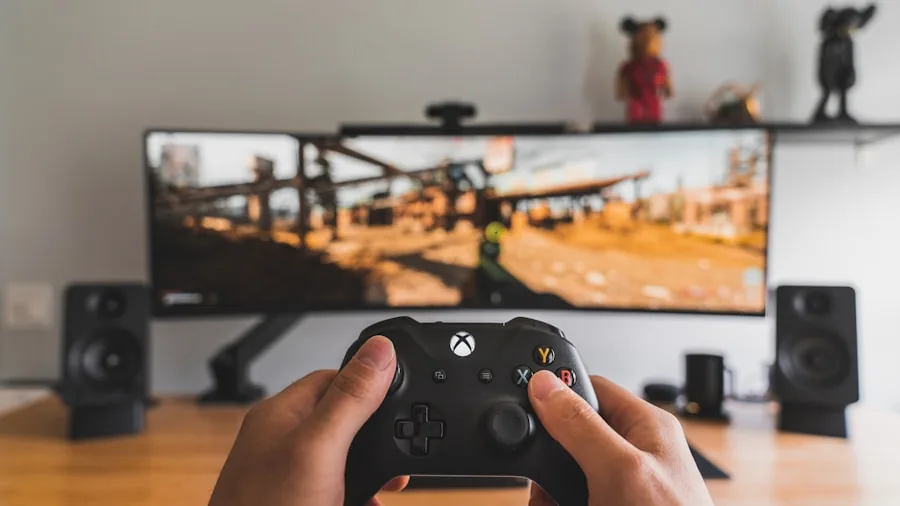
Curved monitors wrap around your peripheral vision, which feels more immersive during open-world and racing games. The 1500R curve on the SANSUI 27-inch and the Alienware AW3425DWM pulls the screen edges closer into view.
The 1800R curve on the Alienware AW3425DW QD-OLED is slightly gentler but still immersive at 34 inches.
Flat monitors remain the preference for competitive multiplayer where seeing the edges of a wide display clearly matters more than immersion. The ASUS TUF models and the Samsung Odyssey OLED G6 are flat, which also makes them easier to use as dual-purpose productivity displays.
Connectivity and Ergonomics
Modern gaming monitors should offer at least one DisplayPort 1.4 connection to push the highest refresh rates, plus two or more HDMI ports for consoles and secondary devices. The LG 34G630A-B adds USB Type-C, which is handy for connecting a laptop without a separate cable.
Ergonomics matter for marathon gaming sessions. Look for height-adjustable stands, tilt, and swivel support. The Samsung Odyssey OLED G6 and the LG 34G630A-B both include height-adjustable stands out of the box.
Built-in speakers are a bonus for setups without external audio, and several picks here include them. For a more complete audio setup, gaming headsets pair naturally with a great display.
Budget Tiers to Consider
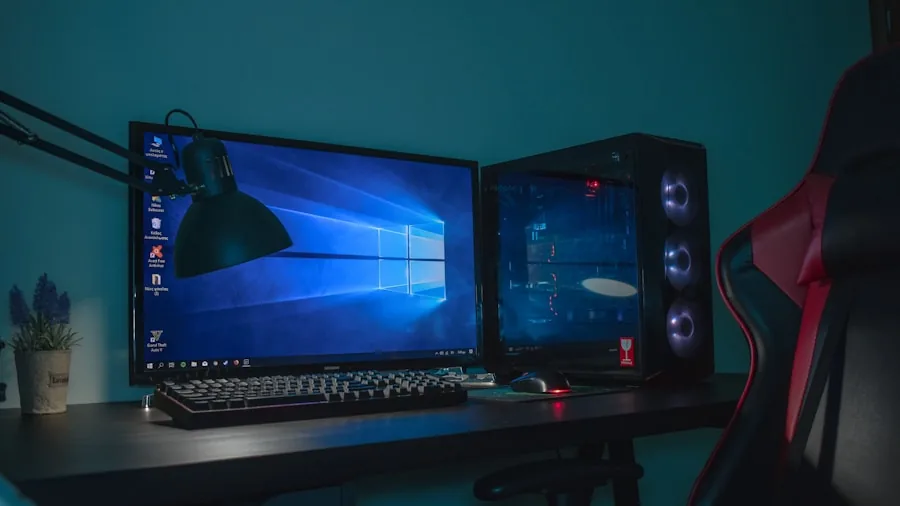
This list covers a broad price range from budget-friendly to premium. The Sceptre 22-inch is the most accessible pick for first-time PC gamers or those on a tight budget, delivering 144Hz FHD performance at an entry-level price.
The SANSUI 27-inch steps up to 240Hz and a curved design without a major premium.
Mid-range monitors like the Samsung G51F, ASUS VG27AQ3A, and the Alienware AW3425DWM hit the best value sweet spot with QHD or ultrawide resolution and high refresh rates.
At the premium end, the Samsung Odyssey OLED G6 and the Alienware AW3425DW QD-OLED represent the current best of display technology.
Keep in mind that a high-refresh-rate monitor will need enough GPU power to feed it. Make sure your PC or console can target your monitor’s refresh rate before investing in a 240Hz or 300Hz panel.
If you are also evaluating other components for your setup, our look at top-rated TVs can help clarify how dedicated gaming monitors compare to large-screen alternatives for console play.
Why Trust Us
RetailCoupons.com is an independent editorial site with no affiliation to any retailer or manufacturer. We do not sell products, process orders, or handle warranties.
Our team researched and evaluated each monitor on this list by analyzing verified specifications, manufacturer claims, and aggregated user feedback from thousands of real owners.
We assess monitors against a consistent set of criteria including panel technology, refresh rate, adaptive sync compatibility, color coverage, build quality, ergonomic flexibility, and value at their respective price tier.
Our goal is to give you the clearest, most honest picture of what each monitor does well and where it falls short.
We also keep an eye on common pitfalls like misleading HDR labels and overstated contrast claims so that our recommendations reflect real-world gaming performance rather than spec-sheet marketing.
If you ever encounter suspicious pricing or coupon offers while shopping, our scam alert guide covers what to watch out for.
Final Thoughts
After analyzing every model in this lineup, a few clear standouts emerged across different use cases and budgets. Here are our top picks by category:
- Best Overall: Samsung 27″ Odyssey OLED G6 delivers QD-OLED image quality, 240Hz speed, 0.03ms response, and a glare-free panel in a versatile flat form factor that excels for both gaming and productivity.
- Best Ultrawide Pick: Alienware 34 240Hz QD-OLED AW3425DW combines a stunning 34-inch WQHD QD-OLED panel with DisplayHDR TrueBlack 400 and FreeSync Premium Pro for a truly cinematic gaming experience.
- Best Mid-Range Value: LG 34G630A-B 34-Inch Ultragear offers 240Hz ultrawide performance with USB Type-C connectivity and a height-adjustable stand at a compelling mid-range price point.
- Best Budget Pick: Sceptre 22-Inch Gaming Monitor E225W-FW144 is the smartest entry-level choice with 144Hz FHD performance, built-in speakers, and a user-rated 4.7-star average that speaks for itself.
- Best for Competitive Play: ASUS TUF Gaming VG27AQM5A pushes 300Hz at 1440P with 0.3ms response and 95% DCI-P3 coverage, making it purpose-built for players who prioritize speed without sacrificing image quality.
Whatever your play style, there is a monitor on this list to match it. Competitive players should look toward 240Hz and 300Hz Fast IPS panels. Immersion-focused gamers will love the ultrawide QD-OLED options.
Budget builders get genuinely capable displays without overspending. If you are building out a complete gaming station, do not overlook a height-adjustable desk and a quality pair of gaming headsets to round out your setup.
Frequently Asked Questions
What refresh rate should I look for in a gaming monitor?
For casual gaming, 144Hz is a significant upgrade over 60Hz and will feel noticeably smoother. Competitive players and those who play fast shooters should aim for 240Hz or higher.
The ASUS VG27AQM5A at 300Hz and the LG 34G630A-B at 240Hz ultrawide represent the upper end of what is currently available at their respective resolutions.
Is an OLED gaming monitor worth the premium?
If image quality is your top priority, QD-OLED monitors are genuinely worth considering. The near-instant pixel response of 0.03ms and the true blacks eliminate blooming that affects even the best IPS panels.
The Samsung Odyssey OLED G6 and the Alienware AW3425DW QD-OLED both justify their premium price if your budget allows for it. OLED burn-in risk has also decreased significantly with modern safeguards like Samsung’s OLED Safeguard built into the G6.
Do I need G-Sync or will FreeSync work?
If you have an NVIDIA GPU, look for G-Sync Compatible certification on a FreeSync monitor. Most of the picks in this list carry that certification, meaning they function with both AMD and NVIDIA cards.
You generally do not need to pay the premium for a dedicated G-Sync module for gaming purposes anymore. The Samsung Odyssey G5 G50F is explicitly listed as NVIDIA G-Sync Compatible alongside AMD FreeSync.
Should I choose a flat or curved gaming monitor?
Curved monitors add immersion for single-player, story-driven, and racing games, particularly at 34 inches and above. Flat monitors are generally preferred for competitive multiplayer because the consistent geometry makes it easier to track targets across the screen.
Your play style should drive the decision more than aesthetics alone.
What resolution is best for gaming right now?
QHD at 2560×1440 is the mainstream sweet spot in 2026. It looks significantly sharper than 1080P without demanding as much GPU power as 4K.
Ultrawide WQHD at 3440×1440 is ideal for immersive single-player gaming if your GPU can sustain good frame rates at that resolution. 1080P remains relevant for budget builds or when maximum frame rate matters most.
How do I find a seller on Amazon if I have a product question?
If you need to reach the seller of a monitor you purchased on Amazon, our step-by-step article on how to contact sellers on Amazon walks you through the process clearly.
RetailCoupons.com is an independent review site and cannot assist with orders, returns, or warranty claims.
Are portable projectors a viable alternative to a gaming monitor?
Portable projectors can create a large-screen gaming experience but cannot match the response times, refresh rates, or brightness of a dedicated monitor for competitive play. They are better suited to casual console gaming or movie nights.
If that use case appeals to you, explore portable projectors as a complementary device rather than a monitor replacement.
About the Author

Further Reading

Paper Shredders for Home and Office: Security, Speed, and Value Ranked
Identity protection starts with a good shredder. We compared top models on shred quality, run time, noise, and…

Wire, Wooden, and Heavy-Duty Dog Crates Compared for Every Pup
Whether you're crate-training a puppy or need a secure space for a high-energy adult dog, finding the right…

Top-Rated Waterproof Hiking Boots for Every Trail and Budget
Your footwear can define your entire hiking experience. We reviewed the top options across waterproofing, grip, ankle support,…

Top Gaming Headsets Ranked for Sound, Comfort, and Value
Not all gaming headsets deliver on their promises. Our editors compared wired and wireless options across comfort, audio…
From Laundry Rooms to Styling Routines: Top Dryers Ranked and Compared
Whether you need a full-size laundry machine, a compact portable unit, or a salon-quality hair dryer, this guide…
Top Gaming Laptops for Every Budget and Performance Level
From entry-level RTX machines to premium powerhouses, these picks cover every gaming budget and play style, so you…
Comments
Be the first to comment. Share your thoughts on this guide to help other readers.