


Jump to a section
Finding the right printer in 2026 means wading through dozens of models with overlapping specs, confusing ink systems, and price tags that range from budget-friendly to borderline extravagant.
Whether you need a workhorse for a busy home office, a compact model for occasional documents, or a wide-format machine for professional output, the market has more options than ever.
Our editorial team at RetailCoupons.com spent considerable time researching, comparing, and evaluating printers across key categories so you don’t have to start from scratch.
We focused on printers from trusted brands like Epson, HP, Canon, and Brother, analyzing ink efficiency, print quality, wireless connectivity, paper handling, and long-term running costs.
The result is a shortlist of reliable picks that covers every realistic use case, from cartridge-free ink tanks to high-speed laser mono printers.
If you’re also in the market for a dedicated workspace upgrade, pairing your new printer with a height-adjustable desk can make a real difference in day-to-day comfort.
Top Printers We Recommend in 2026

Pros
- Extremely low cost per page makes it economical for frequent printing
- Massive ink capacity means fewer trips to buy replacements throughout the year
- Eco-friendly design significantly reduces plastic waste from discarded cartridges
- Reliable all-in-one functionality handles printing, scanning, and copying efficiently
- Wireless connectivity allows printing from multiple devices without cables
Cons
- Requires genuine Epson ink for optimal performance; third-party inks may void warranty
- Slower print speed at 10 pages per minute compared to some higher-end models
The Epson EcoTank ET-2800 represents a smart shift away from the traditional printer cartridge model that has frustrated home users for years. By replacing individual cartridges with large refillable ink tanks, this all-in-one printer dramatically reduces both your printing expenses and environmental impact. The included ink supply is substantial enough to handle approximately 2 years of typical household printing, which means you won't find yourself hunting for replacement cartridges nearly as often as with conventional printers.
Performance-wise, the ET-2800 delivers reliable output across printing, scanning, and copying tasks. Its Micro Piezo Heat-Free Technology produces vivid color prints and sharp documents, while the wireless connectivity lets you print directly from smartphones, tablets, and computers without dealing with cables. At 10 pages per minute, the print speed is respectable for home and light office use, though users with high-volume needs may want to consider faster alternatives.
The primary consideration is Epson's strong recommendation to use genuine ink bottles, as third-party alternatives may not deliver optimal results and could affect your warranty coverage. For households that print regularly and want to minimize ongoing costs and waste, however, the EcoTank ET-2800 offers compelling long-term value and a more sustainable approach to home printing.
| Feature | Details |
|---|---|
| Model | Epson EcoTank ET-2800 |
| Type | Wireless All-in-One Color Printer |
| Functions | Print, Scan, Copy |
| Print Speed | 10 ISO pages per minute (black and color) |
| Page Yield (Black) | Up to 4,500 pages per ink set |
| Page Yield (Color) | Up to 7,500 pages per ink set |
| Included Ink | Equivalent to approximately 90 individual cartridges |
| Initial Ink Supply | Up to 2 years of printing |
| Connectivity | Wireless (Wi-Fi) |
| Technology | Micro Piezo Heat-Free Technology |
| Ink System | Cartridge-free refillable tanks |
| Color Support | Full color printing and copying |
| Recommended Use | Home and light office use |
| Warranty | Limited warranty (genuine Epson ink required for coverage) |
Is This Printer Right for You?
The EcoTank ET-2800 excels for households and home offices that print regularly. If you find yourself buying ink cartridges several times per year, this printer will save you significant money over time. The wireless all-in-one functionality makes it versatile for families who need printing, scanning, and copying in one device.
Who Should Consider Alternatives?
If you print fewer than 500 pages per month, a basic single-function printer might be more cost-effective. Similarly, if you need very high-speed printing (above 15 pages per minute), you may want to explore laser or faster inkjet options.
Long-Term Value Considerations
Calculate your annual printing volume before purchasing. The EcoTank system shines for medium to high-volume users. The initial purchase price is higher than budget printers, but replacement ink sets cost significantly less per page than traditional cartridges, making the total cost of ownership much lower over 2-3 years.
Why EcoTank Saves Money
Traditional cartridge printers typically cost a premium price-a premium price per page in ink expenses. The EcoTank ET-2800 reduces this to roughly a premium price-a premium price per page, depending on your color usage. For someone printing 100 pages monthly, annual savings can exceed a premium price compared to cartridge-based systems.
Break-Even Analysis
The ET-2800 costs more upfront than budget printers, but the included 2-year ink supply and low refill costs mean most users break even within 12-18 months. After that, printing becomes remarkably affordable.
Environmental Impact
By switching from cartridges to refillable tanks, you eliminate approximately 90 pieces of plastic waste per ink set. Over 3 years of ownership, that's roughly 270 fewer cartridges ending up in landfills, making this choice better for both your wallet and the environment.

Pros
- Versatile all-in-one functionality handles printing, scanning, and copying tasks
- Reliable dual-band Wi-Fi connectivity provides consistent performance across your home or office
- Compact design saves valuable desk space without compromising core features
- Automatic duplex printing reduces paper waste and speeds up multi-page jobs
- Easy mobile printing integration works seamlessly with popular smartphone apps
Cons
- Limited to 8.5 x 11-inch media, so larger format printing is not supported
- Monochrome OLED display lacks color, making photo previews less intuitive
The Canon PIXMA TS6520 stands out as a practical all-in-one solution for home users and hybrid workers seeking affordability without sacrificing core functionality. Its 2-cartridge hybrid ink system delivers sharp, professional-quality text documents alongside vibrant color photos, making it equally capable for both everyday printing needs and creative projects. The compact footprint ensures this printer integrates seamlessly into tight workspaces, while the intuitive 1.42-inch OLED display provides quick access to ink levels and printer status.
Wireless connectivity is a strong point, with dual-band Wi-Fi support (2.4GHz and 5GHz) ensuring stable, consistent performance throughout your home or office. Mobile printing capabilities through the Canon PRINT App, Apple AirPrint, and Mopria Print Service eliminate the need to transfer files to a computer first, streamlining your workflow. Automatic 2-sided printing is another practical feature that reduces paper consumption and accelerates multi-page jobs, making this device both eco-conscious and time-efficient.
Where the TS6520 excels is in delivering genuine value at its price point. It covers the essential functions most home offices require: printing, scanning, and copying. The setup process is straightforward for both computers and smartphones, so you can start printing within minutes. If your needs are basic to moderate and you prioritize reliability and simplicity over advanced features, this Canon printer offers dependable performance that justifies its budget-friendly positioning.
| Feature | Details |
|---|---|
| Brand | Canon |
| Model | PIXMA TS6520 |
| Printer Type | Wireless Color Inkjet All-in-One |
| Functions | Print, Scan, Copy |
| Ink System | 2-Cartridge Hybrid |
| Print Quality | Sharp text and vibrant colors |
| Media Support | Up to 8.5 x 11 inches |
| Duplex Printing | Automatic 2-sided printing |
| Display | 1.42-inch Monochrome OLED |
| Connectivity | Dual-band Wi-Fi (2.4GHz and 5GHz) |
| Mobile Printing | Canon PRINT App, Apple AirPrint, Mopria Print Service |
| Color | White |
| Design | Compact and space-saving |
Is This Printer Right for You?
The Canon PIXMA TS6520 is an excellent choice if you need a reliable, affordable all-in-one printer for home or hybrid work. Consider this model if you: print documents and photos regularly, want wireless printing from multiple devices, have limited desk space, and prefer simplicity over advanced features. It's particularly well-suited for students, freelancers, small home offices, and families managing household printing tasks.
Who Should Look Elsewhere: If you require large-format printing, high-volume professional output, or advanced features like automatic document feeders, you may want to explore higher-end models. Similarly, if color preview on your printer's display is important for your workflow, the monochrome OLED screen may feel limiting.
Setup and Support: Canon provides straightforward setup guides for both computer and mobile connections. The dual-band Wi-Fi ensures compatibility with most home networks, and the PRINT App simplifies remote printing. Customer support is readily available through Canon's website and community forums.
Print Quality and Speed
The 2-cartridge hybrid ink system balances cost-efficiency with output quality. Documents emerge with crisp, legible text suitable for professional correspondence, while photos display vibrant colors and good detail. Print speed is respectable for a budget model, and the automatic duplex feature accelerates multi-page jobs while reducing paper waste.
Wireless Performance
Dual-band Wi-Fi connectivity provides flexibility and stability. The 5GHz band offers faster data transfer when you're close to the router, while the 2.4GHz band extends range for printing from other rooms. Connection drops are rare, and reconnection is seamless when devices return to range.
Scanner and Copier Functions
The integrated scanner handles everyday copying and document digitization efficiently. While not the fastest scanner on the market, it delivers adequate performance for home office needs. The copy function produces clear reproductions suitable for most household and small business purposes.

Pros
- Fast, reliable printing without the heat and energy consumption of traditional office printers
- Generous 500-sheet paper capacity reduces refilling interruptions during heavy workloads
- Full duplex functionality across print, copy, scan, and fax saves time and simplifies document handling
- Multiple connectivity options (Bluetooth, Wi-Fi, Ethernet) ensure flexible setup and mobile printing support
- Professional color output with instant-dry inks minimizes smudging and speeds up document handling
Cons
- Higher upfront cost compared to basic inkjet alternatives, though total cost of ownership may be lower over time due to efficiency
The Epson Workforce Pro WF-4834 stands out in the competitive all-in-one printer market by combining heat-free printing technology with professional-grade output. Unlike traditional printers that generate excess heat and consume significant energy, the PrecisionCore architecture delivers consistent 25 ppm black and 12 ppm color printing while keeping operational costs down. This approach makes it an excellent choice for home offices, small businesses, and corporate departments that prioritize both performance and sustainability.
Productivity features are thoughtfully designed around real office workflows. The 500-sheet dual-tray paper capacity means you can load letter and legal sizes simultaneously without constant refilling. The 50-page automatic document feeder handles batch scanning and copying, while full duplex capability on printing, copying, and scanning cuts paper consumption in half. The 4.3-inch color touchscreen provides intuitive navigation, and the Epson Smart Panel App extends control to smartphones and tablets, allowing remote job queuing and status monitoring.
Connectivity options reflect modern workplace demands with Bluetooth Low Energy for simple smartphone pairing, Wi-Fi Direct for direct device connection without a router, standard Wi-Fi networking, and Ethernet for stable wired connections. Security features including secure wireless protocols and Secure Data Erase protect sensitive documents. DURABrite Ultra pigment inks deliver professional color accuracy and instant-dry performance, making this printer suitable for businesses that produce client-facing materials or detailed graphics alongside everyday correspondence.
| Printing Speed | 25 ISO ppm (black), 12 ISO ppm (color) |
| Print Technology | PrecisionCore Heat-Free Inkjet |
| Ink Type | DURABrite Ultra Pigment |
| Paper Capacity | 500 sheets (two 250-sheet trays) |
| Duplex Printing | Automatic (Print, Copy, Scan, Fax) |
| Automatic Document Feeder | 50-page capacity |
| Display | 4.3-inch color touchscreen |
| Scanning | Flatbed and ADF with ScanSmart software |
| Faxing | Yes, with automatic two-sided capability |
| Connectivity | Wireless (Wi-Fi), Wi-Fi Direct, Bluetooth Low Energy, Ethernet |
| Mobile Support | Epson Smart Panel App for iOS and Android |
| Security Features | Secure wireless, Secure Data Erase |
| Energy Consumption | Low, optimized through heat-free technology |
| Category | Sustainable Electronics |
Ideal For: Small business owners, remote workers with high printing volume, corporate departments, design studios, and home offices that need professional color output and reliable daily performance. Perfect for anyone tired of printer downtime or high energy bills.
Consider Alternatives If: You print fewer than 100 pages monthly and need the absolute lowest upfront cost, or if you require specialty paper handling beyond standard letter and legal sizes.
Speed & Output Quality: The WF-4834 delivers professional-grade color printing at competitive speeds. DURABrite Ultra inks provide vibrant, fade-resistant output suitable for client presentations and marketing materials. Instant-dry technology means documents are ready to handle immediately without smudging.
Reliability & Uptime: Heat-free PrecisionCore technology reduces mechanical stress on printer components, theoretically lowering maintenance needs and extending equipment lifespan. The generous 500-sheet capacity and 50-page ADF minimize user interaction and potential jam points during heavy-use periods.
Total Cost of Ownership: While the initial purchase price is higher than basic inkjets, the combination of energy efficiency, high-capacity trays, and reduced downtime typically results in lower per-page costs over the printer's lifetime, especially for businesses processing 500+ pages monthly.

Pros
- Exceptional value for a multifunction printer at this price point
- Reliable dual-band wireless connectivity ensures stable printing from anywhere
- Space-saving compact footprint without compromising core functionality
- Easy setup and intuitive operation for all skill levels
- Environmentally responsible with certified energy efficiency
Cons
- No automatic document feeder limits batch scanning and copying efficiency
- Limited paper capacity may require frequent refills for high-volume printing
The Canon PIXMA TS4320 delivers impressive value for budget-conscious households and small home offices. This compact all-in-one printer excels at producing crisp, vibrant documents and photos through its hybrid 2-cartridge ink system, which balances print quality with cost efficiency. The wireless connectivity works smoothly across both 2.4GHz and 5GHz bands, allowing you to print from your smartphone, tablet, or computer without fumbling with cables.
What sets this printer apart is its practical feature set for everyday users. Automatic two-sided printing saves both paper and time, while the integrated scanner and copier handle basic document management tasks. Mobile printing integration through Canon PRINT App, Apple AirPrint, and Mopria Print Service means you can print directly from your device with minimal setup hassle. The compact design makes it a smart choice for tight spaces, and its EPEAT Silver and ENERGY STAR certifications appeal to environmentally conscious buyers looking to reduce their carbon footprint.
This printer shines for light to moderate home use, but potential buyers should know it lacks an automatic document feeder and has modest paper capacity. If your printing needs are occasional and space is at a premium, the TS4320 offers reliable performance and solid build quality. It's an excellent entry point for hybrid workers who need printing flexibility without the premium price tag.
| Brand | Canon |
| Model | PIXMA TS4320 |
| Printer Type | All-in-One Inkjet (Print, Scan, Copy) |
| Print Technology | 2-Cartridge Hybrid Ink System |
| Connectivity | Dual-Band Wi-Fi (2.4GHz / 5GHz), USB |
| Mobile Printing | Canon PRINT App, Apple AirPrint, Mopria Print Service |
| Maximum Media Size | 8.5" x 11" |
| Automatic 2-Sided Printing | Yes |
| Design | Compact, White |
| Environmental Certifications | EPEAT Silver, ENERGY STAR Certified |
| Warranty | 1 Year Limited Warranty |
Ideal Users:
- Home office professionals and hybrid workers needing occasional printing
- Budget-conscious families seeking multifunction capabilities
- Small spaces where a full-size printer won't fit
- Eco-minded users prioritizing energy efficiency
- Anyone wanting simple, wireless printing without complex setup
Not Ideal For:
- High-volume printing environments requiring fast output speeds
- Offices needing automatic document feeding for batch processing
- Users requiring specialized photo printing or large format support
Getting Started: The Canon PIXMA TS4320 emphasizes user-friendly setup. Simply unbox, load paper and ink cartridges, and connect via Wi-Fi. The intuitive interface guides you through initial configuration without requiring technical expertise.
Wireless Performance: Dual-band Wi-Fi (2.4GHz and 5GHz) provides flexibility and stable connections throughout your home or office. The 5GHz band offers faster speeds for larger file transfers, while 2.4GHz extends range for devices further from your router.
Mobile Printing Options: Print directly from smartphones and tablets using Canon PRINT App, Apple AirPrint (iOS devices), or Mopria Print Service (Android). This flexibility means you can print documents, photos, and emails without connecting to a computer.
Network Requirements: A functioning Wi-Fi network is essential for wireless printing. USB connection is available as an alternative if Wi-Fi isn't available.

Pros
- Massive ink supply included out of the box eliminates cartridge shopping for years
- Refillable tank design dramatically reduces printing costs compared to traditional cartridge printers
- AI-powered printing removes formatting issues and unwanted content automatically
- Wireless connectivity and all-in-one capabilities provide complete home office functionality
- Simple, intuitive setup and operation with no complex maintenance
Cons
- Higher upfront cost compared to basic cartridge printers, though long-term savings offset this
- Refill bottles may require occasional monitoring to ensure consistent ink supply availability
The HP Smart Tank 5000 represents a significant shift in home printing philosophy by eliminating the cartridge replacement cycle entirely. Rather than chasing sales on overpriced ink cartridges every few months, you receive two full years of Original HP Ink from day one, enabling thousands of pages of printing without additional cartridge purchases. This approach fundamentally changes the ownership experience, transforming printing from an ongoing expense into a set-and-forget utility.
What distinguishes this printer is its practical engineering around the refill process itself. The mess-free refill system uses gravity-fed ink bottles that simply plug in and drain automatically, removing the frustration and potential for spills that plagued earlier ink tank systems. Combined with wireless connectivity and all-in-one scanning and copying capabilities, the Smart Tank 5000 handles typical home office workflows without requiring multiple devices or complicated setup procedures.
The AI-powered printing technology addresses a real frustration point in home printing: wasted pages from poor formatting when printing web content or emails. The printer automatically removes unwanted margins, headers, and footer content, adjusting layouts to fit perfectly on the page. For households that print frequently, this feature translates to tangible savings in both ink and paper, making the overall value proposition genuinely compelling for cost-conscious users.
| Feature | Details |
|---|---|
| Printer Type | All-in-One (Print, Scan, Copy) |
| Technology | Cartridge-Free Refillable Ink Tank |
| Connectivity | Wireless (WiFi) |
| Included Ink Supply | 2 Years of Original HP Ink |
| Page Yield | Up to 6,000 pages (black or color) |
| Print Quality | Sharper text, richer colors |
| Refill System | Mess-free, gravity-fed ink bottles |
| Special Features | HP AI-enabled printing technology |
| Maintenance | Minimal, no complex procedures |
| Support | Premium HP technical expertise |
| Best For | Home users, high-volume printing, cost-conscious buyers |
| Model | 5D1B6A |
Why the Smart Tank 5000 Saves Money Long-Term
Traditional cartridge printers require replacement cartridges every few months, with Original HP cartridges costing a premium price-a premium price per cartridge depending on capacity. Over two years, a typical household might spend a premium price-a premium price on replacement cartridges alone. The Smart Tank 5000 includes all ink for two years upfront, eliminating this recurring expense entirely. After the initial two-year period, refill bottles cost significantly less than cartridges, extending savings indefinitely.
For homes printing 250+ pages monthly, the savings become substantial. The included 6,000-page ink supply means no cartridge purchases for 24 months, and the AI printing technology reduces wasted pages from formatting errors, further stretching ink supplies. Combined with wireless convenience and all-in-one functionality, the higher initial investment pays for itself within the first year for medium-to-heavy printing households.
How HP AI Improves Your Prints
The HP AI technology integrated into this printer addresses frustrations that plague home users when printing web content. When printing articles, recipes, or emails, web pages often include sidebars, ads, headers, and footers that waste paper and ink while cluttering your printed document. The Smart Tank 5000's AI automatically detects and removes this unwanted content, reformatting the remaining text and images to fit perfectly on your page.
This feature delivers tangible benefits: fewer wasted pages, cleaner printed documents, and reduced ink consumption. For households printing recipes, articles, or reference materials regularly, the cumulative savings in paper and ink over two years can be significant. The technology works transparently without requiring manual adjustments, making it accessible to all users regardless of technical expertise.

Pros
- Fast print and scan speeds keep workflows moving without delays
- Multiple connectivity options (wireless, Ethernet, USB) work with any setup
- Automatic document feeder eliminates manual page feeding for efficiency
- Brother Mobile Connect app provides remote printing and scanning capability
- Subscription toner service prevents unexpected supply shortages
Cons
- No color printing limits use cases for marketing materials or photo documents
- Initial setup and wireless configuration may require technical patience for non-tech users
The Brother DCP-L2640DW delivers genuine value for small business owners and remote workers who need reliable monochrome printing without premium pricing. The 36 ppm print speed and 50-page auto document feeder combine to handle real workload demands, whether you're processing invoices, contracts, or internal reports. The wireless dual-band connectivity ensures stable performance even in busy office environments with multiple devices.
Connectivity flexibility is a standout strength. You can print from smartphones via the Brother Mobile Connect app, connect multiple computers wirelessly, or hardwire via Ethernet for mission-critical operations. The scan speeds of 23.6 ipm for black and 7.9 ipm for color scanning make digitizing documents practical rather than tedious. The compact footprint means it won't dominate your desk or office corner.
The Refresh EZ Print Subscription service addresses a genuine pain point for busy offices: toner management. With potential savings up to 50% on genuine supplies and automatic replenishment, you eliminate the frustration of running dry during important projects. For businesses focused on black and white documents, this printer strikes an excellent balance between capability, reliability, and cost efficiency.
| Model | Brother DCP-L2640DW |
| Print Type | Monochrome Laser |
| Functions | Print, Copy, Scan (3-in-1) |
| Print Speed | Up to 36 ppm |
| Scan Speed | 23.6 ipm (black), 7.9 ipm (color) |
| Auto Document Feeder | 50 pages |
| Connectivity | Dual-band Wireless (2.4GHz/5GHz), Ethernet, USB |
| Mobile Support | Brother Mobile Connect App, Alexa Compatible |
| Duplex Printing | Yes (automatic) |
| Toner | TN830 or TN830XL (Brother Genuine) |
| Subscription Service | Refresh EZ Print (trial included) |
| Color | Black |
Best For: Small business owners, home office professionals, and teams that handle high volumes of black and white documents daily. Ideal if you need scanning, copying, and printing in one compact device.
Consider Alternatives If: You regularly need color printing for marketing materials, presentations, or photo documents. This printer is monochrome only.
Key Decision Factor: If your workflow is primarily black and white documents and you value wireless flexibility plus mobile printing, this Brother model delivers strong performance at an accessible price point.
Wireless Setup: The dual-band wireless (2.4GHz/5GHz) gives you flexibility. The 5GHz band provides faster speeds for nearby devices, while 2.4GHz offers better range for devices farther from the printer. Most users should enable 5GHz if their router supports it.
Mobile Printing: Download the Brother Mobile Connect app to print from your smartphone or tablet anywhere on your network. You can also manage scan-to-email functions and track toner levels remotely.
Network Options: For maximum stability in busy offices, consider wired Ethernet connection. For flexibility and cable-free setup, the wireless option works well. USB connection is available for single-computer setups.
Subscription Service: The included Refresh EZ Print trial lets you experience automatic toner replenishment. You can cancel anytime, but most users find the 50% savings worth keeping active.

Pros
- Wide-format capability at 11x17 inches sets it apart from standard office printers
- P3 color gamut delivers true-to-screen color accuracy superior to standard sRGB
- Intuitive 4.3-inch touchscreen with smartphone-like interface minimizes learning curve
- HP Wolf Pro Security protects your network from cyber threats
- Made with 30% recycled plastic, supporting sustainable office practices
Cons
- Premium price point may exceed budgets for small offices or home use
- Wide-format capability means larger physical footprint requiring dedicated desk or cabinet space
The HP OfficeJet Pro 9730 is built for offices that demand more from their printing equipment. Its wide-format capability lets you produce professional-quality documents up to 11x17 inches, making it perfect for architectural floorplans, marketing mood boards, and detailed spreadsheets. The printer delivers vibrant color output with P3 color gamut technology, ensuring your prints match what you see on your screen with exceptional accuracy. Print speeds of 22 ppm for black and 18 ppm for color keep your office moving without sacrificing quality.
Smart features elevate this printer beyond basic document output. The integrated HP AI analyzes web pages and emails before printing, automatically removing unwanted content and formatting to eliminate wasted pages and awkward layouts. The auto duplex printing and single-pass 2-sided scanning with automatic document feeder cut through routine tasks efficiently. Wireless connectivity is rock-solid thanks to dual-band Wi-Fi that detects and resolves connection issues automatically, while the 4.3-inch touchscreen provides an intuitive, smartphone-like interface that most users will find immediately familiar.
For security-conscious offices, HP Wolf Pro Security safeguards your network from cyber threats, while the mobile app lets you print, scan, copy, and fax from anywhere. The included 3-month Instant Ink trial delivers replacement cartridges to your door automatically and saves up to 50% on ink costs. With 30% recycled plastic in its construction, this printer combines professional performance with environmental responsibility, making it an excellent choice for forward-thinking offices.
| Model | HP OfficeJet Pro 9730 (C2WH0A) |
| Print Technology | Color Inkjet |
| Max Print Size | 11 x 17 inches (wide-format) |
| Print Speed (Black) | Up to 22 ppm |
| Print Speed (Color) | Up to 18 ppm |
| Color Gamut | P3 (wider than standard sRGB) |
| Functions | Print, Scan, Copy, Fax |
| Automatic Document Feeder | Yes, single-pass 2-sided scanning |
| Duplex Printing | Automatic 2-sided printing |
| Input Trays | Two 250-sheet trays |
| Display | 4.3-inch color touchscreen |
| Connectivity | Dual-band Wi-Fi, mobile app support |
| Security | HP Wolf Pro Security |
| Sustainability | 30% recycled plastic content |
| Included | 3-month Instant Ink trial subscription |
HP AI Print Optimization
One of the standout features of the OfficeJet Pro 9730 is its integrated artificial intelligence that learns your printing preferences. When you print web pages or emails, the AI automatically analyzes the content and removes unwanted elements like ads, banners, and formatting clutter. This means cleaner, more professional-looking documents with zero wasted pages due to awkward layouts or unnecessary content spillover.
The AI doesn't just remove clutter, it intelligently reformats your documents to print exactly as intended. Complex email threads, multi-column web articles, and intricate spreadsheets are reformatted for optimal page usage. This smart technology saves both time and money by reducing paper waste and ensuring every print job comes out perfectly formatted the first time.
Reliable Wireless Connectivity
The OfficeJet Pro 9730 features enterprise-grade dual-band Wi-Fi that automatically detects and resolves connection issues without user intervention. This means fewer dropped connections and more consistent printing from all your office devices. The printer works seamlessly with both 2.4GHz and 5GHz networks, adapting to your office environment for optimal performance.
Mobile Printing & Scanning
The dedicated HP mobile app transforms your smartphone into a remote printer control center. Print documents directly from your phone, scan important papers using your device's camera, and even initiate fax transmissions. The app integrates with popular cloud services, letting you print from email, cloud storage, and web-based applications with just a few taps. Whether you're at your desk or across the office, mobile functionality keeps you connected to your printer.
Instant Ink Subscription Benefits
The included 3-month Instant Ink trial is a significant value-add that typically costs money separately. During the trial period, you'll save up to 50% on replacement ink cartridges compared to standard retail pricing. After the trial ends, you can choose to continue the subscription with automatic cartridge delivery or cancel without penalty.
Long-Term Savings Strategies
Beyond ink savings, the OfficeJet Pro 9730 reduces operational costs through automatic duplex printing and scanning, which cuts paper consumption in half. The AI-powered print optimization eliminates wasted pages from formatting errors and unwanted content. For offices printing high volumes of color documents, these features combine to deliver measurable savings on both supplies and labor. The two 250-sheet input trays reduce frequent paper reloading, keeping your team productive.

Pros
- Exceptional page yield from single ink set translates to months of printing without refilling
- All-in-one functionality handles printing, copying, scanning, and faxing from one device
- Refillable tank system is more economical and eco-friendly than traditional cartridges
- Wireless printing and scanning enhance workflow flexibility and convenience
- Auto duplex printing and document feeder save time on routine office tasks
Cons
- Initial setup of refillable tanks requires careful attention to ensure proper installation and avoid ink spills
The Canon MegaTank MAXIFY GX2020 represents a smart investment for anyone tired of frequently replacing ink cartridges. The refillable tank system is the standout feature here, delivering up to 3,000 pages per color from a single ink set. This approach not only saves money over time but also reduces plastic waste, making it an environmentally conscious choice for the home office or small business environment.
Functionality is comprehensive across the board. The wireless connectivity means you can print documents directly from your smartphone, tablet, or laptop without being tethered to the device physically. The 2.7-inch color touchscreen is responsive and straightforward to navigate, while the 35-sheet auto document feeder eliminates the tedium of manually feeding pages one at a time when copying or scanning multi-page documents. Automatic duplex printing is included, which further reduces paper consumption and keeps your office organized.
The compact desktop design makes this printer suitable for space-constrained environments without sacrificing functionality. Whether you need to handle routine printing tasks, create copies for meetings, digitize important documents, or send faxes, this all-in-one device consolidates multiple office tools into a single unit. The combination of low per-page costs and versatile features makes it particularly appealing for small business owners and home-based professionals who value efficiency and affordability.
| Brand | Canon |
| Model | MegaTank MAXIFY GX2020 |
| Type | All-in-One Wireless Printer |
| Functions | Print, Copy, Scan, Fax |
| Page Yield | Up to 3,000 black and white pages / 3,000 color pages per ink set |
| Ink System | Refillable Tank System |
| Connectivity | Wireless (Wi-Fi) |
| Display | 2.7-inch Color LCD Touchscreen |
| Auto Document Feeder | 35-sheet capacity |
| Printing | Automatic duplex (2-sided) printing |
| Design | Compact desktop form factor |
| ASIN | B0CHLHDHRT |
Why the Tank System Saves Money
Traditional inkjet printers require frequent cartridge replacements, with costs adding up quickly for regular users. The Canon MegaTank MAXIFY GX2020 shifts this economics entirely. With up to 3,000 pages per color from a single ink set, you'll spend significantly less on ink over a year compared to standard cartridge-based printers. For someone printing 50-100 pages monthly, one ink set could last several months or longer.
Total Cost of Ownership
When evaluating this printer, consider the complete picture: lower per-page printing costs, reduced frequency of supply purchases, minimal downtime waiting for replacements, and decreased environmental impact from fewer plastic cartridges. Home offices and small businesses with moderate to high printing volumes will see the fastest return on investment.
Home Office Professionals - Freelancers, consultants, and remote workers who print documents, contracts, or marketing materials regularly benefit from low-cost printing and wireless convenience.
Small Businesses - Law offices, medical practices, real estate agencies, and other businesses handling document-heavy workflows appreciate the all-in-one functionality and high page yields.
Education and Training - Schools, tutoring centers, and training facilities that print curriculum materials, handouts, and administrative documents gain significant savings from the refillable tank system.
Home Users with Moderate Printing Needs - Families who print school projects, household documents, and photos find the balance of affordability and versatility appealing.
Best Printers Buying Guide
Choosing a printer is rarely straightforward. The model that makes perfect sense for a student printing the occasional essay looks completely different from what a small business owner needs for daily invoicing and scanning.
Understanding the key variables before you buy will save you money and frustration in the long run.
Inkjet vs. Laser: Which Technology Fits Your Needs

Inkjet printers use liquid ink sprayed through microscopic nozzles, making them excellent for color documents, photos, and mixed-content pages.
They tend to have lower upfront costs but can be expensive to run if you print frequently, unless you choose a supertank or ink tank model.
Laser printers use toner powder fused with heat, delivering sharp, fast monochrome output at a low cost per page, which makes them popular for high-volume text printing in offices.
If you primarily print text-heavy documents in bulk, a mono laser like the Brother DCP-L2640DW is hard to beat for efficiency.
If you need versatile color output without paying premium per-page costs, a cartridge-free inkjet such as the Epson EcoTank ET-2800 or the HP Smart Tank 5000 is a smarter long-term investment.
Ink Tank vs. Cartridge Systems
Traditional cartridge printers have a lower purchase price but recurring cartridge costs add up quickly, especially for households or offices that print often.
Ink tank systems, sometimes called supertank or MegaTank printers, come with large refillable reservoirs that dramatically reduce the cost per page.
Brands like Epson, HP, and Canon have all committed to expanding their ink tank lineups in response to growing consumer demand for lower running costs.
The Epson EcoTank ET-2800 and HP Smart Tank 5000 both bundle significant ink supplies in the box, often enough to last for a year or more of typical household printing.
The Canon MAXIFY GX2020 takes a similar approach with a MegaTank system but adds faster print speeds more suitable for a small office environment.
If you print irregularly and want the simplest setup, a standard cartridge model like the Canon PIXMA TS4320 keeps the upfront cost minimal.
Print Speed and Volume Capacity
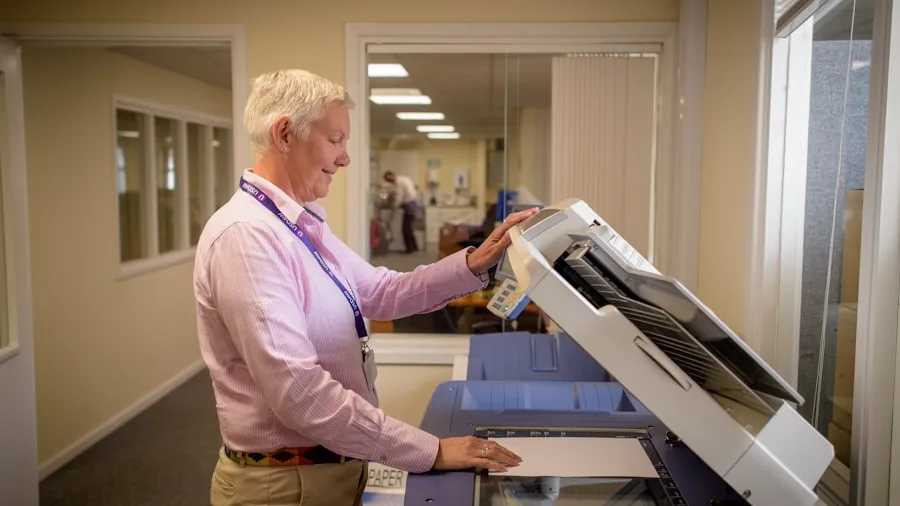
Print speed is measured in pages per minute (ppm) and matters most for offices that run high daily volumes.
A home user printing a dozen pages a week will never feel the difference between 10 ppm and 24 ppm, but a small business processing hundreds of pages daily absolutely will.
Paper capacity is equally important: a printer with a 500-sheet input tray like the Epson WorkForce Pro WF-4834 drastically reduces how often you need to refill paper.
For wide-format needs, the HP OfficeJet Pro 9730 supports up to 11×17-inch output, which is essential for architects, designers, and marketing teams producing large-format documents.
Most home users will never need that capability, but knowing it exists means you can match the printer to the job rather than compromise later.
All-in-One Functions: Print, Scan, Copy, and Fax
Most modern printers are all-in-one (AIO) units that combine printing with scanning, copying, and sometimes faxing. For home offices, AIO functionality replaces what used to require three separate devices.
A flatbed scanner with a decent resolution makes it easy to digitize receipts, contracts, and photos without a separate scanner purchase.
Automatic document feeders (ADF) are a particularly useful feature if you frequently scan or copy multi-page documents.
The Epson WorkForce Pro WF-4834 includes a 50-page ADF, and the HP OfficeJet Pro 8139 and 9125 both come with ADF units suitable for home-office workflows.
Budget models like the Canon PIXMA TS4320 skip the ADF entirely, which is fine for occasional single-page scanning but limiting for document-heavy users.
If you deal with sensitive paperwork at home, a dedicated paper shredder alongside your printer setup is always a smart addition.
Wireless Connectivity and Smart Features
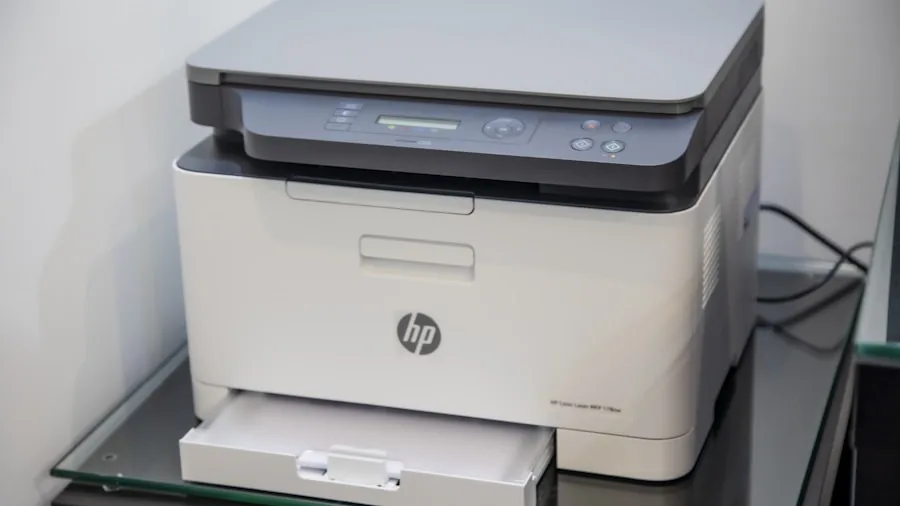
Virtually every printer on this list supports Wi-Fi, enabling printing directly from smartphones, tablets, and laptops without a USB cable. Many also support Wi-Fi Direct, Apple AirPrint, and Google-based cloud printing, which keeps setup simple regardless of your device ecosystem.
The Brother DCP-L2640DW even integrates with Alexa for voice-activated print jobs.
HP’s OfficeJet Pro lineup, including the 9125 and 8139, advertises AI-capable features that optimize settings and predict maintenance needs.
These smart features are genuinely useful in a connected home or office, reducing the likelihood of unexpected ink outages or paper jams during critical print runs.
Always verify that the printer’s companion app is compatible with your operating system before purchasing.
Duplex Printing and Paper Handling
Automatic duplex (two-sided) printing is a must-have for anyone printing reports, booklets, or contracts regularly. It halves your paper consumption and saves money over time.
Every printer on our list supports duplex printing, either automatically or manually, so this is a well-covered feature at this price tier.
Paper handling goes beyond tray capacity. Consider whether the printer accepts specialty media like cardstock, envelopes, or photo paper if those use cases matter to you.
Compact models like the Canon PIXMA TS6520 and TS4320 handle most standard media types but have smaller input trays, which is a fair trade-off for their desk footprint.
Display and Ease of Use
A color touchscreen simplifies setup and everyday operation, especially for households where multiple people use the same printer. The Epson WorkForce Pro WF-4834 features a 4.3-inch color touchscreen, making navigation feel intuitive even for less tech-savvy users.
The Canon PIXMA TS6520 includes a 1.42-inch OLED display with a well-organized control panel, which is compact but still functional.
Budget models like the Canon PIXMA TS4320 forgo a display in favor of a lower price point, relying instead on button controls and the companion app for setup. For users comfortable with app-based configuration, this is a non-issue.
For users who prefer on-device control, investing in a model with at least a small screen is worthwhile.
Long-Term Running Costs and Sustainability

The purchase price of a printer is only part of the total cost of ownership. Ink or toner, paper, and maintenance costs can easily exceed the device price over two or three years of regular use.
Ink tank printers dramatically reduce per-page costs, and several models on this list carry sustainability certifications or are categorized under eco-friendly product lines, reflecting growing industry pressure to reduce waste from disposable cartridges.
Brother’s subscription-based Refresh program, available as a trial with the DCP-L2640DW, lets users receive toner automatically based on usage, which eliminates emergency cartridge runs and can reduce overall cost.
HP’s Instant Ink program offers a similar benefit with the OfficeJet Pro 8139 and 9125. Evaluating subscription options against your actual print volume is a worthwhile exercise before committing to a model.
You can also protect yourself from counterfeit ink deals by reading about fake coupon scams that sometimes target printer consumable buyers.
Why Trust RetailCoupons.com
RetailCoupons.com is a fully independent editorial platform with no affiliation to any printer manufacturer or retailer. We do not sell printers, process returns, or handle warranties.
Our team researches and evaluates products based on publicly available specifications, verified user feedback, manufacturer documentation, and competitive analysis across the category.
For this guide, we analyzed ten printers across the home, home-office, and small-business segments from Epson, HP, Canon, and Brother.
We assessed each model on print technology, ink system efficiency, paper handling, wireless features, ease of use, and overall value relative to its price tier.
Our goal is to give you an honest, well-researched shortlist rather than a list padded with filler recommendations.
If you ever purchase through a link on this page, we may earn a commission at no extra cost to you, which helps support our independent editorial work.
We apply the same rigorous approach across all our product guides, whether we’re evaluating mirrorless cameras or graphics cards for creative workstations. Consistency in methodology is what makes our recommendations dependable across categories.
Final Thoughts
After reviewing all ten printers on this list, a few standouts emerged based on specific use cases. Here are our editorial picks by category:
- Best Overall: Epson WorkForce Pro WF-4834. A well-rounded all-in-one with a large paper capacity, fast duplex printing, a 50-page ADF, and a generous touchscreen, making it the most complete single package for home offices that demand reliability.
- Best Ink Tank Value: Epson EcoTank ET-2800. An excellent entry point into cartridge-free printing, with enough bundled ink to cover a full year of typical household use and a compact footprint that fits most desks easily.
- Best Budget Pick: Canon PIXMA TS4320. Impressively affordable without sacrificing wireless functionality or duplex printing, making it the right choice for students or light users who need dependable output without a large upfront investment.
- Best for Wide-Format Output: HP OfficeJet Pro 9730. The only model on this list capable of printing up to 11×17 inches, with duplex scan and copy support built in, which sets it apart for design, marketing, and professional document workflows.
- Best Mono Laser: Brother DCP-L2640DW. A compact, wireless laser printer that delivers sharp black-and-white output at a low per-page cost, with Alexa integration and a subscription toner option that suits budget-conscious home offices.
No single printer is perfect for every household, but each of these picks earns its place on the list for a specific reason.
Matching the right model to your actual print habits, volume, and budget is the most reliable way to avoid buyer’s remorse.
If you are setting up a broader home office, it’s also worth exploring compact projectors for presentations, a high-quality monitor for your workstation, or even appliance upgrades that free up more time for productive work.
Frequently Asked Questions
What Is the Best Type of Printer for Home Use?
For most households, a wireless color inkjet all-in-one is the best fit. It handles documents, photos, and occasional copy and scan tasks without requiring a separate device for each function.
If your household prints mainly text documents in high volume, a compact mono laser like the Brother DCP-L2640DW will deliver lower running costs over time.
Ink tank models are increasingly popular for home use because the bundled ink supply keeps costs predictable and low.
The HP Smart Tank 5000 and Epson EcoTank ET-2800 are both strong choices in this segment, offering years of printing from a single fill without the frustration of running out of cartridges unexpectedly.
A well-organized home office setup, including a solid adjustable work surface, can make everyday printer use far more comfortable.
Are Ink Tank Printers Worth the Higher Upfront Cost?
Yes, for most users who print at least a few dozen pages per month.
The cost per page on ink tank printers is significantly lower than traditional cartridge models, so the higher purchase price typically pays for itself within six to twelve months of regular use.
If you print very rarely, a standard cartridge printer with a lower sticker price may still make more sense.
Consider the bundled ink supply when evaluating value. Several models on this list include enough ink in the box to print thousands of pages before you need to refill, which is a genuinely compelling long-term proposition.
If you’re shopping for the best deals on ink and accessories, learn how to contact Amazon sellers directly to ask questions before purchasing consumables.
Do I Need a Fax Function in My Printer?
For most home users, fax is an unnecessary feature. Faxing has been largely replaced by email, digital signatures, and cloud document sharing in everyday personal and professional contexts. However, certain industries, including healthcare, legal, and real estate, still rely on fax for compliance reasons.
If your work involves industries with fax requirements, models like the Epson WorkForce Pro WF-4834, HP OfficeJet Pro 8139, and HP OfficeJet Pro 9125 all include fax capabilities. For everyone else, skipping the fax feature will not limit your productivity and may reduce both cost and complexity.
What Should I Look for in a Printer for a Small Business?
Small businesses should prioritize paper capacity, print speed, duplex functionality, and ADF support for scanning multi-page contracts and invoices. A reliable wireless connection and mobile printing support are also essential in a modern office environment.
The Epson WorkForce Pro WF-4834 and Canon MAXIFY GX2020 are both strong contenders for small business use, offering high paper capacity and fast output in a compact desktop footprint.
For offices that primarily need black-and-white document printing at volume, a mono laser remains the most cost-effective solution per page.
Pair it with a color inkjet for occasional color needs rather than paying for a single color laser at a much higher price point.
A full office setup might also include a reliable backup power source to keep equipment running during outages.
How Do I Keep My Printer Running Reliably Over Time?
Regular use is actually one of the best ways to maintain an inkjet printer. Ink can dry in the nozzles if a printer sits unused for weeks, leading to clogged heads and poor print quality.
Running a short print job every week or two, even a single test page, keeps the ink flowing and prevents clogging. Laser printers are more tolerant of long idle periods and require less routine maintenance.
Keep the printer firmware updated, use compatible or recommended ink and toner, and store paper in a dry environment to minimize jams and feeding issues.
If you purchase ink online, always verify the seller’s legitimacy to avoid counterfeit consumables, which can damage print heads and void warranties. Staying informed about online discount scams is an important part of smart shopping for printer supplies.
About the Author

Further Reading

Paper Shredders for Home and Office: Security, Speed, and Value Ranked
Identity protection starts with a good shredder. We compared top models on shred quality, run time, noise, and…
From Laundry Rooms to Styling Routines: Top Dryers Ranked and Compared
Whether you need a full-size laundry machine, a compact portable unit, or a salon-quality hair dryer, this guide…
Sparkling Dishes Every Time: Top Dishwashers for Every Home and Budget
From whisper-quiet built-ins to no-hookup countertop units, our editors analyzed the top dishwashers across all sizes and price…
Portable Generators for Home Backup, Camping, and Emergencies Ranked
Power outages hit without warning, and the right generator can keep your household safe and running. Our editors…
Top-Rated Air Fryers for Crispy, Healthier Cooking at Home in 2026
Upgrading your kitchen with a quality air fryer means faster meals, crispier results, and far less oil. Find…
Top Gaming Laptops for Every Budget and Performance Level
From entry-level RTX machines to premium powerhouses, these picks cover every gaming budget and play style, so you…
Comments
Be the first to comment. Share your thoughts on this guide to help other readers.